Connect with peers, share your expertise, and inspire what’s next in Smartsheet — from proven practices to practical how-to insights from fellow users and product experts.
Sign in to join the conversation:
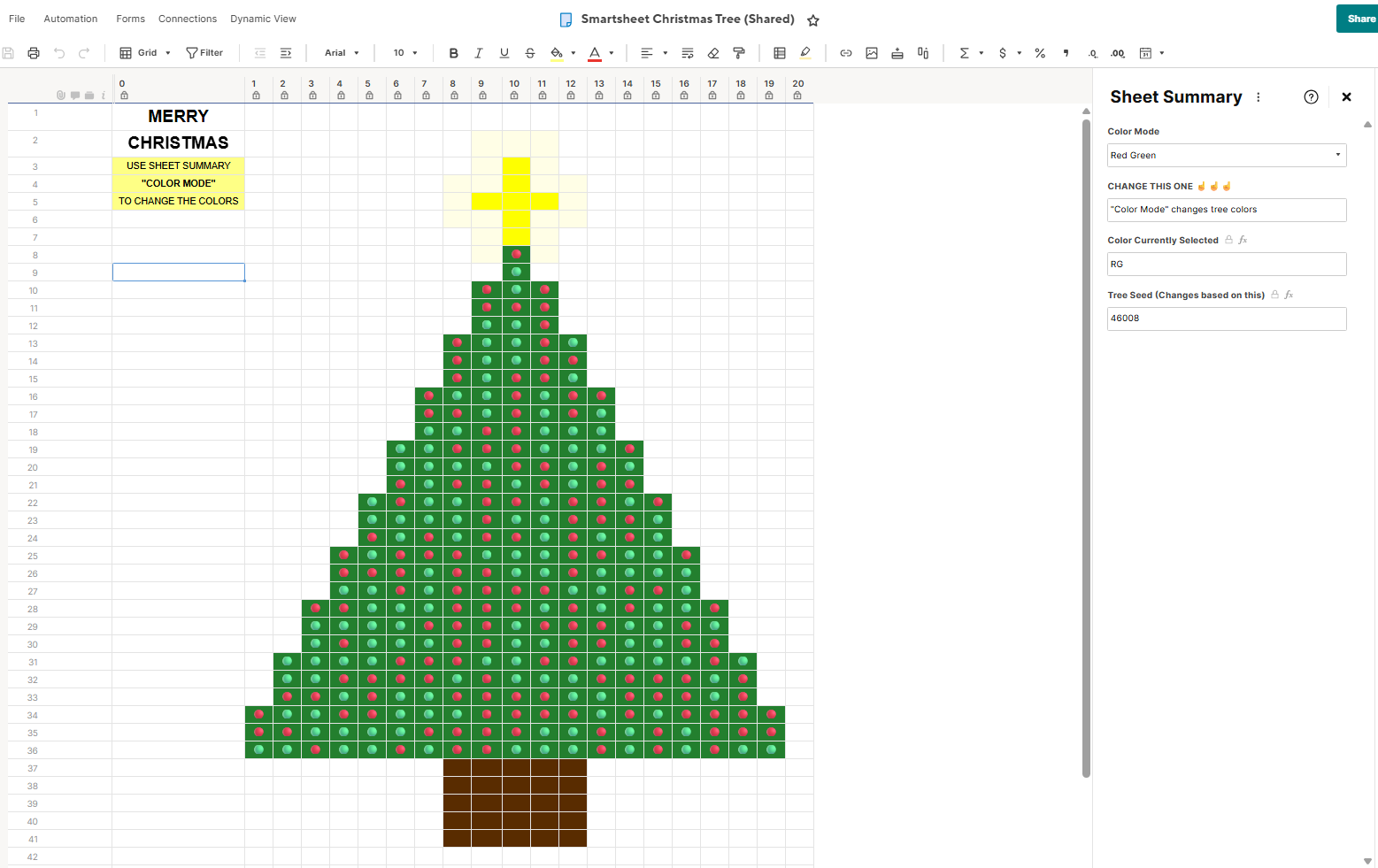
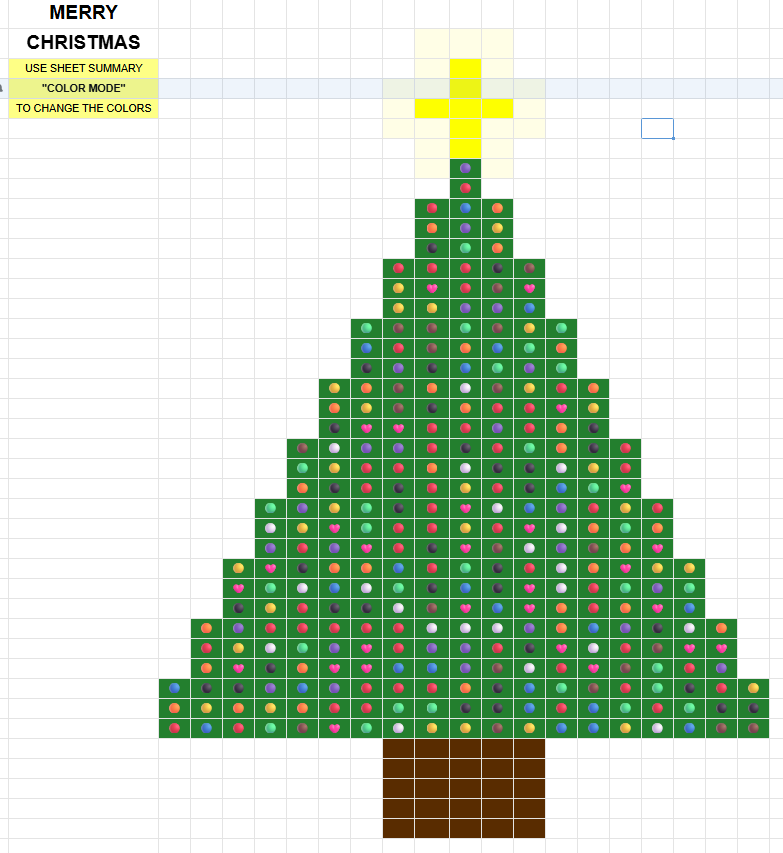
Sorry it took me so long to get this out! You might enjoy this Smartsheet Christmas tree I created in Smartsheet. The Sheet Summary has a field ("Color Mode") that you can use to change the light colors :)
I'm also attaching the excel file containing ALL the formulas you'll need to recreate it.
SEE MY REPLY BELOW FOR THE UPDATED FILE TO DOWNLOAD & IMPORT
Working Version to try here: https://app.smartsheet.com/b/publish?EQBCT=3dd85d0c5f164b608ae77eb358f77ae6
@NeilKY - love this!!! Thank you for sharing 😊 Happy holidays! 🎄
Super cool 😎
*************IMPORTANT UPDATE*******************
I made it even easier to create! USE THIS EXCEL FILE INSTEAD.
You no longer have to create the sheet. Simply upload it to Smartsheet (the Excel tab called "Tree Sheet to Upload"). Then follow the instructions within the tab called "Instructions".
PS. One fun suggestion I was given was to pair it with Data Mesh for an infinitely changing light show. (although I'm not sure how Smartsheet would feel about that :)
I love it! How creative!
Have a Merry Christmas and a Happy New Year!
This is pretty fun Neil! Sorry I didn't see this before Christmas! I made a pretty decent trive with a form in Smartsheet this year. That was fun, but pretty time consuming. lol 🌲
Oh my gosh. This is so much fun. I love Christmas.
Mine is switching between EAP and Builder Certificate of Achievement currently amongst posts. Does anyone know why it may be doing this? Thank you!
Hi Everyone! I was trying to signup for the overachiever's program here: 2026 Overachievers applications are now open! 📣 - Smartsheet Community but once I click Apply Now, then Sign Up on the next page, I get a message: "The form you are attempting to access is no longer active." The original page notes applications are…