Hi,
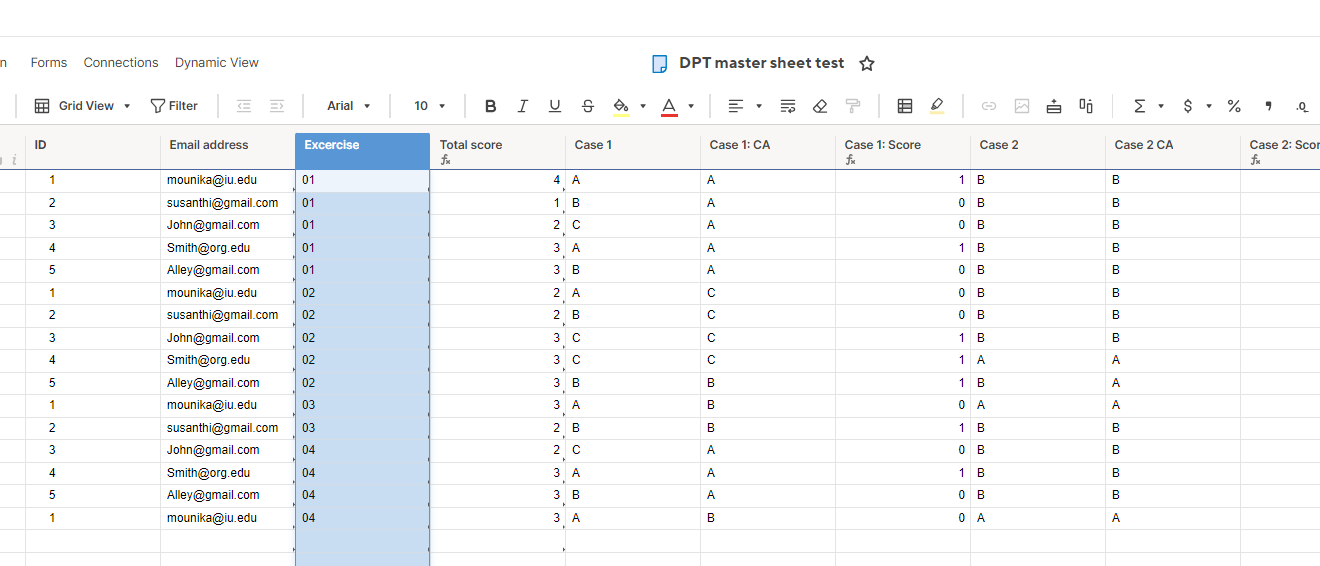
I am collecting data for the surveys, and this survey was asked to complete once per month throughout the year. The sheet has columns like, Email address, Name, Institution, Country, Exercise No (01,02,03,04,05,06 etc.) Case 1, Case 2, case 3, Case 4 (dropdowns). The participants complete the survey every month, and I've figured out to delete the duplicates and the ways to give score (1/0) by including additional columns.
Source sheet:
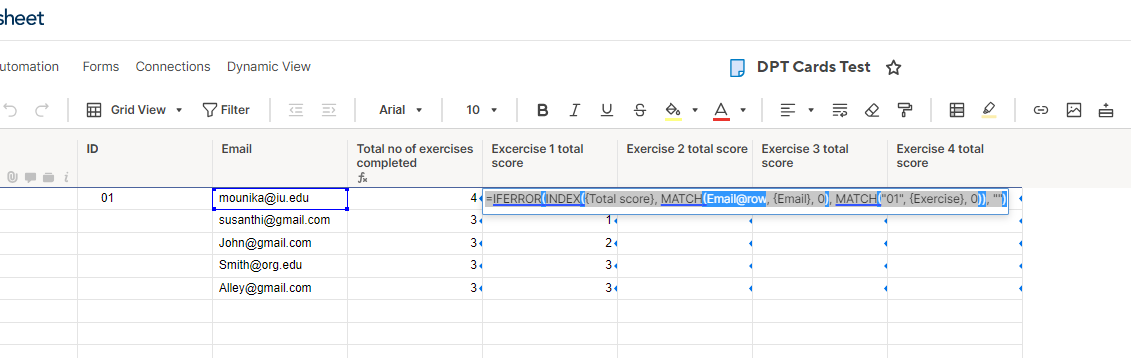
Now, I have created another sheet, to track the number of exercises each participant has completed, by copying all the email addresses and also to track the ongoing total for each participant. This sheet has Email address (manually fed, for now), Total no. of exercises completed (Finding ways to automate this column, based on email address and referencing it back to source sheet with email and exercise), total score for exercise 1, total score for exercise 2, total score for exercise 3, total score for exercise 4, (etc. until 12), and Overall score. This way, each participant information will be contained in a single row.
Destination sheet:
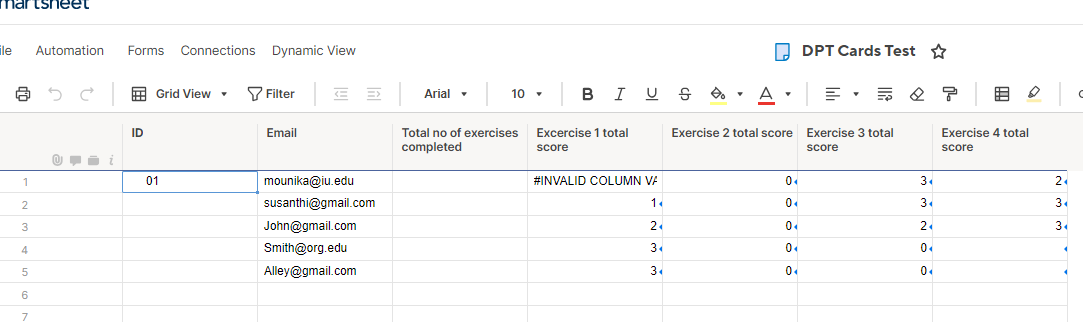
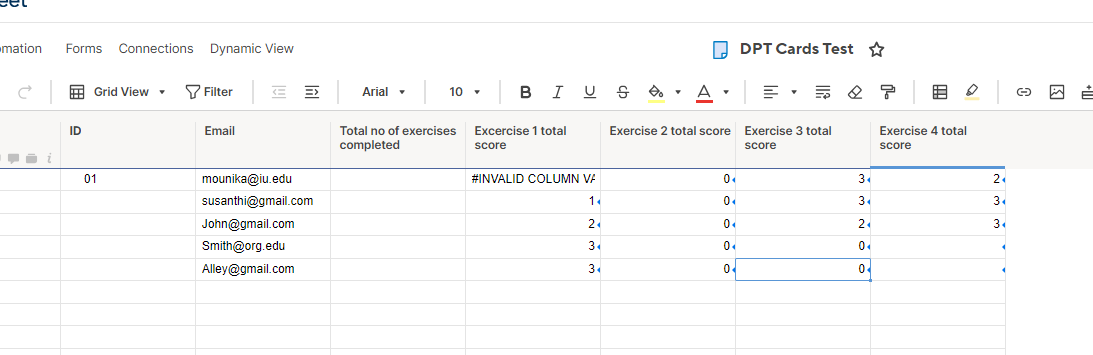
Within this destination sheet, I have created a cross sheet references Email, Total score, and Exercise.
For Excercise 1 total score: =IFERROR(INDEX({Total score}, MATCH(Email@row, {Email}, 0), MATCH("01", {Exercise}, 0)), "") , thus formula worked as expected, it pulling the right total score for each email address.
For Exercise 2 total score: =IFERROR(INDEX({Total score}, MATCH(1, (Email@row = {Email}) * ("02" = {Exercise}), 0)), 0), however, I have tried using the same above formula (used for Exercise 1 total score) but didn't worked, and tried this formula which is generating 0 for all.
Can someone please help me identify what is going wrong?
And also any suggestions on how to populate the column "Total no of excercises completed" (this would be the number of times the email address was present in the source sheet".
Thanks in advance!