Hello,
I have two sheets that serve as schedules for different steps of a Job in our business. I am trying to report the delivery date for a specific Job # from the first schedule to the row on the second schedule with the same Job #.
Here's where I'm stuck.
- On Schedule 1, we list the Jobs in one long string with the format "Job #1/ Job #2/ Job #3…"
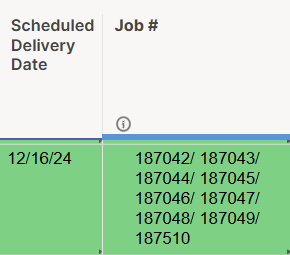
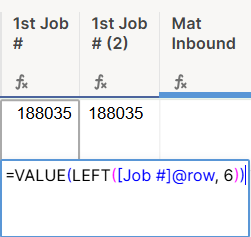
- I have pulled each Job # out into helper columns and had some success getting the corresponding Delivery Date that way, but I'm wondering if there's a more streamlined formula that can find the value within the original text string using FIND or SEARCH.
- For example, on Schedule 2, if I want to report back the Delivery Date of Job "187048", what cross reference sheet formula would you suggest that can serve as a Wildcard work around, scan each row in the Job # column and report back the dates when it finds a match? (It's worth noting that sometimes the same Job # will show up in multiple rows if the job is large and we're scheduling it on multiple dates).
Here's what has worked so far, but it requires a helper column for each Job # (up to 25 jobs could be listed in one string) and a corresponding helper column for Delivery Dates.

I'm worried about exceeding the 500,000 cross reference cell limit if I keep the formula this clunky.
Thanks,