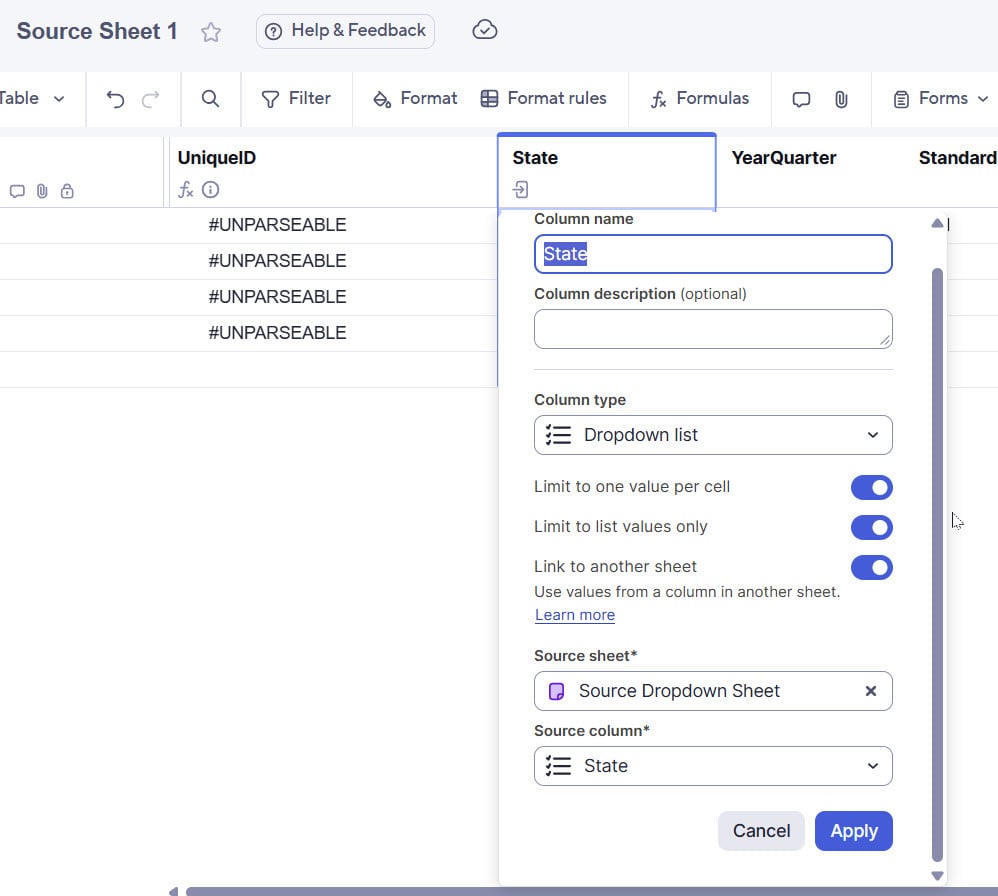
I'm the admin of a workspace which contains 2 sheets: 1) "Source Dropdown Sheet" which should function as master dropdown list to feed other sheets (sample a US State dropdown column), and 2) "Source Sheet 1" in which I'm attempting to link the State column to reduce copy/pasting.
However, after going through the process to link the column, I'm getting the "no results found" message (when of course there are options in my source dropdown column).
Sheet to Contain Linked Column
Source Sheet with Dropdown List
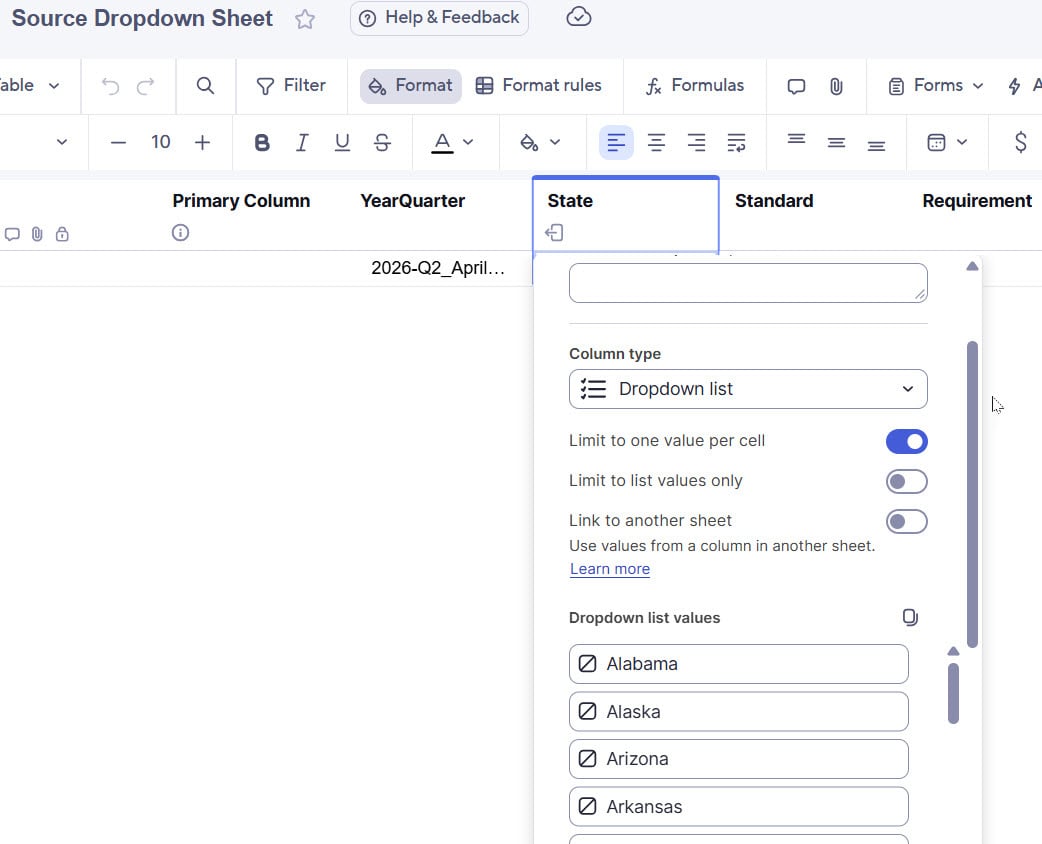
I seem to be following the instructions according to this article: https://help.smartsheet.com/articles/2483625-create-linked-dropdown-columns#toc-create-a-linked-dropdown-column
Seems fairly straightforward but isn't working. Why might that be?
Thanks!