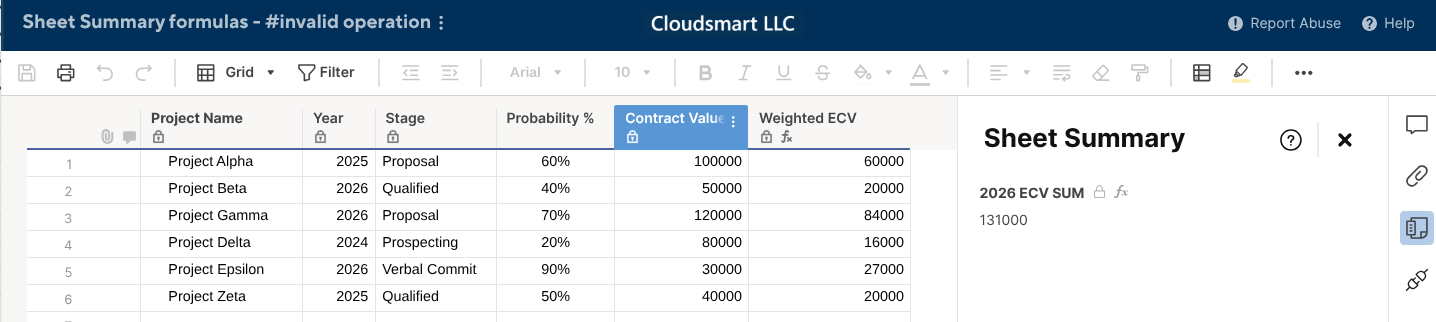
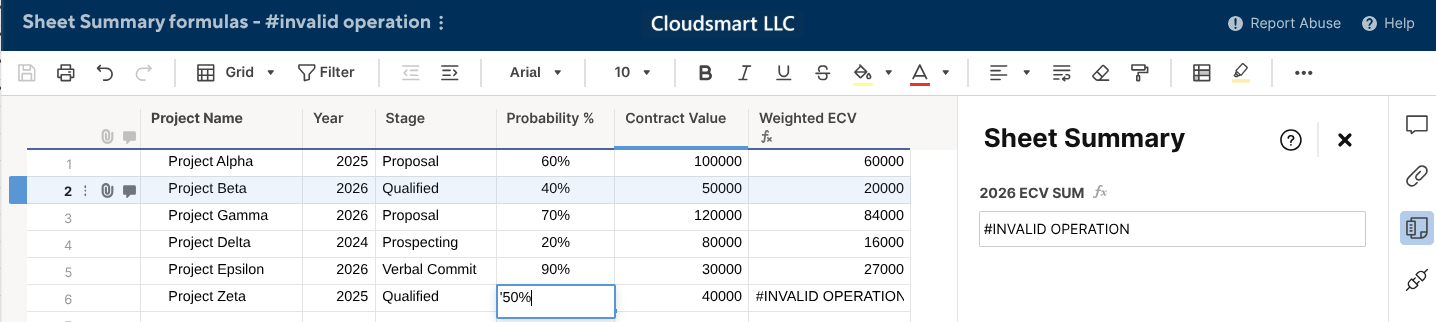
Hello - I am trying to run a basic fomula on my Sheet Summary cell and am absolutly stumped! Are there limitations on how we can use formuals on our Sheet Summary cells?
What I want to do add any rows from the weighted ECV column that have 2026 in the Year column. I think this formula should work, correct? =SUMIFS([Weighted ECV]:[Weighted ECV], Year:Year, =2026)
It is returning #invalid operation
I am sucessfully using this similar formula on a cross reference sheet. SUMIFS({Weighted ECV}, {Year}, =2026)
Can someone help me understand the Sheet Summary formula tricks here?
For expenteded insight: Step 1 we want to build out about 20 different fields in the Sheet Summary to run formuals against individual categories. Step 2: We want to take all our project into one Sheet Summary Report to evaluate how these 20 categories are used throughout our company. Can sheet summary formulas perform basic sumif formulas?
Thank you for your help