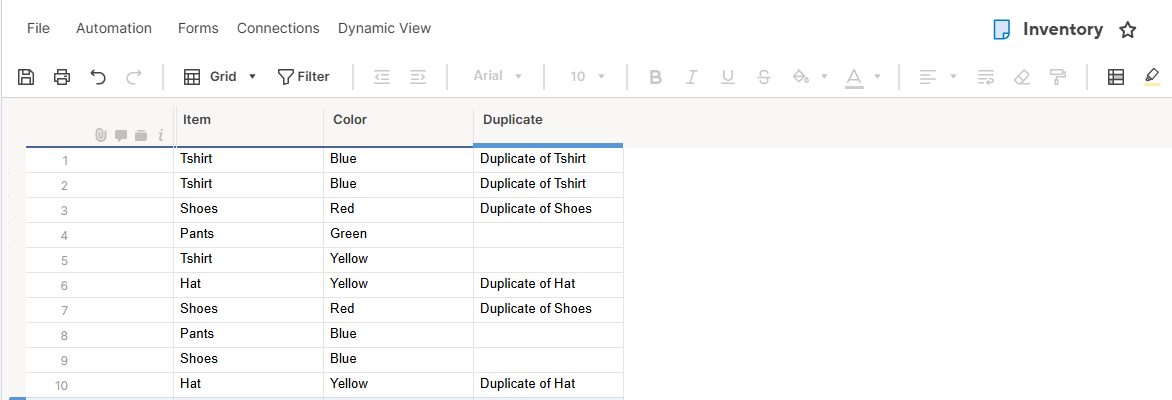
Hi, I was looking for a solution to showing "Duplicate" if the combination of ColumnA @row and ColumnB@row of the same row appeared more than once. After taking bits of advice to similar problems in the community forum and reviewing the Smartsheet functions list, this formula solved my problem. I thought it would be worth sharing:
=IF(COUNTIFS(Item:Item, Item@row = Item@row, Color:Color, Color@row = Color@row) > 1, "Duplicate of " + Item@row, "")
If you want to account for possible blank fields, include ISBLANK for each column before your IF(COUNTIFS.. like so:
=IF(OR(ISBLANK(Item@row), ISBLANK(Color@row)), "", IF(COUNTIFS(Item:Item, Item@row = Item@row, Color:Color, Color@row = Color@row) > 1, "Duplicate of " + Item@row, ""))
You output will appear as below. I hope this helps someone! If anyone has a more elegant way of doing this, please comment below.