Connect with peers, share your expertise, and inspire what’s next in Smartsheet — from proven practices to practical how-to insights from fellow users and product experts.
Sign in to join the conversation:
Why is it that after you hide several columns, you only have the option to unhide ALL? Or am I being silly and missing something?
Hi,
Unfortunately, it's not possible at the moment to select anything else, but it's a great idea!
Please submit an Enhancement Request when you have a moment.
Have a fantastic day!
Best,
Andrée Starå
Workflow Consultant @ Get Done Consulting
Actually, this is possible. If you right-click to hide a column you can double click on the small space that indicates the hidden column. See my screenshot for an example.
This enables you to open individual hidden columns.
Mike,
Yes, but it's quite cumbersome and its like a guessing game what column will show
Andrée
True True. But hidden columns in any spreadsheet program operates with the same vagueness. Excel just offers the word "Unhide" when you right-click in that area. Also, in Google Sheets, you can't unhide one column you can only unhide all. The original poster requested the ability to unhide only individual columns and though it is cumbersome, it's available. Just saying.
Never thought about how other solutions do it.
Let's hope that Smartsheet implements saved views (Filtered Views), Column Groups or similar.
If you click on the column to one side of the hidden set, then SHIFT + Click on the column on the other side (selecting everything in between including the hidden columns) then expand the column widths (even just a wee bit will work) all of the hidden columns that were within the selected range will appear.
You can also use something similar to Hide a set of columns. Select the first column, SHIFT + Click the last column, then click the edge of the column as if you are going to reduce the width. If you move to the left of the left side of whatever column you are using to adjust the column width, the heavy grey bar that shows where the column width will be will jump over to the far left of the column. Once you release, it will hide the selected column(s).
Great trick!
Thanks. Hiding and unhiding like this were both completely accidental discoveries. Haha!
As are most of the discoveries we make in Smartsheet. #WheresTheDocumentation???
Is there a filter view option (that filters columns) not just rows; that would allow me to easily hide/unhide groups of selected columns with a single click?
It would be a cool feature to allow columns to expand and contract similar to rows that have parents. This way you wouldn't have to unhide all columns (in my case I have many hidden columns as workarounds) or try to manually unhide individual columns when trying to work at a fast pace.
Great tip! It needs to be advertised more explicitly!
Glad I could help! :D @Mark A Shampine
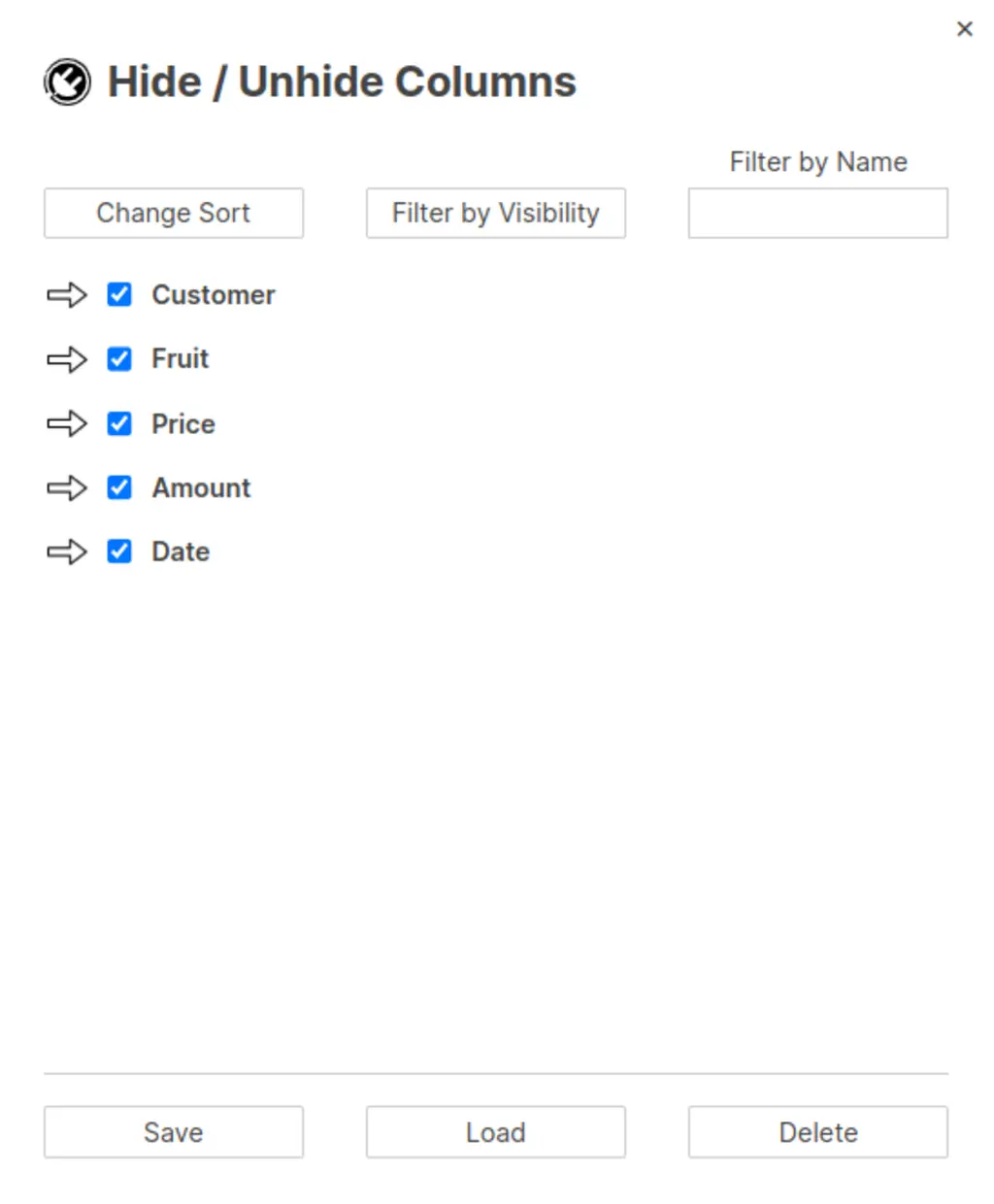
Based on the feedback from this thread and other similar threads, I added these features with SSFeatures so that you can hide and unhide specific columns easier.
These features are already available with SSFeatures, and I plan to add more to this in the future.
Best!
Anyway we can make this view only for security purposes? We would like to prevent users from sending responses to other users by accident.
I am currently setting up an automation for people to get notified through their email, when they are prompted. But is there a way that they can reply in the email of a comment that will then go to the specific sheet. This way they do not have access to the sheet, but can just comment through email with updates?
Is there a way to revert to the old dashboard look and feel. The new dashboards do not look good at all. There is no way of knowing if there are additional items in the widgets until you scroll over one to learn there is more to it since the vertical bar doesn't show. We have hundreds of dashboards and they will all need…