Connect with peers, share your expertise, and inspire what’s next in Smartsheet — from proven practices to practical how-to insights from fellow users and product experts.
Sign in to see the current vote count, add your own vote, or leave a comment.
As rows get added & cell values change, it would great if we could automatically sort them in the sheets themselves instead of having to set up reports. Adding the ability to do this in a workflow would be a fantastic addition. Right now we have to do it manually.
I'm also running into the same issue of not being able to sort multiple columns in the table view at the same time.
Actually never mind, I figured it out!
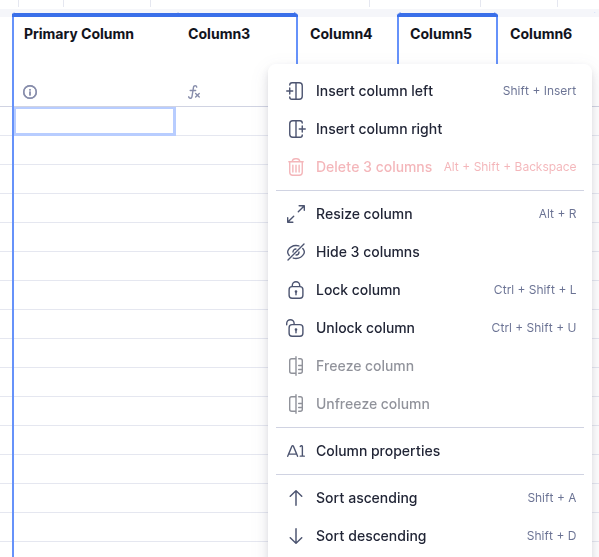
@SHarris @Loann McGee I ran into the same issue that you both did with the Table View. I found a way for us to be able to sort multiple columns at the same time.
This forces all of them to sort the same direction (ascending or descending).
5. Now you can directly click the arrow under the column name to change the sort direction for that specific column.
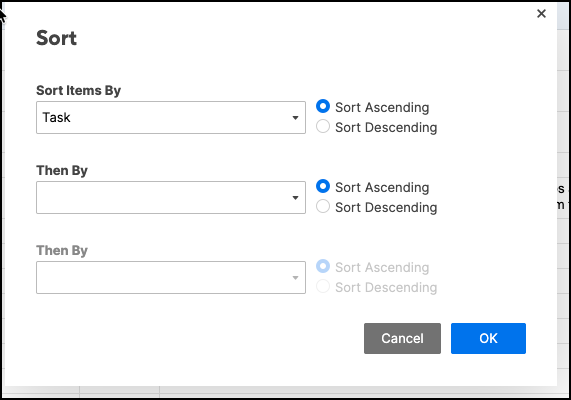
This is definitely a weird user experience, but I'm guessing that the designers really wanted to get rid of the "Sort" popup, and have everything built directly into the table itself.
I hope this helps!
I appreciate the tip, but we live in Grid View…I tried the above and the sort ascending/descending is not available.
Thanks for the effort!
Would love an automation to auto-sort based on predefined criteria. The "sort" function works great but it's so manual!!
WHY does one have to go to a report to view a PREFERRED sort order of a column? How is having to sort manually every single time okay and been okay for this long? when you move rows to a sheet you should be able to sort by modified date and maintain that sort when you open it again. OR give us the ability specify when a row is moved, does it go at the top or the bottom? Once again - these are simple standard behaviors that feel like they should have been included from the get go? what is the benefit of excluding this behavior? and why has been accepted for so long? Let us save a sort order with OUT having to go view a report, and give us the ability to time stamp of the modified column, aaaaand let us pick the placement of the move - top or bottom.
Can we add the ability to auto sort a sheet by a specific column if rows are copied or moved from another sheet?
When will this be available in Grid View? Table view is just not a viable option for our use case.
I can definitely sort by ascending or descending while in grid view.
Why can we not SORT a worksheet through automations???
This seems SO basic. When we add data to a worksheet, or move data out of a worksheet, it makes sense that we would need to Re-Sort that worksheet, but we still can't do so through automation.
I have about a dozen worksheets where I am adding, moving, or changing data overnight through automations and every morning I spend 30 minutes resorting those worksheets because I have added new data or changed existing data.
DELETING lines would also be nice, but I somewhat understand why we don't have that option, and there are simple work arounds (like moving data to an archive sheet). But there is NO work around for sorting new or changed data.
In the meantime, reports do auto-sort as rows are added / removed.
It also looks like Table View has an auto-sort feature built in.
Sign in to comment or add your vote.