Connect with peers, share your expertise, and inspire what’s next in Smartsheet — from proven practices to practical how-to insights from fellow users and product experts.
Sign in to join the conversation:
The posts in this section are historical and no longer monitored for accuracy. If this discussion interests you and you'd like to join in, please visit the active Community to post and engage.
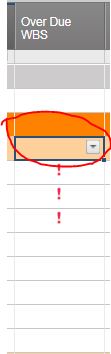
Hi, I am trying to automate a trigger that looks at a WBS and if it has a High Status in the form of a ! mark, that it in turn auto triggers the some status in the top WBS name line.
See attached screenshot.
Thanks
Cathy
I now have the formula that works on one cell, but I need it to look each WBS cell
=IF([Over Due WBS]6 = "High", "High", "")
I have tried the below, but it does not work
=IF([Over Due WBS]6:[Over Due WBS]13 = "High", "High", "")
Ok, I have come up with the below formula...is there a shorter formula that could be used? if not this is the one
=IF(OR([Over Due WBS]24 = "High", [Over Due WBS]25 = "High", [Over Due WBS]26 = "High", [Over Due WBS]27 = "High", [Over Due WBS]28 = "High", [Over Due WBS]29 = "High", [Over Due WBS]30 = "High", [Over Due WBS]31 = "High"), "High", "")
Take a look at this post: https://community.smartsheet.com/discussion/countifchildren-criteria
Just in case some one else is looking for the some formula, this is what I went with
=IF(COUNT(CHILDREN()) > 0, "High", "") - Will show ! mark
=IF(COUNTIF(CHILDREN(), 1) > 0, 1, 0) - will show a flag