Connect with peers, share your expertise, and inspire what’s next in Smartsheet — from proven practices to practical how-to insights from fellow users and product experts.
Sign in to see the current vote count, add your own vote, or leave a comment.
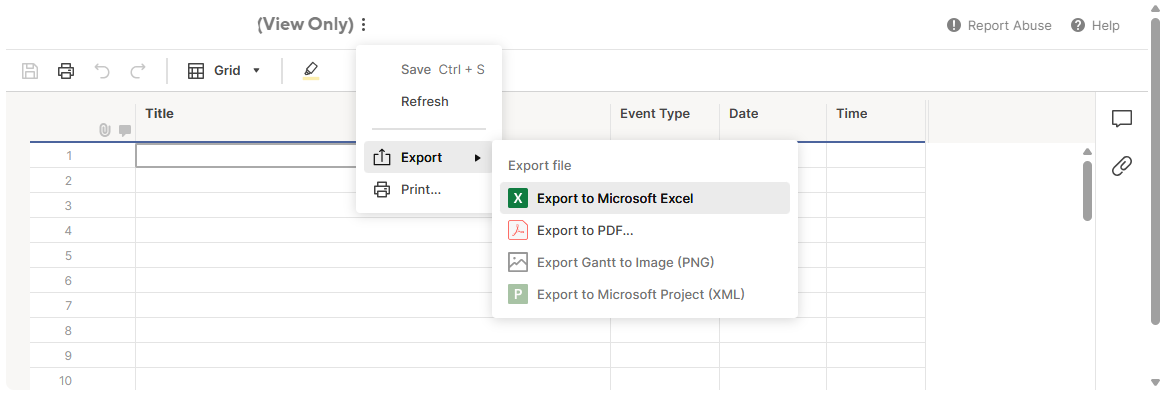
Per the 1.5 years of queries being made, I believe there is suitable interest from the Community that Smartsheet provides the basic functionality of being able to print a Grouped Report. The system currently reverts the Report to a basic Sheet when Print is selected. This is not suitable or acceptable.
We've stopped developing our Smartsheet documents due to this restriction and now sit in a holding pattern waiting for an update. - See Printing Grouped Reports - Page 3 — Smartsheet Community.
When will this issue be addressed? It's a major stumbling block to not be able to export a pdf of a report or dashboard as you see it on screen. Conditional formatting and grouping is lost in the translation.
Just adding my +1 to this request. Workarounds for this solution are very time-consuming and limited.
Currently, Smartsheet does not support printing or exporting report summary counts directly—these summary rows or fields are omitted when printing or exporting a report to PDF. Would you be able to add them? The above is an important feature for facilitating decision-making processes and budgeting workshops. The workaround of exporting to Excel and adding pivot tables is not efficient nor effective.
I second this! I got so frustrated. What's the point of this report functionality if you can't actually produce the report? Some formatting options would be nice, but I'll take the actual data first.
Hi @coffeelover42 @Eric.ProductionLens , I hope you're well and safe!
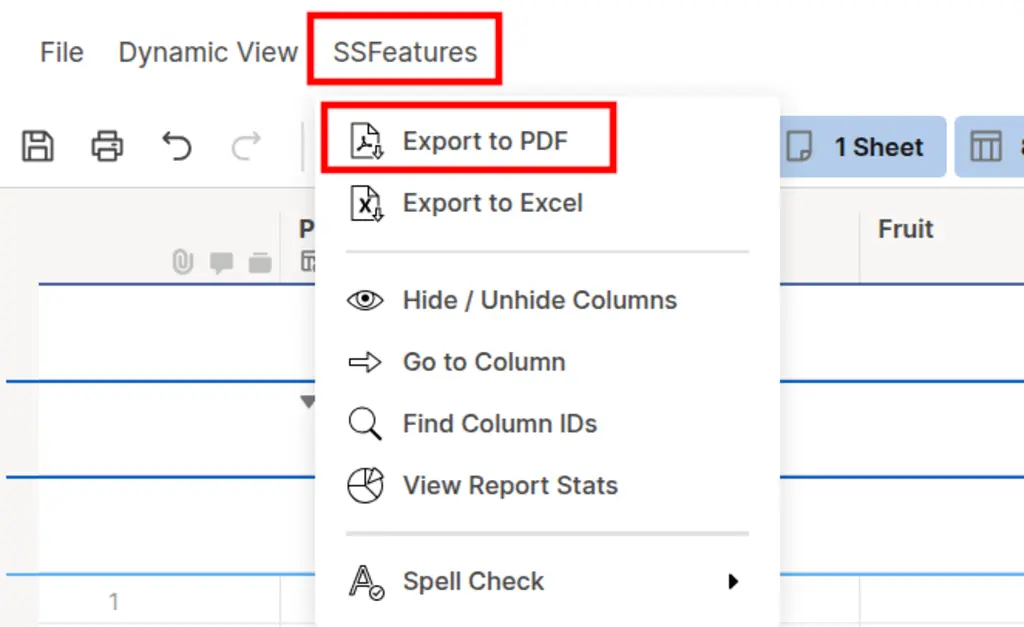
I agree, and in the meantime, here's a possible workaround. I'd recommend the fantastic add-on, which makes this possible (+ many other features).SSFeatures from the brilliant Nathan. @SSFeatures Would that work/help? I hope that helps! Be safe, and have a fantastic day! Best,Andrée Starå | Smartsheet Expert Consultant & Partner / CEO @ WORK BOLD ✅ Did I help answer your question/solve the problem? Please support with💡 ⬆️ ❤️, and/or ✅ Answer. This will make it easier for others to find a solution or help answer. I appreciate it, thank you! 🙏
@Andrée Starå - Thanks for the recommendation! I will check it out now. Although it is an additional monthly/annual cost on top of the platform cost. Will check it out either way! Cheers.
Happy to help! Yes, it's an extra cost, but, in my opinion, it's very affordable. ✅ Remember! Did I help answer your question/solve the problem? Please support with💡 ⬆️ ❤️, and/or ✅ Answer. This will make it easier for others to find a solution or help answer. I appreciate it, thank you! 🙏
In my opinion, the consumption and accessibility of how data is presented to different audiences is almost as important as the data itself. The summary counts already exist as a feature in Smartsheet reports, and I would love this feature to be extended into the printing/exporting to improve the Smartsheet product as a whole.
I agree, and I know it was planned. I think it will come when we've transitioned to the new framework more completely. ✅ Remember! Did I help answer your question/solve the problem? Please support with💡 ⬆️ ❤️, and/or ✅ Answer. This will make it easier for others to find a solution or help answer. I appreciate it, thank you! 🙏
Would like to be able to have my report view to be exported as shown, including groups, summaries, and filters. Would like this to be true for exporting and sending as an attachment.
Reference this thread for additional user feedback. Community Thread
I would love if Smartsheet would add the option to print reports with filters. For example, I broke KPI's based on goal number and wanted to bring the report summaries by goal number which isn't currently an option. It would make sharing data with other much easier.
How many more years do we have to wait for this feature?
This has been on the "long-term" plan for years. What is Smartsheet's definition, in years, of "long term"? I would like to adjust my expectations.
I am tired of "workarounds" and I do not have the budget to purchase non-Smartsheet solutions as I have already exhausted my budget thanks to the new True-up.
This is a REPORT WIDGET screenshot. This loads instantly when I open the dashboard even with many data entered (screenshot doesnt have any right now). It does not have an option to copy text or export the file.
This is a WEB CONTENT WIDGET, using the REPORT Publish link, I was able to display it. It has the option to copy text and export file. However, it loads very slow with or without data.
I am creating dashboards and requires to display several reports. Is there a way to get the best of both worlds, a Report widget that loads instantly and allows users to copy text and export the report?
You can still export grouped reports to PDF or Excel with SSFeatures:
Here's an explanation of how it works:
https://ssfeatures.com/features/export-to-pdf
There's also a video at the bottom of that page showing it in action.
I loved using this tool during the trial period, wish it stayed free but I understand y'all are a business!
Hey @Emmy Bagshaw, thanks for the great feedback and for understanding!
Whole company is actually just me (Nathan Braun) at the moment. I built everything myself and I'm hoping to use SSFeatures to eventually fully support my family :)
I took a leap of faith last year and left my full time job to build it!
That's rad, it is a really awesome product with the supplemental features we need! I wish you the best!
Hello,
New to Smartsheet and the printing of group reports with their summaries as the top is one of the first things I tried doing. Have you heard any updates on this?
Hi @Gabriel F, currently the only way to do it is with SSFeatures.
This page explains how to do it:
https://ssfeatures.com/solutions/export-smartsheet-report-with-formatting-to-pdf
Hope this helps!
Sign in to comment or add your vote.