Connect with peers, share your expertise, and inspire what’s next in Smartsheet — from proven practices to practical how-to insights from fellow users and product experts.
Sign in to see the current vote count, add your own vote, or leave a comment.
We currently build a hyperlink to a prefilled form using a formula and the row ID. But the biggest limitation on this is they do not function in Dynamic View. The end user has to copy/past to get to the form.
Still no solution for this?
@Sara Campbell @adrian.rodriguez
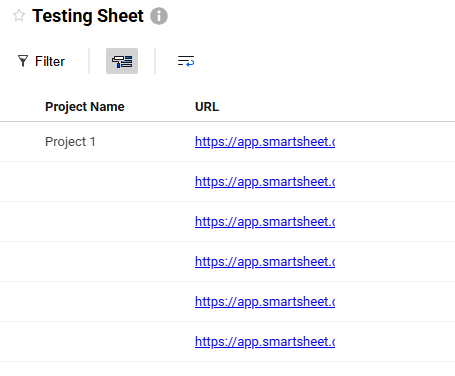
I'm not sure if you've received any answer on this, but you can see and click on the link within the main view display as shown in the image below. For the details panel, it will always be grayed out as read only since it has a formula in the source sheet cell.
I'm not sure if you've received any answer on this, but you can see and click on the link within the main view display as shown in the image below. For the details panel, it will always be grayed out as read only since it has a formula in the source sheet cell. The formula I use for this column is ="EntireURL"
@Sandy Drew Thanks very much, this helps.
@Sandy Drew thank you!
Sign in to comment or add your vote.