Connect with peers, share your expertise, and inspire what’s next in Smartsheet — from proven practices to practical how-to insights from fellow users and product experts.
Sign in to see the current vote count, add your own vote, or leave a comment.
I don't know if it is possible to have a question when we request to add a column to right or left, suggesting how many we want to add? and then we can name them, or make them all the same properties.
When running data shuttle from external sources into Smartsheet we need to set up target sheets and in doing so we need to add multiple columns so they match the source column headers. I find it extremely inconvenient that the capability is limited to adding only one column at a time in a grid view. We should be able to add multiple columns to the left or right with just one click.
I recently made it possible to do this with SSFeatures: https://ssfeatures.com/features/bulk-column-creator
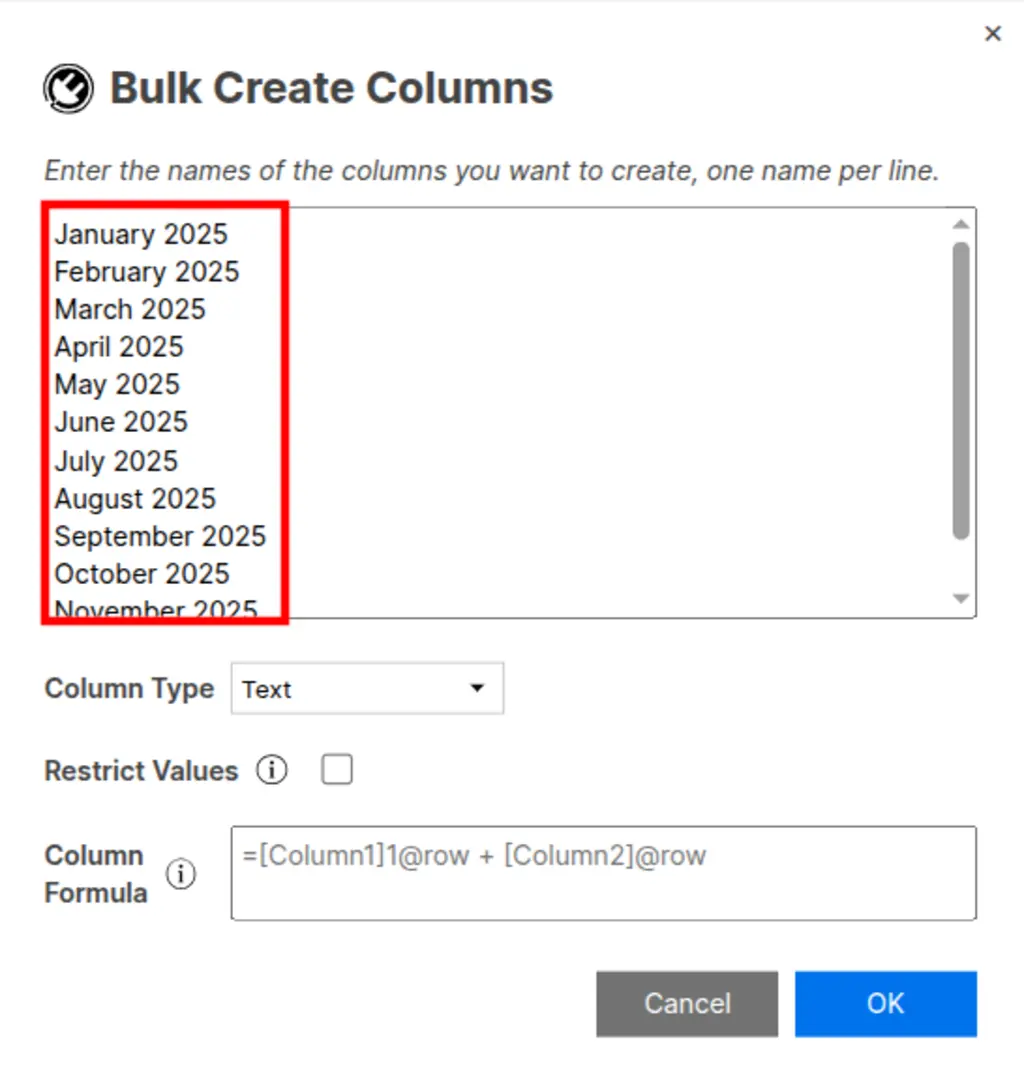
With SSFeatures, you can open a popup that looks like this:
Then SSFeatures will create all of the columns for you. You can use this to create hundreds of columns at once.
Here's a video of this in action: https://www.youtube.com/shorts/6fqELGHSi_Y?feature=share
Hope this helps!
Sign in to comment or add your vote.