Connect with peers, share your expertise, and inspire what’s next in Smartsheet — from proven practices to practical how-to insights from fellow users and product experts.
Sign in to see the current vote count, add your own vote, or leave a comment.
It would be great to be able to check all the conditional formatting for a sheet to deactivate or delete. There have been times where a sheet has many activated or disabled that prohibits fields from being changed because they have a conditional formatting (this is awesome btw). If there were an option to delete all (or some) it would be more efficient.
You can use SSFeatures to bulk delete conditional formats.
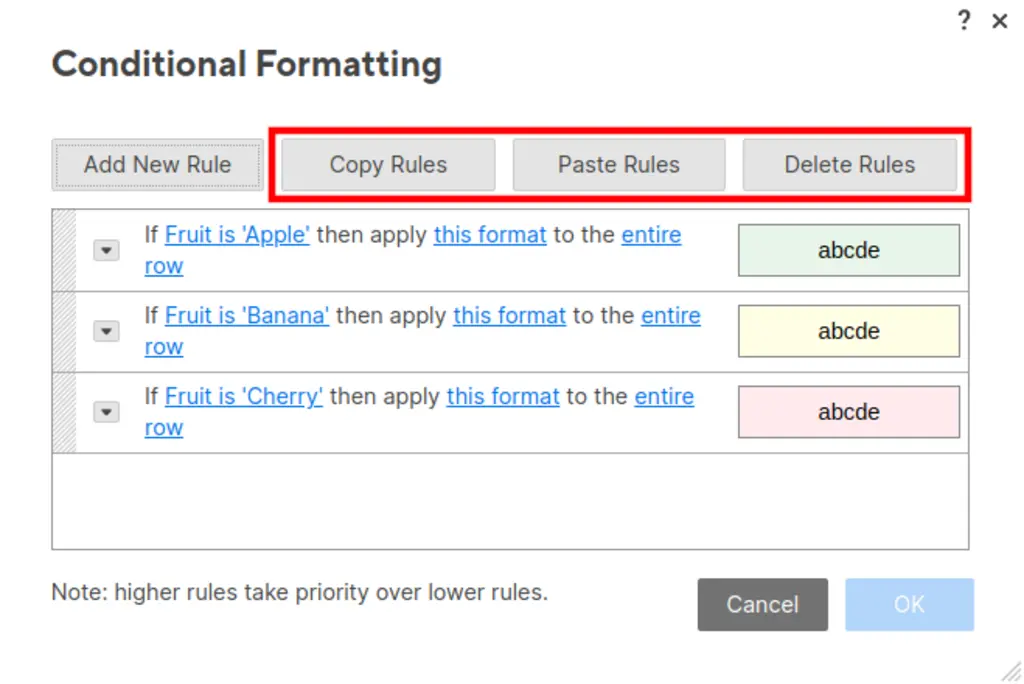
After you download SSFeatures, you'll see these new buttons:
When you click "Delete Rules", you'll see a popup that let's you select all of the rules that you want to delete.
You can also use the "Copy Rules" and "Paste Rules" buttons to copy and paste conditional formats.
This page has a demo video at the bottom showing how it works:
https://ssfeatures.com/features/copy-paste-conditional-formats
Hope this helps!
Sign in to comment or add your vote.