Connect with peers, share your expertise, and inspire what’s next in Smartsheet — from proven practices to practical how-to insights from fellow users and product experts.
Sign in to join the conversation:
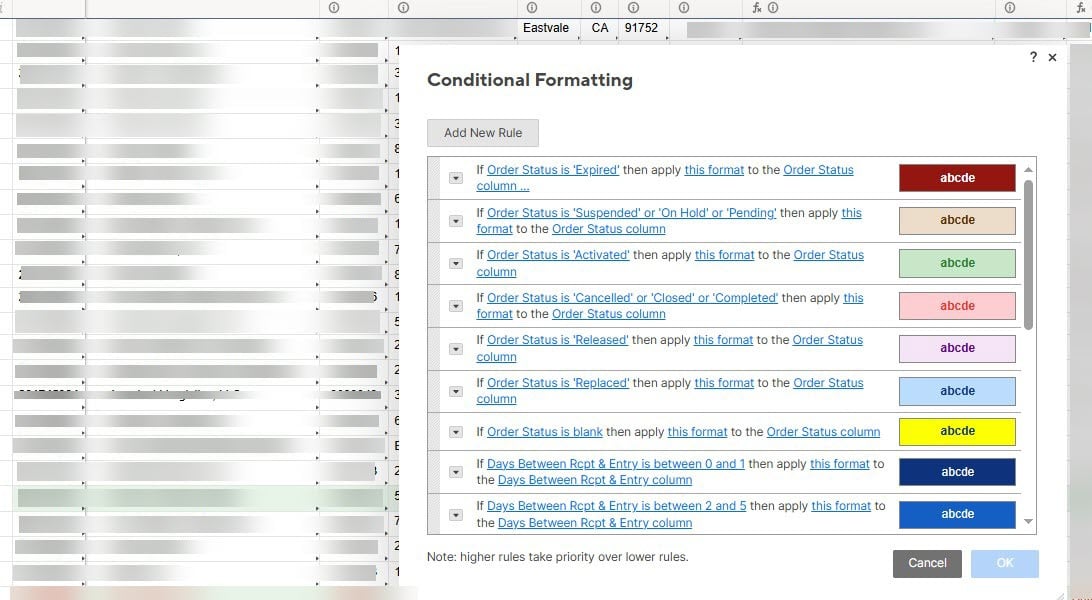
When I am enter into a sheet with conditional formatting I can see it applied. But if I search for something, or begin to scroll, or click into a cell the formatting starts to disappear until it is all white again. When checked the formatting rules are still present. I checked and didnt see another issue like this occuring. Has this happened to anyone else? Is there a solution? Is it a Smartsheet issue that hasn't been published yet?
Hello,
I am having the same issue. No issues yesterday, but it started this morning for my whole team. Possible some backend update that is causing a bug? A few things I have learned that may be helpful:
If you disable and enable the rules the formatting will hold. You can even work and save and nothing will break.
Once you refresh the page, the formatting rules break again.
-Derek-
Derek,
Thank you for confirming it's not just an issue my team is having. Also appreciate the tip.
Hello Community,
Thank you for bringing this to our attention!
Our team is currently investigating issues with Conditional Formatting and Filters. Please visit status.smartsheet.com to view updates on the issue or subscribe to the relevant alerts.
Best,
Marce
I am trying to create a sheet summary, where the field is a formula that relies on a contact card within a column. However, it keeps returning a result of "#NO MATCH". The columns involved are, 1:) Priority (symbol column) for Up, Unchanged, and Down, and 2:) Contact Card column. I am trying to get a sheet summary formula…
Hello, I have a workflow where, when a team member checks a checkbox, Smartsheet automatically sends an email to themselves containing merge fields that are used as a customer email draft. The challenge is that this activity typically happens on a deadline day, and a team member may need to generate 30 or more of these…
Hi all, reaching out to see if of you have ideas; I'm hoping this makes sense: I'm having some trouble getting my formulas to pull data in correctly. I currently have a sheet (primary data) where I have data in rows where each row is a single project, with columns identifying persons, $ values, unique project identifier,…