Best Of
Re: Google Map + Longitude & Latitude
Got it…. This frustrated me, as I knew I had seen this done before in Smartsheet, so I went and figured it out!!
Add a column between the Longitude and the latitude and populate it with "@2C". (You could do this as a column formula to add @2C whenever there is a longitude present.) Then your original formula will result in the following URL (and it will be clickable):
https://www.google.com/maps/search/?api=1&query=37.32696%2C-121.90147
When the link is clicked, the HTML code will interpret that %2C as a comma and your link will work!
Good Luck!
 Paul Perger

Re: Help with a formula or formuals
Thank you. I just did my first collection formula because of you.
=IFERROR(LARGE(COLLECT([MileagePerMo H]:[MileagePerMo H], CurrentMonth:CurrentMonth, <>""), 1), "")
 Nathan Slatton
Re: Duration based on time - formula question
@Garymester This will only work for that specific date though. If you have a start date on any other day, it will not work. That is why I used the RIGHT function and then the LEN - FIND to make it dynamically pull the right most characters starting after the first space.
 Paul Newcome
Re: Welcome to the Project Management Office (PMO) Community!
- How long have you been using Smartsheet? Since 2018
- How are you using Smartsheet today or planning to in the future? We use it for all of our project needs and our project intake/reporting. It has also taken on a life of its own with other licensed/members finding ways to use it throughout our org. For the future, we will be monitoring member usage and having to take away access to stay within our allotted new licensing model. Finding ways to keep our blueprint relevant and working properly.
- What would you like to learn from your peers using Smartsheet for Project Management Office (PMO)? How others are managing in the new subscription model, updates and changes to older control center blueprints/intake sheets, AI, etc..…..
 Nic Larsen
Re: Create a user tasks sheet, but restrict users to only see their tasks
Thanks Nomland, that sounds like a great approach.
ChrisW
Re: Automating Monthly Bar Chart Updates - Is There a Better Way?
Hi @v.k.longoria ,
I've done it in two different ways but some of it does require a yearly update.
- On your sheet, "Archive" (move row to an archive sheet) whatever is older than 330 or 300 days (So that 2 months don't overlap).
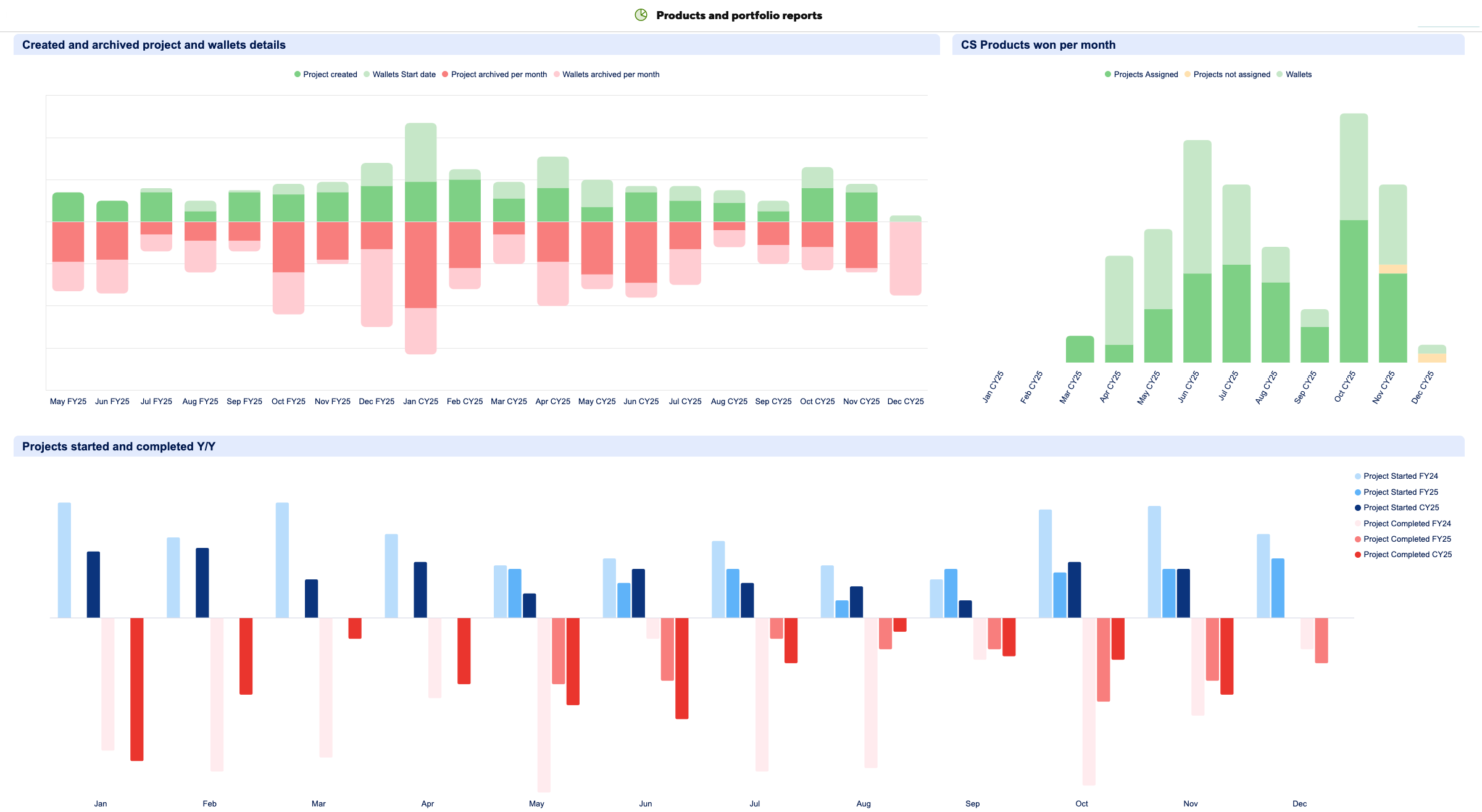
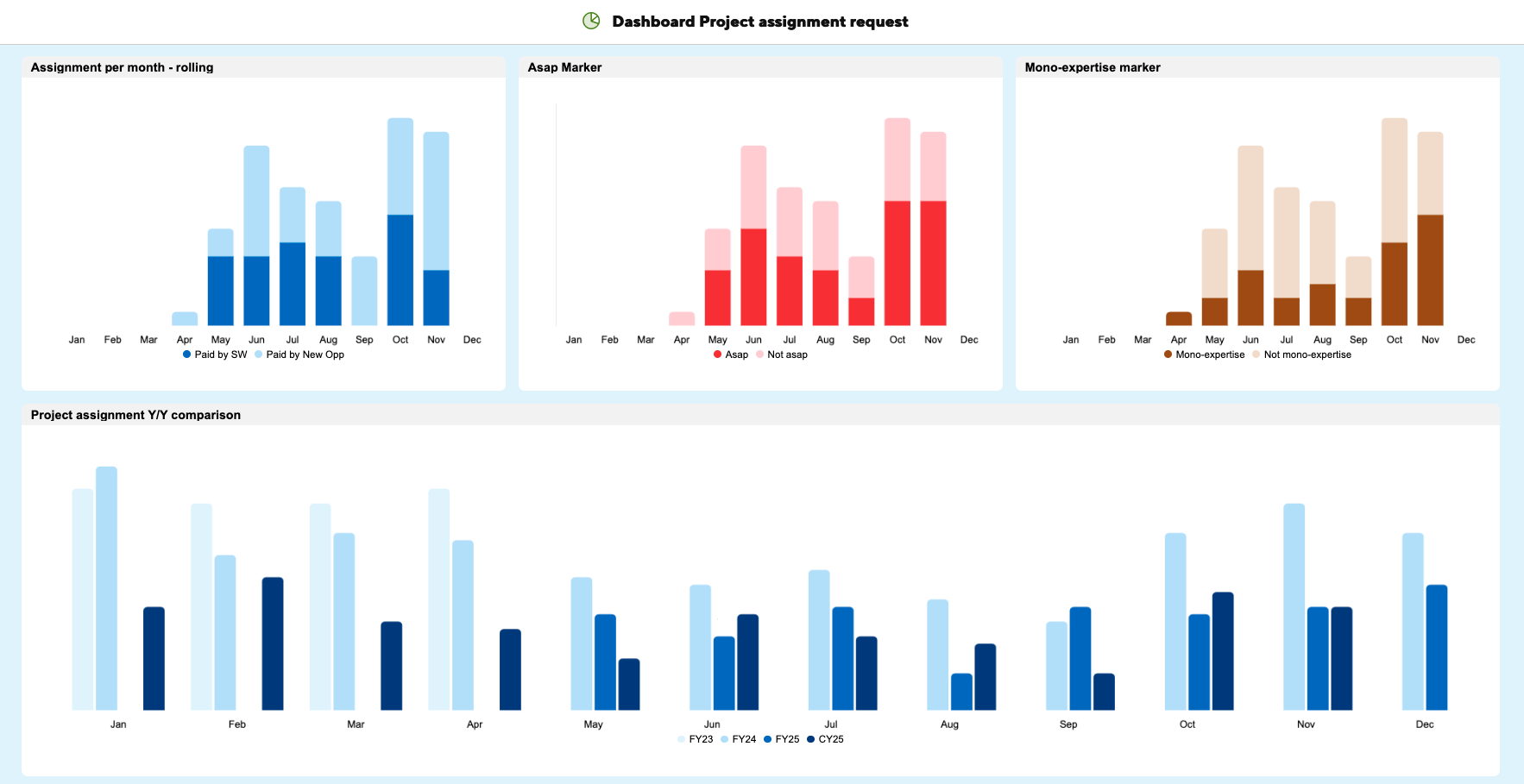
- Build a table with all your years (Rows) and months (Columns), build the chart from that to see either the years as different bar in the same month or build each Month+Year (columns).
I do not know of a way to do it completely automatically with reports. Every year for 2. I update the years I add the new one and remove the oldest one.
I am not sure where you're blocking, feel free to share a screenshot of your sheet.
 Adrien Leduc
Re: We want to hear from you: How are you using the Smartsheet connector for Claude?
Hi Matt and Isis! We have an API-driven integration with CoPilot which you can learn more about here: https://www.smartsheet.com/marketplace/apps/microsoft-copilot. We're in discussions with Microsoft about launching an MCP-enabled connector as well.
 Elizabeth Matson
Re: Help with a formula or formuals
Would you want it on just the most recent?
=IF(Date@row = MAX(COLLECT(Date:Date, Vic:Vic, @cell = Vic@row, Date:Date, AND(IFERROR(YEAR(@cell), 0) = YEAR(Date@row), IFERROR(MONTH(@cell), 0) = MONTH(Date@row)))), SUMIFS(Diff:Diff, Vic:Vic, @cell = Vic@row, Date:Date, AND(IFERROR(YEAR(@cell), 0) = YEAR(Date@row), IFERROR(MONTH(@cell), 0) = MONTH(Date@row))))
Paul Newcome