Best Of
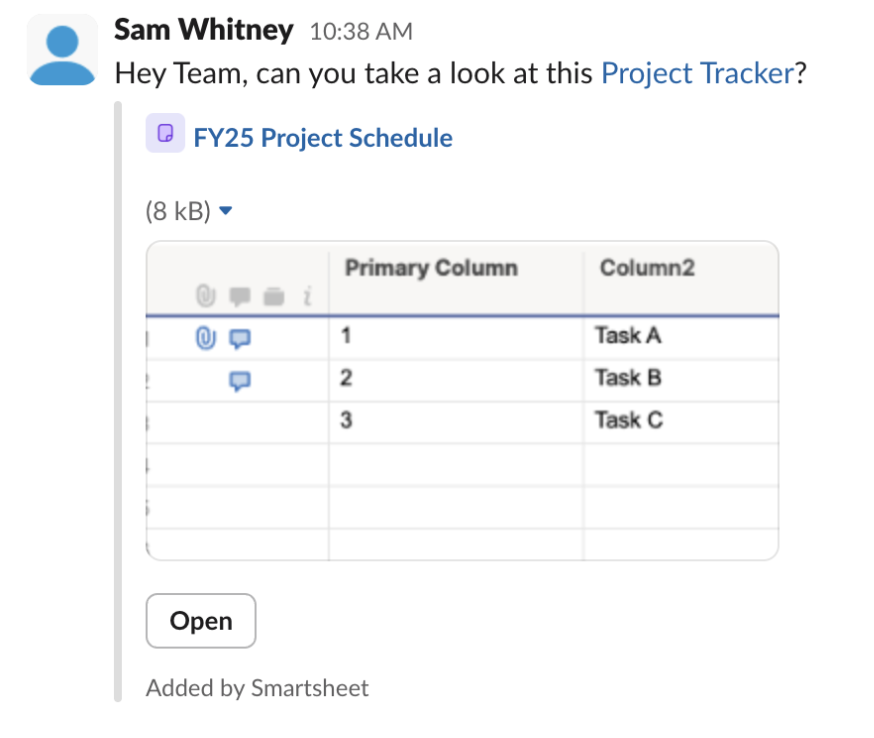
Smartsheet Link Previews now available in MS Teams!
September, 19, 2025
Smartsheet URLs just got smarter in MS Teams—users will now see instant link previews that provide visual context at a glance, making collaboration faster, clearer, and more connected than ever. Try it out now with Smartsheet links in Microsoft Teams!
Environment Availability: All
Plan Availability: All
Subscription Model Availability: Legacy and USM
 Haley Patrone
Re: [GIVEAWAY] Celebrate 20 Years of Smartsheet!
Ohhh! This is fun!! Wow, 20years! That's amazing
- In what year was the very first ENGAGE conference held? September 18-20, 2017
- Name two countries outside of the US where Smartsheet has an office - UK/Australia
- How many Overachievers have been part of the program since it was created? Started in 2020, and there is a max of 25 every 1 years sooo, im saying ~125 (active & alumni) — im not the greatest when it comes to math, hence why i use Smartsheet formulas haha
🤞
 Cayla Davis
Re: [GIVEAWAY] Celebrate 20 Years of Smartsheet!
20 years already… wow. Hope we celebrate again in let's say 10 years :-)
Regarding 2) I'd say UK and Australia, but recently I believe I saw that Smartsheet is also registered in Costa Rica
8:-)
First Engage in 2017 was at that time desired destination, but impossible
Greetings
Stefan
 Stefan
Re: [GIVEAWAY] Celebrate 20 Years of Smartsheet!
Name two countries outside of the US where Smartsheet has an office.
Australia and the UK
 Isis Taylor
Re: [GIVEAWAY] Celebrate 20 Years of Smartsheet!
I always read the previous comments before me, so now I feel like I'm cheating….
I'll at least say my guess for Overachievers was going to be over 100.

Re: [GIVEAWAY] Celebrate 20 Years of Smartsheet!
- My best guesses:
- In what year was the very first ENGAGE conference held? - 2017 (September 18-20 in Bellevue WA)
- Name two countries outside of the US where Smartsheet has an office. - London 🇬🇧 and Sydney 🇻🇬.
- How many Overachievers have been part of the program since it was created? ~150 since 2020 (active & alumni).
 Peggy Parchert
Re: How to share WorkApps with view only colleagues on an enterprise plan?
@Emily Miller and @Leslie Manley
I haven't heard back from Smartsheet, but so far internal users without a membership can view and edit WorkApps without becoming provisional members. We do seem to have a collaborator pack though, so it looks like they are still a thing.
I imagine they will be made redundant once the transfer to collections has completed.
 AliceVBH
Re: Custom Colors for Sheets
I would love to have the ability to choose/create custom colors, similar to Google Sheets, rather than being stuck to the same color palette!
this:

vs. this:


 Nastya Kline
Re: Does Smartsheet publish a roadmap, in particular for Forms support?
I agree, a roadmap of some sort would be a great way to engage.
While looking for regex validation, i found this post.
I also found the idea / feature request to add regex validation.
You can vote on it here:
 Nate F
Re: Help me brainstorm with my staffing calculation Issue.
@Jesse G. This is a fun one… I'd have to think through/see/play with it in more detail. My first comments are as follows, not final and possibly not perfect but you asked for wildest ideas. :)
-No way to force the <15 min shuttle situation.
-Could do a "simple" api between your excel file and a smartsheet to either move the data that way or somehow trigger a faster shuttle situation… but the timing is prob not reliable still even with the trigger. If we could make the API trigger when the excels modified it would hit SS every 2 mins also. How much data are you moving from the excel to smartsheet (import grid)?
Thoughts still loading…. TBD
 Matt Lynn ACT