Best Of
Enhanced predecessor cell editing for dependency management in table view
September 16, 2025
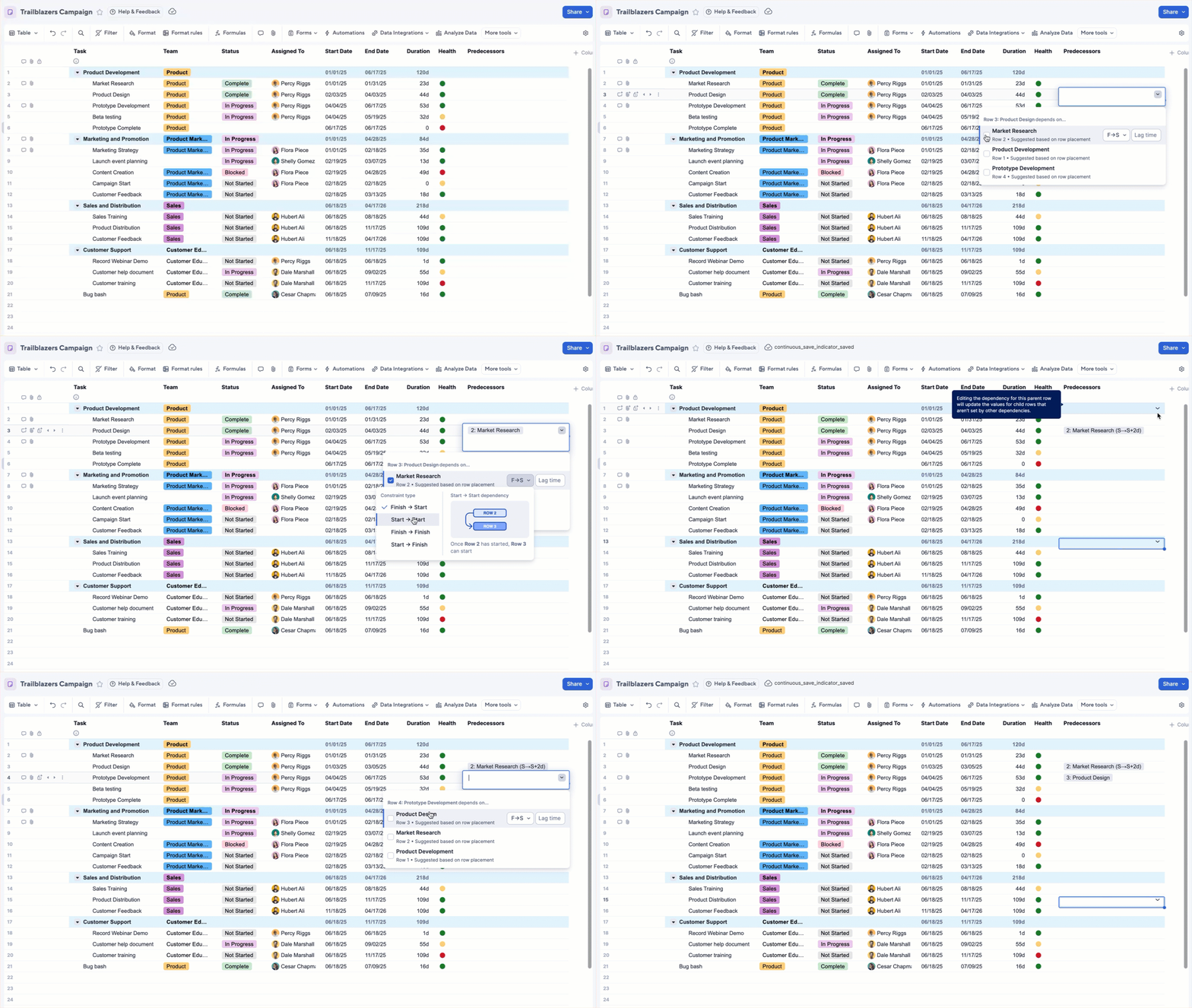
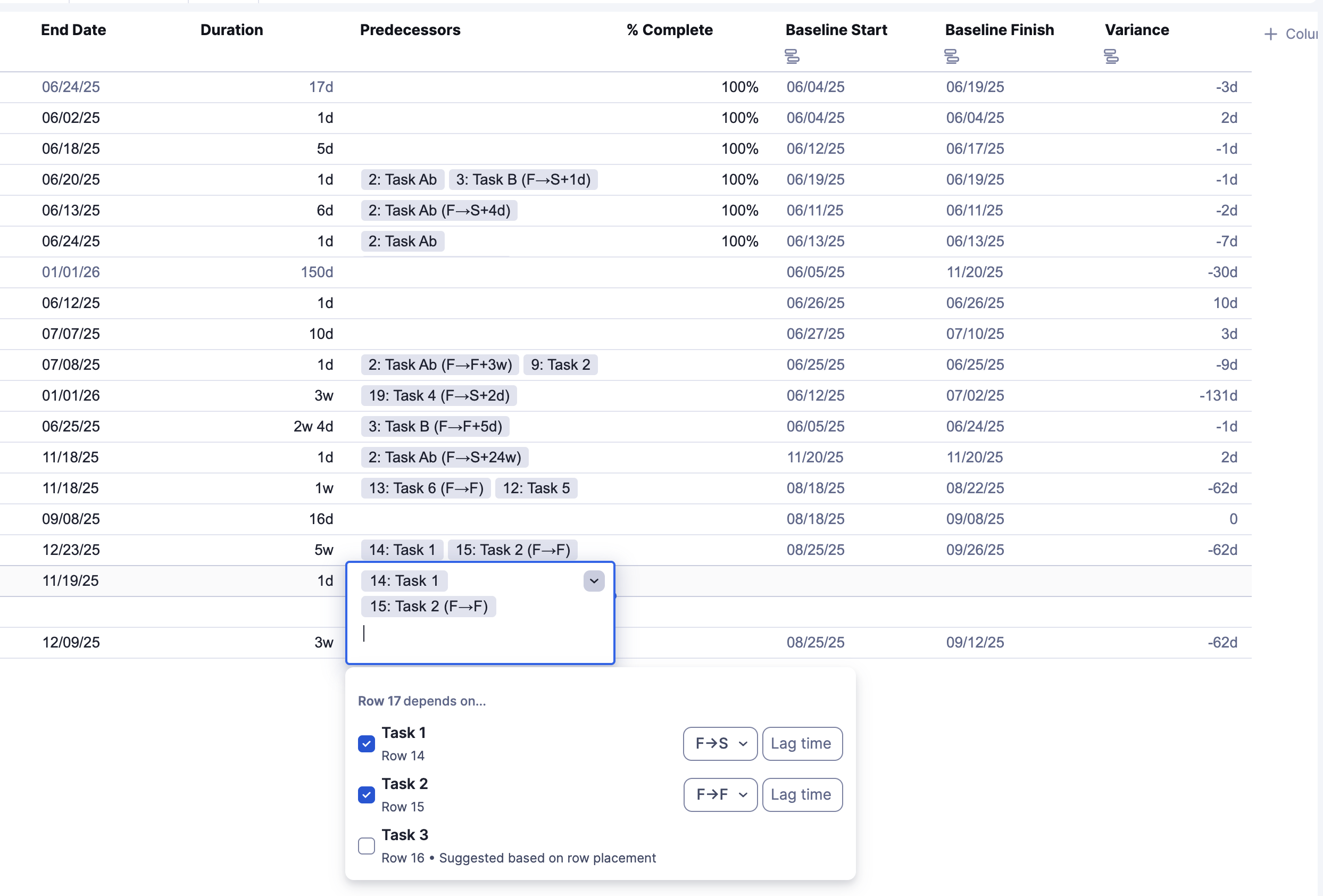
We recently expanded dependency management in table view. In addition to editing task start and end dates, users can now define and manage predecessors directly in the sheet, making it easier to keep project schedules accurate and aligned.
Predecessors let you link tasks so that dependent dates automatically adjust as predecessor tasks change.
In table view, users can now:
- Add, edit, or remove predecessors for any task
- Specify relationships between predecessor and dependent tasks (FS, FF, SS, SF)
- Apply lag or lead times
- Leverage auto-suggested predecessor recommendations in an improved, contextual editing experience
These enhancements streamline project planning and ensure updates ripple through your schedule with ease. Learn More.
Environments availability: Commercial US, Commercial EU, Commercial AU
Plan availability: Pro, Business, Enterprise, Advanced Work Management
Subscription Model Availability: Legacy Collaborator Model, User Subscription Model
Stay informed by subscribing to receive product release updates for curated news of recently released product capabilities and enhancements for the platform of your choosing, delivered to your inbox. As new releases occur, you will receive a weekly email with news of what's released every Tuesday.
 Lekshmi Unnithan
Re: Custom Colors for Sheets
@SmartSheet Any updates on the timeline for this request? Really hoping for this to come soon!!

@brianamcdougall @Bradhickswa @nmercer @Nora Harris @Aycunnin @MPM @JAMSWMBA @malbers @Sameer K @Sameer Karkhanis @Kristen12345 @SPIPMO @Mattisphere @Deanna Vandermeer @Joe Goetschel @Nick Burrus @Chuck Mihaliak @Josh Reed @ZackStahl @dyan_brown @Andreas Thun @PeggyLang @KDavis_WF @CYNV @A.J. @pyohay @meb_0101 @Haylee Swensen @Jessica Krueger @Jonnymckee20 @Jbetschart @lannarelli @DrAlexH @Julie Becker @Craig Callison II @Crawhammer @Dan L @eehling @carly B @David deSousa @Daniela_ela_ela @dadkins @Lauren Anne S. @gwilkinson @Bob van Beek @LmLawson @Leeh tagging y'all in hopes of getting some upvotes and comment support so we can get an update on this!!🙌
 Nastya Kline
Re: report rows limit with many groups filters
thank you @Isaac A. for your time and help
i'll open a ticket with Support team
 Julien Lopez
Re: How did you learn Smartsheets?
I learned it just by jumping in. But I joined 1.5 years ago which was already the time of AI. Which helped me out a lot.
 Jesse G.
Re: New True-Up Steering Us Away from Smartsheet FAST
Having read and interacted with Support regarding many issues with the new True-Up system, I can safely recommend that you look for alternatives to Smartsheet like we are after discovering what exactly this new subscription based system entails and how it's launch has been botched by Smartsheet. Support provides little to no actual information outside of PR speak, so I will inform you about what "workaround" Andree is alluding to.
For starters, an overview of the True-Up system:
Each billing cycle, your account will go through the "True-Up Process" where users with the 'Viewer' permission class will be, if they were given Comment, Edit, or Update permissions for any sheet in your Smartsheet domain (granted by ANY 'Member' permission member who owns a sheet) that 'Viewer' will be updated to a 'Provisional-Member' which, as one Smartsheet member informed me, was the 'try before you buy' subscription.
During the True-Up cycle and before the next billing cycle, Admin level users can navigate to the User Management section to mark any Provisional-Members as either full Members (giving them a paid license), or to downgrade them back to Viewer which will remove ALL create, edit, and comment permissions on ALL sheets that that user was given access to.
At the end of the billing cycle, all Provisional-Members not downgraded to Viewer will AUTOMATICALLY be upgraded to a full 'Member' license, and the cost on your bill will increase and be PRORATED based on their 'usage' whatever that truly means. If any support reps would like to challenge this intended flow or clarify you are free to.
THE WORKAROUND (AS PROVIDED BY A SMARTSHEET SUPPORT AGENT):
Now, the 'Workaround' that Andree likely alluded to is a bit of a loophole in how the True-Up system is apparently supposed to function. Essentially, when an Admin downgrades a user from a Provisional-Member to a Viewer, this removes all permissions that user had and also prevents that user from being marked as a Provisional-Member during that same Ture-Up cycle. However, that same member can be granted edit permissions again to sheets and gain a sort of 'frozen provisional-member' license that will not go through as a full Member at the end of the True-Up cycle, and instead shift over to the next cycle where that user will again be marked as a Provisional-Member eligible for automatic upgrade to Member status.
The workaround, as you quite aptly stated, is a time consuming mess of fighting the True-Up system each and every cycle, and it would look something like this:
1. Get all Managers/Team Leads who you WANT to have full Member licenses (i.e: the 8 you have currently) into a meeting with one of your Smartsheet Admins
2. The Admin downgrades all Provisional-Members to Viewer, removing all their permissions.
3. Managers then re-add ALL Viewer members back to the sheets they need access to with the appropriate permissions.
4. Repeat ad nauseum each and every billing cycle.
As one might guess, this method is time consuming, and nigh impossible if you have a larger number of sheets which I can only assume is the idea. I am also extremely concerned about the 'Prorated charges based on usage' that is mentioned in their support documents as this sounds like if you were to miss a Provisional-Member one cycle whom you have done the downgrade-upgrade shuffle with for 2 years, you might get prorated for the full 2 years of their usage instead of just the one month. When I asked this question in my support ticket, I did not receive a response.
I would be happy Andree if you were to inform me as to where I may have strayed from the intended procedure of the new smartsheet subscription service.
My advice to any and all who are members of Smartsheet at the moment: Download your sheet and owner information and begin the process of looking for alternatives. This rollout was botched beyond belief, the changes do nothing to serve Smartsheet's client base at large, and Smartsheet's reporting and transparency leaves much to be desired. As many have likely seen, even if an Admin goes through the whole True-Up list and downgrades everyone, those people will be marked as True-Up Provisional Members the next day and require the whole process be done again in the same cycle. Smartsheet agents have informed me that 'in the backend all is fine and it's a front-end glitch', but all this does is further reduce my trust in their ability to accurately report information to their users.
If you found this helpful or insightful, please feel free to mark it as such so that more people can see this comment.
Kind regards,
RWil
Re: CLOSED 🧠Automations Team is Looking for Research Participants! 🧠
Thank you @Julie Becker and everyone else who was willing to participate! I will definitely keep you in mind for our future studies this year.
 Anastasiamas
Re: CLOSED 🧠Automations Team is Looking for Research Participants! 🧠
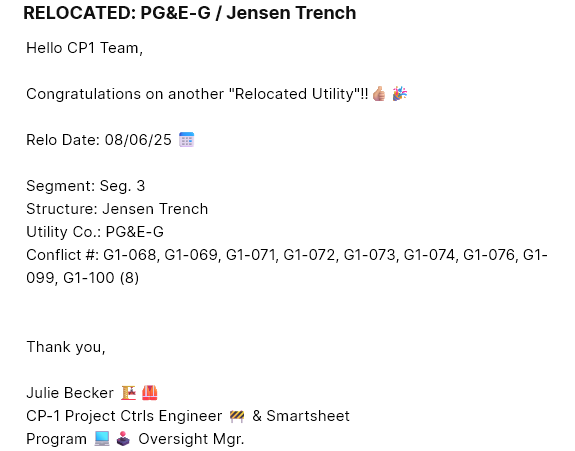
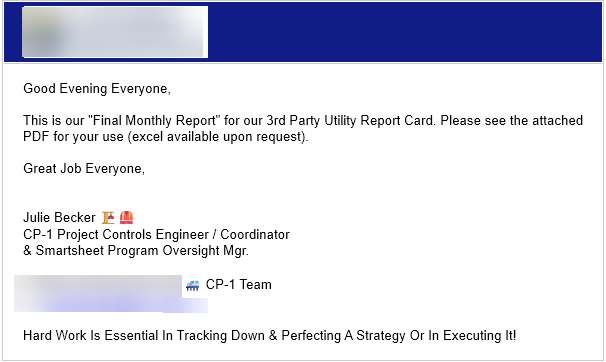
So sad i missed this opportunity to participate, as i was hoping to provide some cool things i do with ours on our project (see imgs below)..
Hope to help in the next one or future ones
 Julie Becker
Re: Recommended Smartsheet Automations or Integrations
Hi @MarjorieP we do this by using Smartsheet automations to track when key changes have happened. It's a very simple and robust process which works well.
To get the chart happening is a bit more involved - a bunch of cross sheet references and reports basically. Please reach out if you'd like help building something like this for yourself.
Cheers,
Lindsay


Re: What's wong with this formula?
@nicksnav your correction to my formula was the key. I cannot thank you enough for helping get this done. This was the last piece of the puzzle to finish our construction master project schedule dashboard.
 Hillary