Best Of
Help Article updates - April 2025
Hello Community,
We’ve published the following new content:
- Introduction to table view
- Large-scale sheets in table view
- Create, share, and apply custom themes to dashboards
- Admin Center: Understand your security score
To view the entire catalog of help articles, visit the Help and Learning Center.
Were the articles helpful?
Let us know by providing feedback for each article.
 Trelawney
File library Approvals now available!
May 1, 2025
Hi Community,
New feature alert! Finalize your project content faster with Approvals in file library. You can now kick off structured approval workflows to gather feedback and streamline reviews on your project files. It’s everything you love about proofing, built right into file library!
Easily set up requests with specific reviewers and deadlines, then track the votes to stay informed. Approvers have all the tools to give clear feedback with comments and annotations, and versioning automatically tracks historical progress so there's no confusion. Learn more.
What else is new?
- A clean UX makes it easier to manage requests and oversee the status of your approvals.
- Requestors can now set due dates to keep their projects on track.
- Approvers can now modify their votes and add a comment if they require changes, proving more context for collaboration.
- Once approved, files will display a green arrow in gallery view as a visual indicator of the approved status.

Environment Availability: Commercial US
Plan Availability: Business, Enterprise
Subscription Model Availability: User Subscription Model
Stay informed by Subscribing to receive product release updates for curated news of recently released product capabilities and enhancements for the platform of your choosing, delivered to your inbox. As new releases occur, you will receive a weekly email with news of what's released every Tuesday.
 Karin Maltrud
Re: Table view initial release is now generally available for all customers!
This is awesome.
The table view gives my data a more cleaner and fresher look.
 Jacob A
Re: Introduce yourself & get to know your peers!
Hello, my name is Cliff. Born and raised in Texas, but I have worked on projects all across the country - 28 states at last count.
I work in the healthcare sector with a focus on project management, facility activation, and relocation/transition planning. We use Smartsheet in a broad range of ways, but my most frequent usage is schedules of one form or another.
 Cliff_West
Re: How do I add automated date to form?
I'm always happy to help!
Yes, it's a little more complicated, so I recommend going with your current solution as long as it works.
✅ Remember! Did my comment(s) help/answer your question or solve your problem? Please support the Community and me by marking it - Insightful 💡- Vote Up ⬆️ - Awesome ❤️ - or/and as the accepted answer. It will make it easier for others to find a solution or help to answer! I appreciate it, thanks!
 Andrée Starå
Re: May Question of the Month - Join the conversation and receive a badge
I find answers and solutions to problems and help my friends get more done.
Can't help myself. I'll have to post this:

 Eric B.
Re: Adding a dashboard link to a different dashboard
Having the same issue. I reached out to support yesterday and told me their engineering team is working on a resolution. Have no idea on an ETA… hopefully soon
kdelgiorno
Re: Make helper column to sort rows by work week (Monday to Friday) based on a Date column
Instead of Plus + use And &. I think that should work.
 Nathan Slatton
Re: Make helper column to sort rows by work week (Monday to Friday) based on a Date column
@SherlockKDS You can use this formula to give you the date of Monday of the week of a given date:
=IF(WEEKDAY(Date@row) = 1, Date@row - 6, Date@row - (WEEKDAY(Date@row) - 2))
Will that work?
Adam Murphy
Re: May Question of the Month - Join the conversation and receive a badge
I have a 5 (going 6) year old that literally asked me this question a couple of weeks back. This was my answer to him.
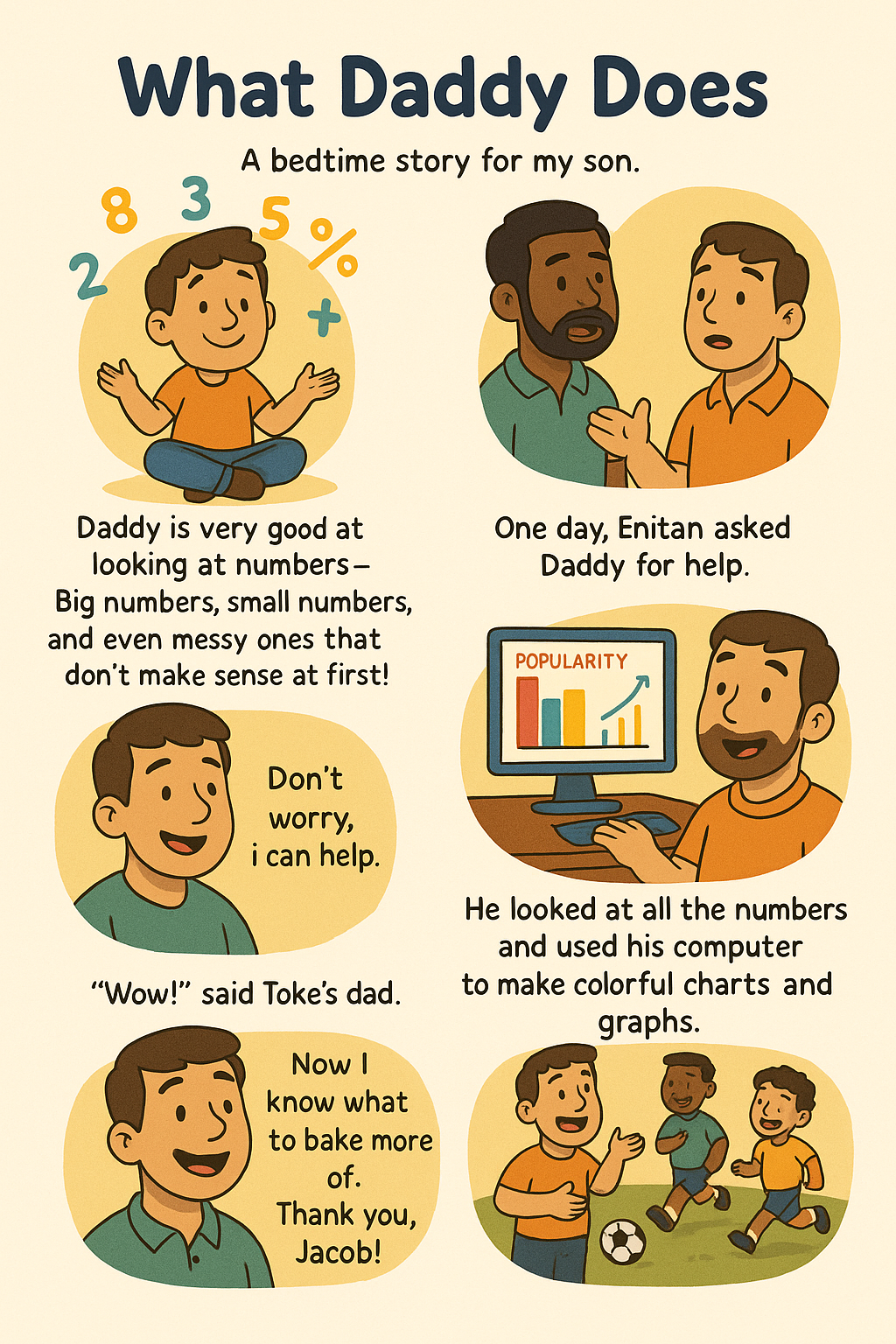
Daddy is very good at looking at numbers. Big numbers, small numbers, and even really messy numbers that didn’t make sense at first!
One day Enitan, Toke's daddy, that owns the bakery we buy your favorite cake from asked me for help with numbers.
“Jacob!” said the Enitan. “I have so many numbers from all the cakes I sold, but I don’t know what they mean. I don’t know which cake people like best!”
Daddy smiled. “Don’t worry! I can help.”
Daddy looked at all the numbers and used his computer to make colorful charts and graphs. One chart showed that chocolate cake was the most popular. Another showed that people bought more cupcakes on Fridays.
“Wow!” said Toke's dad. “Now I know what to bake more of. Thank you, Jacob!”
I laughed and said, “That’s what I do, I help people understand their numbers so they can make smart choices.”
And from that day on, Daddy was known as the best business intelligence guru amongst his soccer teammates.
 Jacob A