Best Of
Re: Nested IF Statement
Just adding to my earlier note — I noticed that “Hand Washing” is currently set to return blank, so it won’t show in the formula column. If that’s intentional, please feel free to ignore 🙂
If you’d like to keep that value as well, you could update the formula to:
=IF([Health Topics Other]@row = "Food Insecurity", "Food Insecurity",
IF([Health Topics Other]@row = "Hand Washing", "Hand Washing",
IF([Health Topics Other]@row = "Prostate Cancer", "Prostate Cancer", "")))
If you found it helpful, please show some love by marking it as Insightful 💡 or Awesome ❤️, and feel free to Vote Up ⬆️.
 LeelaLodhi03
Re: Lookup Value and Count based on the input criteria
I would suggest an INDEX/MATCH.
=INDEX({Column To Pull Over}, MATCH("Today", {Yesterday/Today Column}, 0))
 Paul Newcome
Re: Smartsheet Professional Certification Badge Not Showing Next to My Name
Hi @Rhonda Keller, SmartU and @Amr :-)
This is happening because the badges showing on messages aren't set to be shown by hierarchy. The system is seeing the two certification badges as equally important. The hierarchy is an enhancement we're currently working on, so it'll be fixed in the near future!
 Rebeca S.
Re: Introduce yourself & get to know your peers!
Hiya! I'm Genevieve on the Smartsheet Community Team - I'm from Canada but I live in England.
I love getting creative in Smartsheet for non-work related things.... during lockdown in 2020 I created a Battleship game (with two linked sheets) as well as a version of Codenames to play with friends over zoom.
Keep your eyes peeled for some fun games our team has come up with this September for Engage!
You can learn more about me in my "Meet Genevieve" post here, or in the July 2023 Community Corner Newsletter, here!
 Genevieve P.
Re: Filter default
Hi,
I hope you're well and safe!
It's still there but hidden until you type something in the the Add people field.
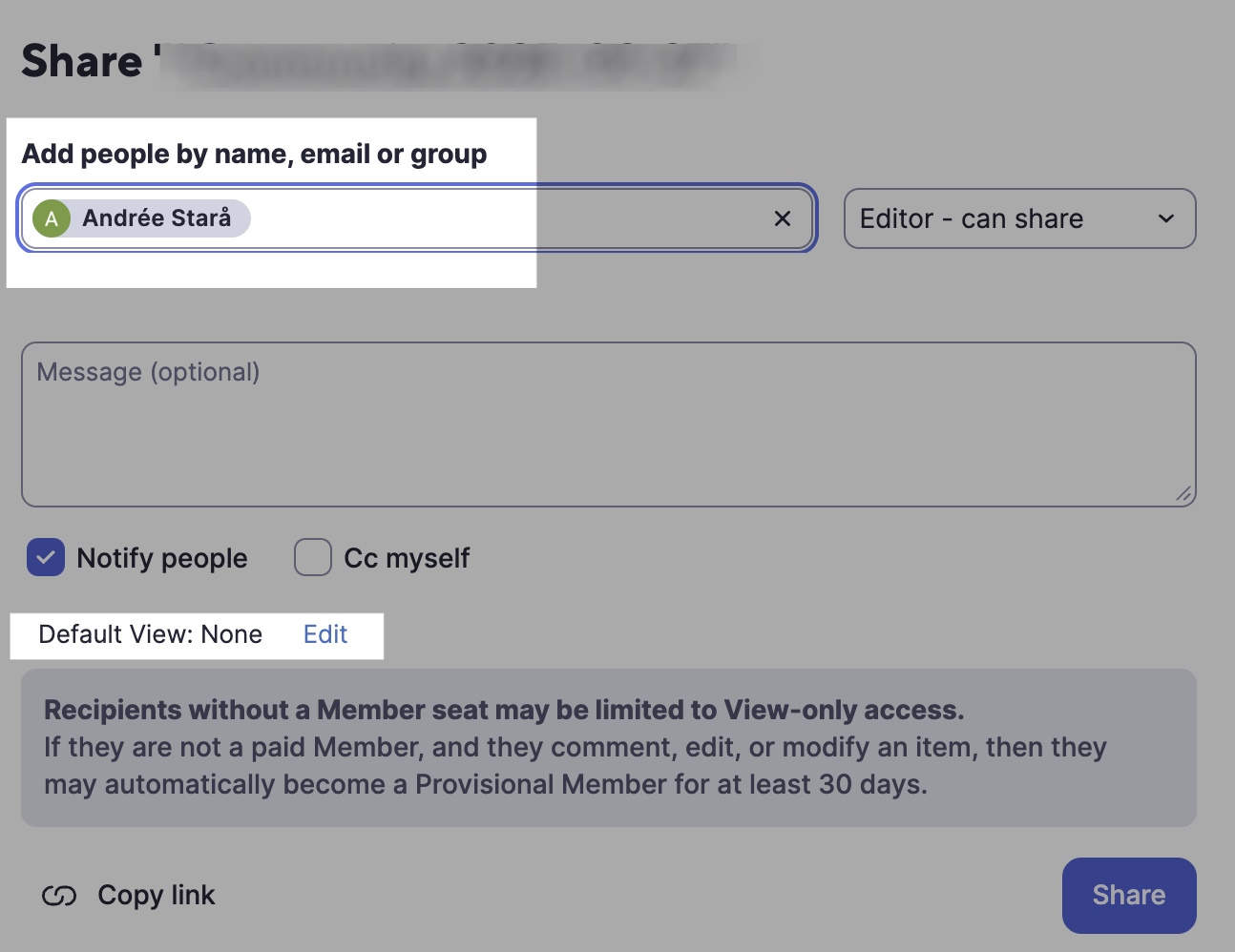
I hope that helps!
Be safe, and have a fantastic day!
Best,
Andrée Starå | Smartsheet Expert Consultant & Partner / CEO @ WORK BOLD
✅ Did my comment/answer help? Please support with 💡 ⬆️ ❤️ ✅ so others find it. Thank you! 🙏
 Andrée Starå
🆕 WHAT DO YOUR DASHBOARDS LOOK LIKE?
we need some creativity from others on some of the awesome dashboards people have created. please share some of the best of the best that you have!!
hoping to spark some ideas…
here is one of my recent ones -
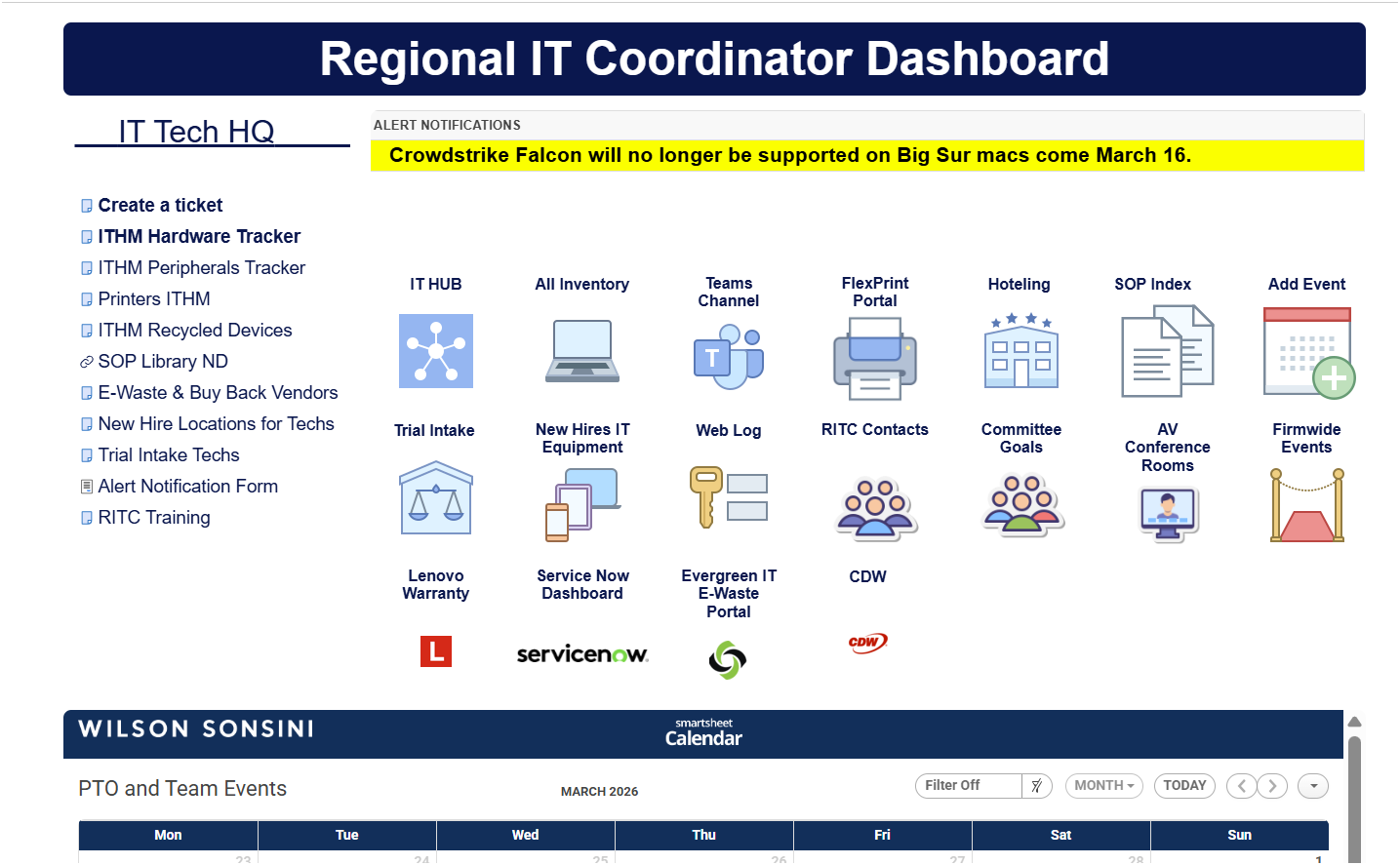
thanks in advance
 Trish Dillon
How to explain Smartsheet?!
Please check this video it can help you to position Smartsheet in your company all credits to . Cicero.
The video is generated with GoogleNotebook its awesome i think.
We explore why thousands of organizations trust Smartsheet to manage work smarter, not harder.
💡 Key Takeaways:
Smartsheet goes beyond spreadsheets it automates work and brings data to you.
Real-time dashboards empower C-suites to make decisions on the spot.
Integrations with tools like SAP, HubSpot, and Workday streamline operations.
AI is shaping the future of work turning collaboration into intelligent execution.
Hear the inspiring story of a user who transformed her career with Smartsheet.
 NicoLHC

Re: Lost all tasks in Gantt view
Greetings,
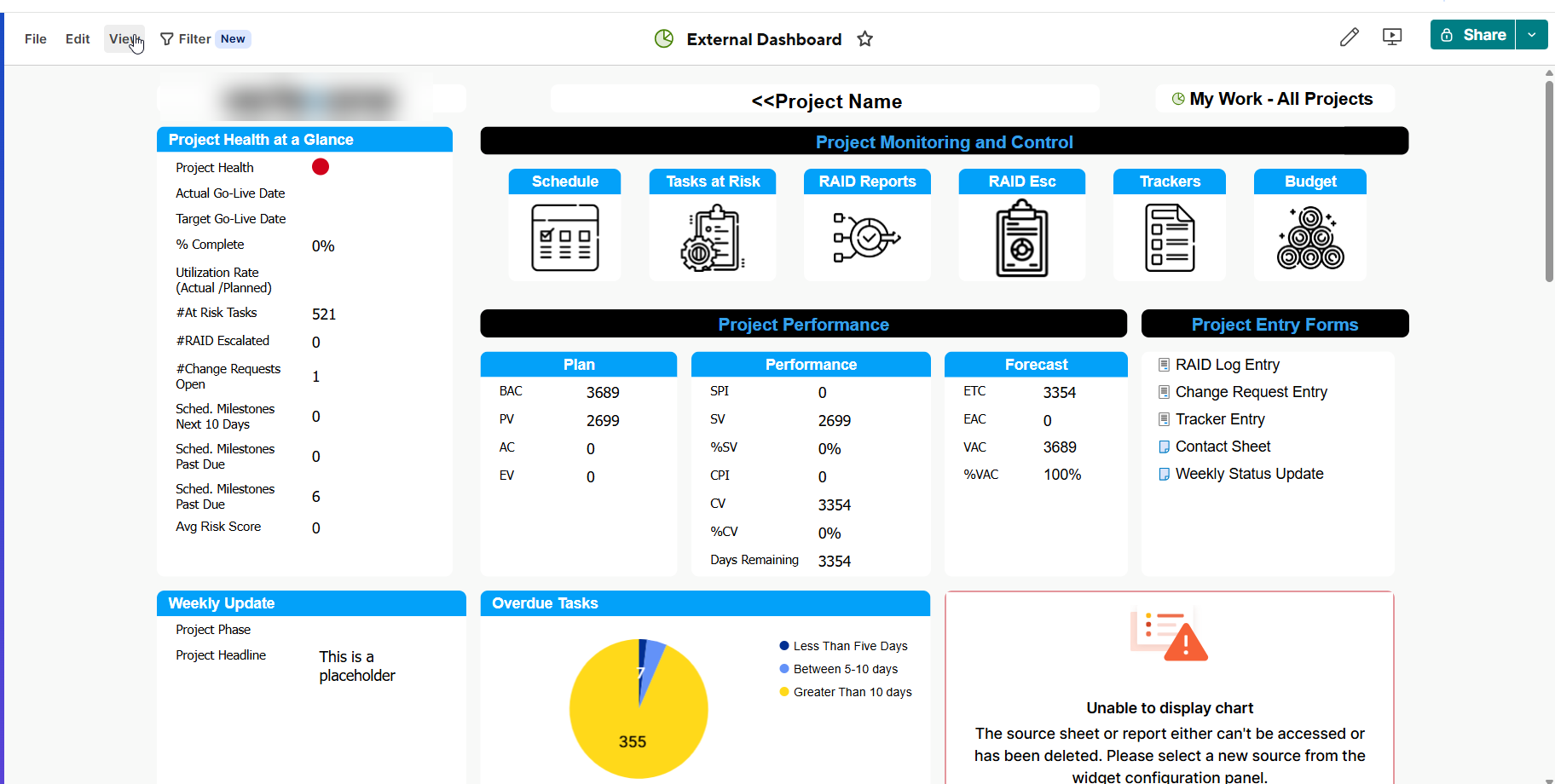
This is also happening to me. It seems to be tied to my account. Other users I have shared the smartsheet with are able to see the Gantt view.
I have tried different browsers, incognito and even tried on my mobile device in Desktop mode. I also had a user create a copy of my sheet and then I am able to view the Gantt chart. I think this does point to an issue in the Smartsheet servers/account handling.
gigabytex
Re: COUNTIF by Month in Date
I have never had luck with that date format but I have when I change that date column formula to just numbers then you can just use a helper column Month Number Helper and Month Name. You would then be able to do the count formula to count the number of March.
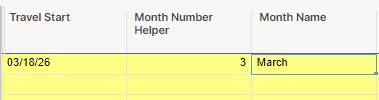
Month Number Helper: =MONTH([Travel Start]@row)
Month Name: =IF([Month Number Helper]@row = 1, "January", IF([Month Number Helper]@row = 2, "February", IF([Month Number Helper]@row = 3, "March", IF([Month Number Helper]@row = 4, "April", IF([Month Number Helper]@row = 5, "May", IF([Month Number Helper]@row = 6, "June", IF([Month Number Helper]@row = 7, "July", IF([Month Number Helper]@row = 8, "August", IF([Month Number Helper]@row = 9, "September", IF([Month Number Helper]@row = 10, "October", IF([Month Number Helper]@row = 11, "November", IF([Month Number Helper]@row = 12, "December", ""))))))))))))
 AngB789