Best Of
Re: Blueprint - Dynamic Report Scope
Currently I have a report created. I want to add it to a report scope within Control Center, but the new report link is disabled. Also, when I navigate to the report directly under the scope tab, the option to add it is also disabled. Do we not have the ability to add it after the report has already been created?
 measterbrooks
Report Scope Feature
I love this new report feature of being able to select Sheets or Programs for the Report Scope, but it has disabled a very important function of allowing you to be able to attach reports through control center. You no longer can create a report first then create a new program in control center and attach it. You also can not change a report that was initially a sheet scope to a program scope. This really creates double work if you later decide you need to use control center after creating a workspace with reports. An easy fix would be after a report is created as a sheet being able to change it from a "Sheets Scope" to a "programs scope". The new feature that could be amazing in my opinion has a very important flaw and has created a tremendous amount of rework in my workspaces.
Amy J. Hayden
Re: Collections Improvement: Icon on the Left for All Collections
I am discovering that I have to give individuals access to every single sheet, dashboard, or report within a collection, for them to be able to see them in the collection. How is this useful? This is causing a lot of extra work for our team.
Angelina
Re: One of my criteria is one of many listed in a dropdown column and CONTAINS/HAS are eluding me.
Try this:
=INDEX(COLLECT({Column Being Pulled}, {Level Selection}, @cell = [Level Selection]@row, {Feature Column}, @cell = Feature@row, {Product Line}, HAS(@cell, "Arbor - COA")), 1)
 Paul Newcome
Re: Enable showing Field labels in Board View
Yes please! This was one of the features that made Board view so useful in Asana, I would love to see it in Smartsheet.
Mara DePena
How are users added to the User Management page of the Admin Center vs the user reports?
I have opened MULTIPLE Smartsheet support tickets (which have since been closed) and discussions with our account reps without success so I am hoping someone in the community can help me.
Since November 2024, I have been trying understand the logic around how a user is added and removed on 3 user reports
- User Roles and Reports (i.e. the User Management page of the Admin Center - see screen shot)
- User Type report
- Sheet Access Report.
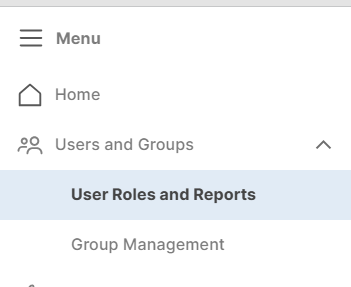
We want to understand why we have such discrepancies in the number of unique users between the 3 reports but more importantly we will be converting to the new USM soon so we are trying to audit our user list so we have a good estimate of Members and provisional Members. I also want to know when a control or restriction says "users on your plan" which report should I be referencing that correctly tells me the users on our plan.
I have users that appear on one or two of the reports and not the other(s). For example, there are users on our User Type report that do not appear on the User Management page in the Admin Center. I also have users on the User Type Report that do NOT appear on the Sheet Access Report and vice versa users on the Sheet Access Report but not on the User Type Report.
This includes both internal and external users, users that do not have a verified domain login, users who haven't logged in or with no documented activity for >365 days (sometimes days in the THOUSANDS).
- What causes a user to be added to each of the 3 reports?
- What would be the reason a user appears on one report but not the other 2?
- Why are users with significant # days since their Last Activity remain on a report?
- What does it mean if the Last Activity field (on the User Type report) and Last Login field (on the User Management page) are blank?
I am just trying to understand the criteria for when a user is added to the 3 reports and what actions removes a user from the 3 reports.

Re: Enhancement Request: TODAY() as default value in forms
I would love this functionality as well, to reduce teh number of keystrokes needed by staff to fill out the forms (which can be a drag since they then have to generate a document from the data. is it not possible to adda pre-programmed TODAY() default option to that field? the default value is a specific date, not always helpful. Thanks.
 JJMarr
Smartsheet Gov- Web Content widget in Dashboards
Hi,
I'd love the ability to use the Web Content widget in Dashboards as a Gov account user. Especially to content within the Smartsheet umbrella.
Brittany Cramer
Re: How to integrate Smartsheet with custom software for better workflow automation?
You can use the Smartsheet API to create integrations and workflows between Smartsheet and other systems. Take a look here for more information about integrations, particularly the FAQ section towards the bottom of the page.
Here are 5 steps for getting started with the Smartsheet API, and you can find the Smartsheet API documentation here.
Hope that helps!
Georgie
 Georgie
Re: Dynamic Filter on Dashboards
Caroline, I couldn’t agree more with your suggestion. A top-level, single dynamic filter that controls all widgets and reports within a dashboard would be a game-changer.
The ability to switch views—like selecting a specific university or department—and have all charts, metrics, and visuals instantly update would dramatically streamline workflows. As it stands, maintaining multiple dashboards or manually updating filters for each chart/report is both time-consuming and error-prone.
This kind of centralized filtering is standard in many BI tools and would make Smartsheet dashboards far more powerful and user-friendly. Huge +1 from me!
 bs786
bs786