Best Of
Re: Title format to include H1 for accessibility (Headers start at H2)
Any idea if this has been incorporated? I still see the Heading as H2. I really hope they make it accessible for screenreader users!
 Adhi
Adhi
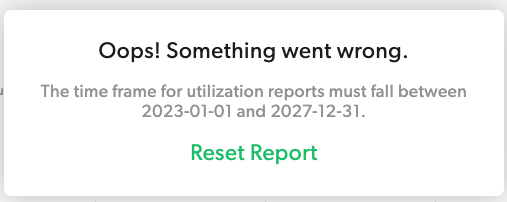
Resource Management Utilization - BUG - beyond 2027
Utilization report does not go beyond 12/31/27. 1) It's going to get close to that soon. 2) We need to project hours allocated per month and this seems to be the only working report that has that capacity to put it properly in an advanced report.
Also - I dont care about 2023 really anymore (good for historical stuff obviously) but it's more important to view going forward if there is some limit.
 Lauren Y
Re: June Question of the Month - Join the conversation and receive a badge
One of the most memorable communities I’ve been part of is our internal operations team during a major system migration. It wasn’t flashy or public, but it was powerful. Everyone leaned in—sharing knowledge, solving problems in real time, and supporting each other through messy changes. What made it so special was the shared sense of purpose and the way people showed up not just to complete tasks, but to elevate each other. That kind of trust, collaboration, and willingness to grow together is what defines a true community for me.
 KeeshaCarrasco
Re: June Question of the Month - Join the conversation and receive a badge
As a family we go to Village Family Chiropractic where it is more than just an office, it is a true community of families that are like minded and have transformed my life over the last 8 years. It is a place where everyone is celebrated for being their authentic selves and sharing their talents while being supported by one-another. As a small business they do several events a month that celebrate their patients a way to show their appreciation for all the families that choose to come to VFC for their personal health and wellness care/ journey 💜
 Michaela Loucks
Global Update Enhancements: Links, Manage References, Hyperlinks and Filters
I am just now starting to use Global Updates to add to existing project files. However, I am having to manually set the Links, Hyperlinks, Manage References and Filters to work within each folder. This is a huge effort with lots of opportunity for user error. Since the newly provisioned project folders can be created with these links personalized for that folder, I hope there is a way to do it when we add a new sheet or report in particular to an existing folder.
 Debbie in JAX
Re: New streamlined creation experience
@Jason Tabaczynski - See my Responses in BOLD (not trying to be harsh or mean, but many of us would appreciate some of these clarified and / or elaborated on)
Why we made this change: Based on customer research, we identified several pain points with the sheets folder:
↑ WHO?? WHAT TYPE OF CUSTOMERS (New/Existing)?? Because this WAS NOT released within the EAP program to provide feedback, so WHO did you guys reach out too to represent all of us here on a topic that we are all upset about?
- It had become an overwhelming, disorganized repository mixing useful and outdated assets
- How So? Based upon who/whom? "Outdated Assets"?
- New users found it confusing (why does it exist separately from workspaces?)
- So now NEW USERS have a say in our existing UI, but your long time paying customers DO NOT?
- The "Sheets" name was misleading since it contained multiple asset types
- So then RENAME it, Dont DELETE it!!
- Large sheets folders caused slow loading times and platform stability issues
- This occurrs in ALL your workspaces, not just the Sheets Folder, So this is an unjustified excuse. Maybe look into your platform issues rather than blame a single folders content.
 Julie Becker
Re: Report not pulling data from sheet when workspace is selected.
@Adam Costello from what your showing, looks like a bug.
Possible it may take a good refresh, if you haven't tried waiting and refreshing the report after a few minutes.
have seen quirky behavior with reports from time to time until you give it a good refresh…
 Darren Mullen
Re: Report not pulling data from sheet when workspace is selected.
@Adam Costello Yes, that is scary that you may not be reporting properly. I've got a complex solution with a report pointing to a workspace that has 436 sheets. Haven't seen this like you have (yet).
This method is used in other solutions too that haven't experienced this glitch.
But I've had other weird glitches the last few months with sheets or reports not being accessible temporarily then coming back…
Darren Mullen
Re: New streamlined creation experience
"more intuitive environment where content consistently appears in logical locations" for whom? It certainly doesn't work for me, and apparently, many others. It's not up to you to decide how we organized our work; we need a product that trusts we are smart enough to know what we need and provides the flexibility to work in multiple ways.
AnneV
Re: New streamlined creation experience
So, long time users had no issues and actually relied on the way "sheets" functioned, but a drastic change was made because new users found it confusing? Maybe the new users didn't have enough experience to realize the functionality of "sheets"?
We've waited months for some answers from Smartsheet and it seems like changing the name from "sheets" to something else could have been a useful first step in a comprehensive process to evaluate the issue and it would not have caused so much pain.
Brian Abbott