February 4, 2026
We’re making it faster and easier than ever to complete a Smartsheet form with intelligent form fill.
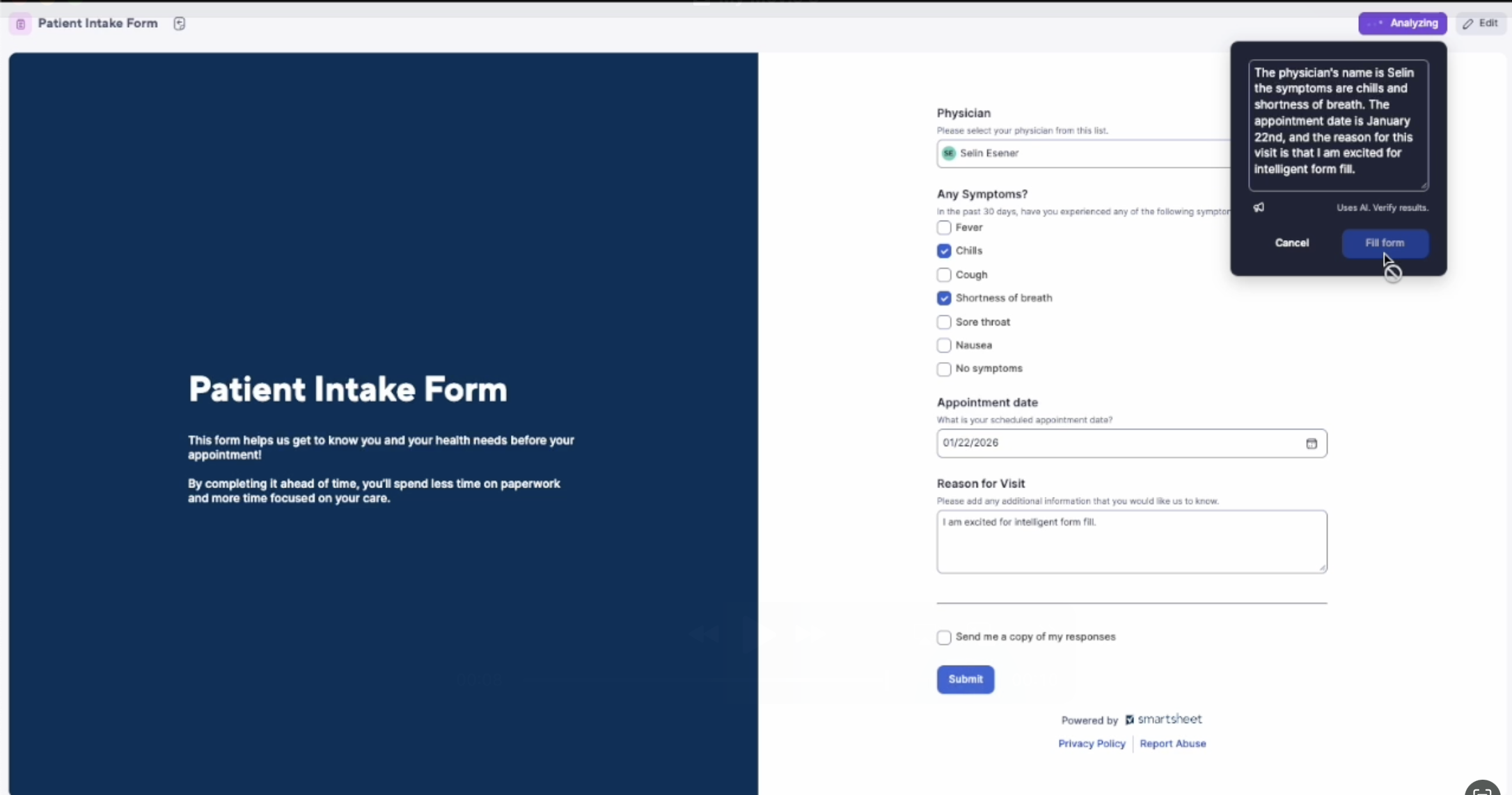
Using AI, forms can now both capture and understand your submissions. Speak your responses, and intelligent form fill will automatically map your responses to the correct fields. Form submission is faster, easier, and more convenient in real time.
How to get started:
- Open a form on the web on either desktop or mobile, and tap the “Speak to fill” button in the form’s top right corner.
- Speak your answers for the entire form, or update individual fields.
- As you speak, you'll see the text appear as you go. Edit the text directly if needed. Select “Fill form” to see your answers populate the form automatically in the corresponding fields.
- Need to change something? Edit the form fields directly, or click “Speak to fill” again and ask for the edits you need.
- Already have your responses in your notes, such as meeting summaries or medical notes? Paste them into the “Speak to fill” text area, and Smartsheet will analyze and fill the appropriate fields automatically.
Learn more here, or read our blog post.
Note: Currently only authenticated, signed-in users can access intelligent form fill. Intelligent form fill can be turned off for individual forms by toggling ‘Restrict speak-to-fill on this form’ within the form’s settings.
Environments availability: Commercial US, Commercial EU, Commercial AU
Plan availability: Pro, Business, Enterprise, Advanced Work Management
Subscription Model Availability: Both Legacy Collaborator Model and User Model
Stay informed by subscribing to receive product release updates for curated news of recently released product capabilities and enhancements for the platform of your choosing, delivered to your inbox. As new releases occur, you will receive a weekly email with news of what's released every Tuesday.