Best Of
Re: Work around for Data mesh or Data shuffle if not available in my current account using Business Plan
Excellent!
You're more than welcome!
✅ Remember! Did I help answer your questions or solve the problem? Please support with💡 ⬆️ ❤️, and/or ✅ Answer. It will make it easier for others to find a solution or help answer. I appreciate it, thank you! 🙏
 Andrée Starå
Re: Increase Bridge Run Log Entry Limit / Update Error Prompt
Hi all, another update here!
Bridge's run log size limit has increased again, this time to 35MB.
Cheers,
Genevieve
 Genevieve P.
Re: Feed line from one sheet into another multiple times, assigning a different task to each new line
Hi @MYaussi
I think your copy rows automation is a good idea and will work, but here is a different approach.
Helper Numbers Column Approach
The demo solution below multiplies a single row into multiple rows in another sheet, using a helper column, [#], that starts from 1, and increments by 1, like 1,2,3,...,100.
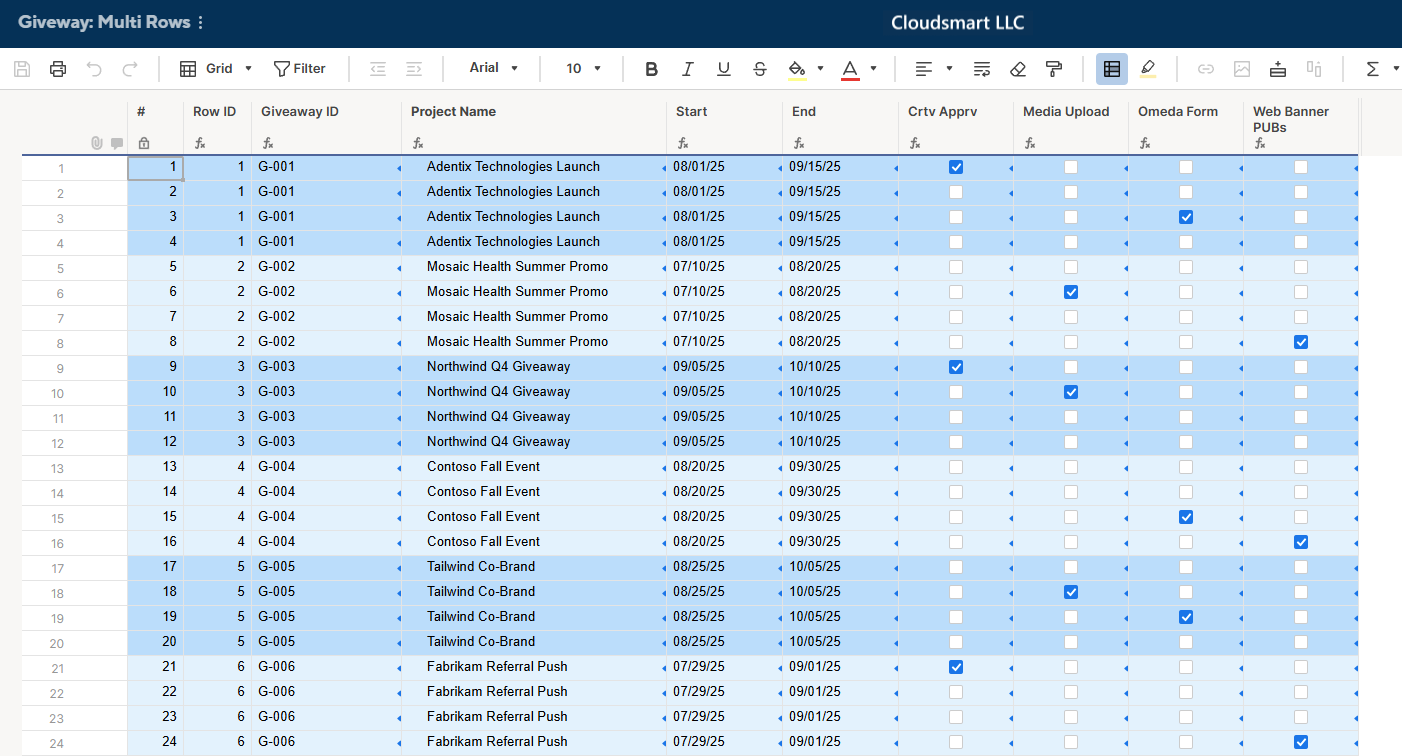
In this demo example, since we have up to 4 tasks for each giveaway project, we get the corresponding Row ID by the following formula.
[Row ID] =INT(([#]@row + 3) / 4)
Using the Row ID, we can get the Giveaway ID, Project Name, Start, and End by the following formula, using VLOOKUP or INDEX MATCH.
[Giveaway ID] =IFERROR(VLOOKUP([Row ID]@row , {Giveaway : RowID to Web Banner Pubs}, 2), "")


[Project Name] =IFERROR(VLOOKUP([Row ID]@row , {Giveaway : RowID to Web Banner Pubs}, 3), "")

[Start] =IFERROR(VLOOKUP([Row ID]@row , {Giveaway : RowID to Web Banner Pubs}, 4), "")

[End] =IFERROR(VLOOKUP([Row ID]@row , {Giveaway : RowID to Web Banner Pubs}, 5), "")
As for the [Crtv Apprv], etc, we show them only in the corresponding row using the following formula.
[Crtv Apprv] =
  IF(MOD([#]@row , 4) = 1,
    IFERROR(VLOOKUP([Row ID]@row , {Giveaway : RowID to Web Banner Pubs}, 6), ""))


[Media Upload] =
  IF(MOD([#]@row , 4) = 2,
    IFERROR(VLOOKUP([Row ID]@row , {Giveaway : RowID to Web Banner Pubs}, 7), ""))


[Omeda Form] =
  IF(MOD([#]@row , 4) = 3,
    IFERROR(VLOOKUP([Row ID]@row , {Giveaway : RowID to Web Banner Pubs}, 8), ""))


[Web Banner PUBs] =
  IF(MOD([#]@row , 4) = 0,
    IFERROR(VLOOKUP([Row ID]@row , {Giveaway : RowID to Web Banner Pubs}, 9), ""))
Lastly, I have the [Format] checkbox column, hidden, for formatting purposes with the following formula;
[Format] =MOD([Row ID]@row , 2)
Sample Giveaway Sheet
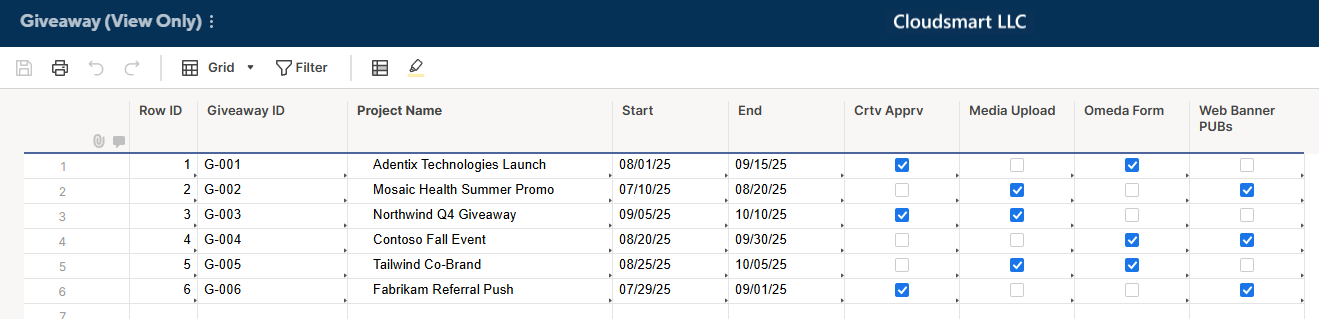
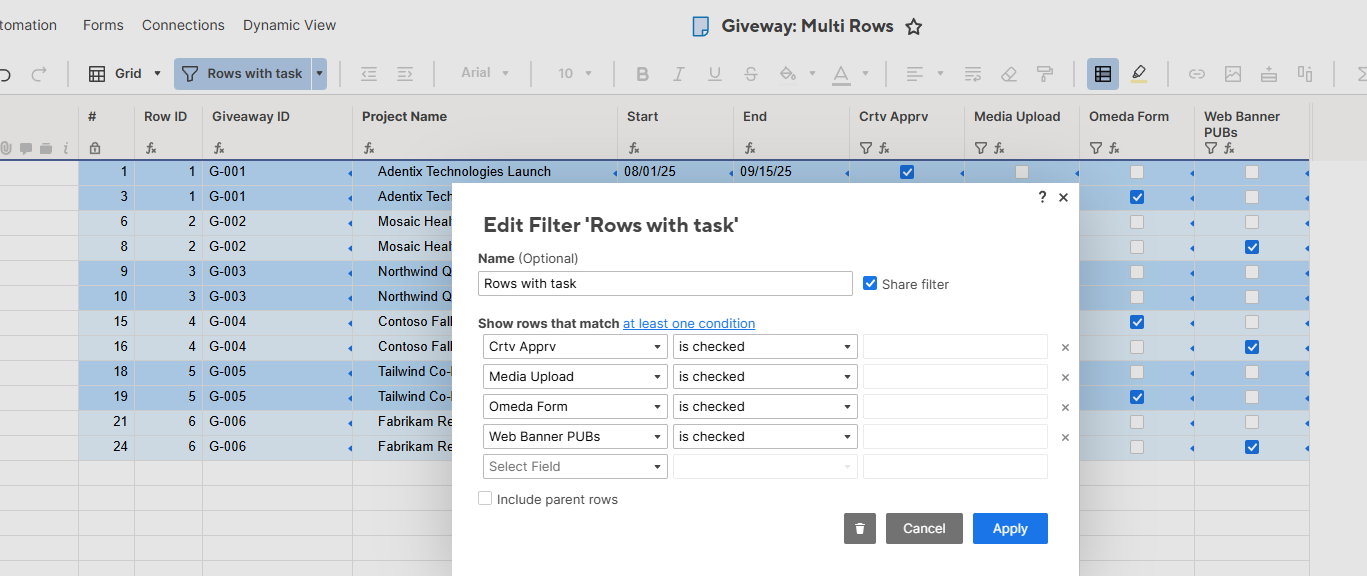
To show only rows with a task, you can use a filter.
Copy Rows Automation Approach
Regarding your idea of using copy rows, to just duplicate rows, you can create automations like these;
- When a new row is added
- Copy to Sheet 1
- Copy to Sheet 2
- Copy to Sheet 3
- Copy to Sheet 4
- At each Copy to Sheet #, when a new row is added
- Move to Sheet ALL
Copy rows automation at the Giveaway sheet
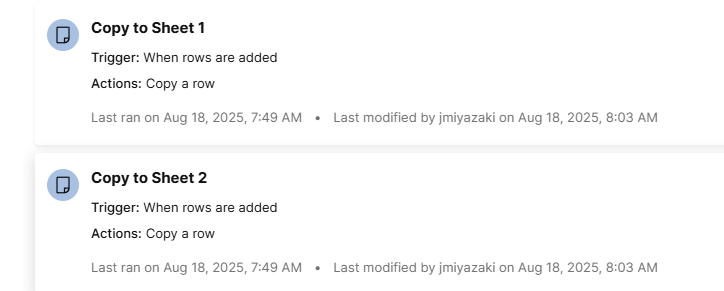
Move Rows automation at each sheet
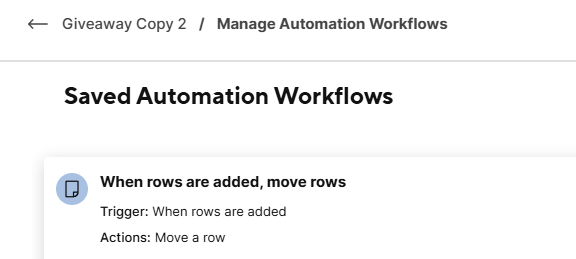
Then, you will get, at the destination, ALL sheet, something like this;
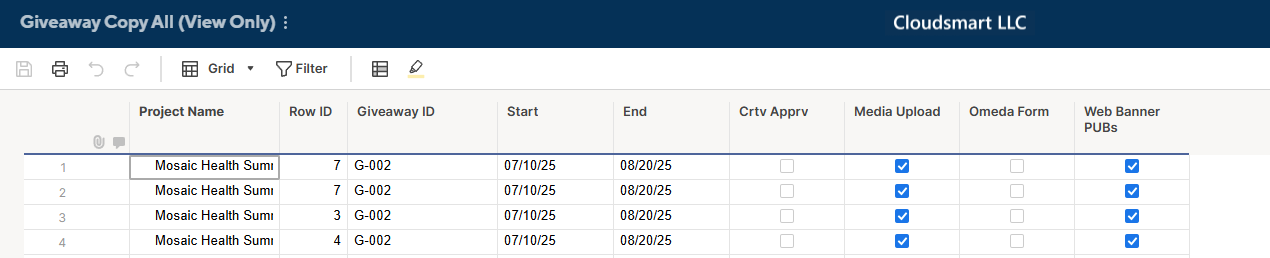
The difficulty with this approach is that we get the identical rows. So, for the alert automation, these multiple rows will not help.
To avoid this, you can add a helper column, like [Task #], with a column formula like this.
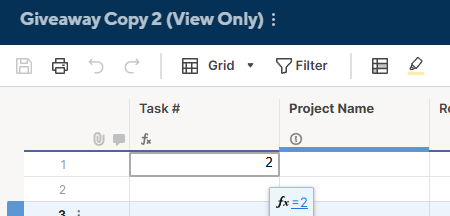
Note, you need to change the Task # formula for each sheet.
- Copy to Sheet 1: =1
- Copy to Sheet 2: =2
- Copy to Sheet 3: =3
- Copy to Sheet 4: =4
With that, the destination, All sheet, will get Task # like the image below.

Then, you can use the Task # to determine which row should alert which task or checkbox. For example, in the first row above, as Task # is two and the second checkbox is checked, we send an alert based on this row regarding Media Upload.

Re: Adding options to drop down menu
Hello @joannlynn,
You must be a Sheet Owner Admin. if you are, then double-click the column header and you will see the option to add to the list.
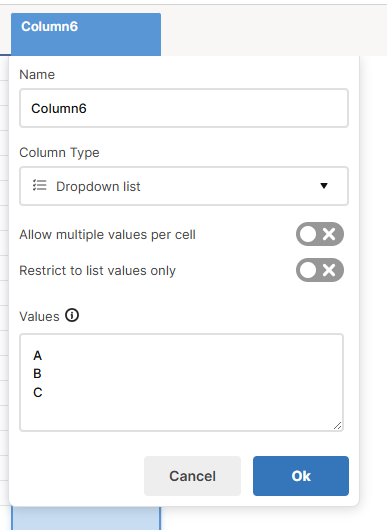
All the best,
-Ray
 Ray Lindstrom

Re: New Here
Hello JoAnn!
I'm Marcela, Smartsheet Community Specialist. I help moderate the forum, and I'm based in Costa Rica. Nice meeting you!!
Welcome to the Smartsheet Community. I'm glad to have you here, and I hope you get the best out of its collaborative environment! You might as well take a look and say hi to other awesome Community members who have introduced themselves in this thread.
Cheers!
 Marcela
Re: Creating a new report in Smartsheet
Hello @joannlynn,
To add to the comment above, you can find more information about Reports in this Smartsheet Help Center article.
Cheers!
Marcela
Re: Creating a new report in Smartsheet
Howdy! Go into your workspace (leave the "browse" section) and select the "Add to Workspace" button at the top and click "Report".
 jjg279
Re: Work around for Data mesh or Data shuffle if not available in my current account using Business Plan
Hi,
I hope you're well and safe!
Two options.
1️⃣ 3rd-party service
2️⃣ Smartsheet API
Would any of those options work/help?
I hope that helps!
Be safe, and have a fantastic day!
Best,
Andrée Starå | Smartsheet Expert Consultant & Partner / CEO @ WORK BOLD
✅ Did I help answer your question/solve the problem? Please support with💡 ⬆️ ❤️, and/or ✅ Answer. This will make it easier for others to find a solution or help answer. I appreciate it, thank you! 🙏
Andrée Starå
Re: Work around for Data mesh or Data shuffle if not available in my current account using Business Plan
Noticing now that I might have misunderstood.
Can you elaborate?
Please share some screenshots and/or additional information. (Delete/replace any confidential/sensitive information before sharing.) That would make it easier to help.
I hope that helps!
Be safe, and have a fantastic day!
Best,
Andrée Starå | Smartsheet Expert Consultant & Partner / CEO @ WORK BOLD
✅ Did I help answer your question/solve the problem? Please support with💡 ⬆️ ❤️, and/or ✅ Answer. This will make it easier for others to find a solution or help answer. I appreciate it, thank you! 🙏
Andrée Starå