Best Of
Re: Users Submitting From Excel to Existing Sheet
@S.Stone I believe you've got it.
Step 1: Users attach excel doc to form which submits to Sheet A.
Step 2: Data Shuttle grabs most recent attachment directly from Sheet A and adds the rows to Sheet B.
 Paul Newcome
Re: Best method for linking 2 sets of data together that use forms to collate the information?
@SteCoxy – Thanks again for sharing your setup. Based on your form structure and screenshots, here’s an updated and practical approach that leverages the fact that [Scheme Name] is unique.
One-to-Many Structure Confirmed
From what I can see:
- Form 1 captures one-time scheme setup info.
- Form 2 can have multiple submissions per scheme (e.g., annually or per phase).
This makes the relationship:
One-to-Many
(One row in Form 1 → Multiple rows in Form 2)
Updated Formula-Based Solution (No Sheet 3 Needed)
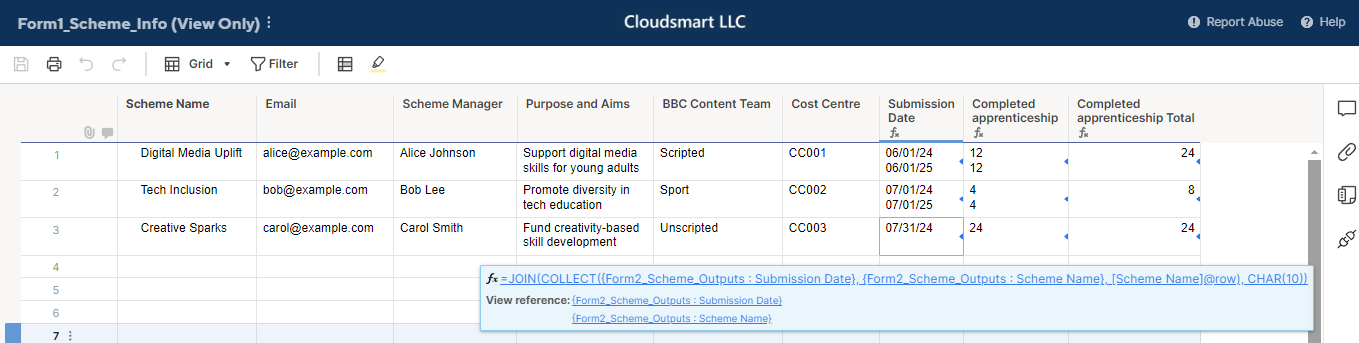
If [Scheme Name] is unique in both sheets, you can pull all related values from Form 2 into Form 1 using COLLECT, JOIN, and SUMIF as shown below;
[Submission Date] =JOIN(COLLECT({Form2_Scheme_Outputs : Submission Date}, {Form2_Scheme_Outputs : Scheme Name}, [Scheme Name]@row ), CHAR(10))
[Completed apprenticeship] =JOIN(COLLECT({Form2_Scheme_Outputs : Completed apprenticeship}, {Form2_Scheme_Outputs : Scheme Name}, [Scheme Name]@row ), CHAR(10))
[Completed apprenticeship Total] =SUMIF({Form2_Scheme_Outputs : Scheme Name}, [Scheme Name]@row , {Form2_Scheme_Outputs : Completed apprenticeship})
Here, CHAR(10) is used to show multiple rows in a cell.
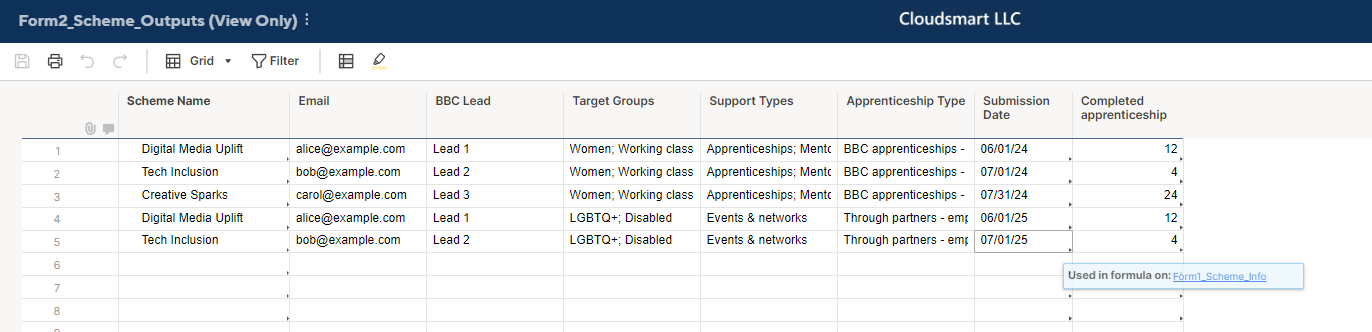
The far right two columns' data above is retrieved to the three columns below.
Benefits of This Setup
- Works even if multiple rows exist in Form 2 per scheme.
- Supports rolled-up metrics, such as totals or multi-line lists (e.g., all submission dates).
- Keeps your Part 1 sheet as the central view.
Optional Enhancements
- You can also use
MAX(COLLECT(...))to pull only the most recent value for a field like completion rate. - If you later need to limit or filter values (e.g., by year), consider adding a
[Year]column to Form 2 and use it as an additional condition inCOLLECT.

Re: Convert Created Date to Month/Date using Local Time
Hi @ctaft
It sounds like you are almost there.
How about using this to extract the month:
=LEFT([Audit Date]@row , 2)
It means look at Audit Date and return the first two characters.
Then for the year:
=MID([Audit Date]@row , FIND("/", [Audit Date]@row ) + 4, 2)
This means look at Audit Date, FIND the first /, count 4 characters from there (with the / being 1, mm being 2 and 3, and / being 4), return the next 2 characters.
You would then combine these to get the format you want:
="20" + MID([Audit Date]@row , FIND("/", [Audit Date]@row ) + 4, 2) + " / " + LEFT([Audit Date]@row , 2)
Hope this helps.
 KPH
KPH
Re: How to generate another smartsheet asset when a specified criteria is met
This sounds like a perfect use case for Control Center. Do you have access to that? If not, you would need to leverage the API, the premium add-on Bridge, or some other similar third party app.
Paul Newcome
Re: How to generate another smartsheet asset when a specified criteria is met
Hi,
I hope you're well and safe!
If you have access to Control Center, I recommend that route because it offers numerous benefits.
Otherwise, I've done something similar for clients using Zapier, but Smartsheet's API or a similar 3rd-party option would also work.
I hope that helps!
Be safe, and have a fantastic day!
Best,
Andrée Starå | Smartsheet Expert Consultant & Partner / CEO @ WORK BOLD
✅ Did I help answer your question/solve the problem? Please support with💡 ⬆️ ❤️, and/or ✅ Answer. This will make it easier for others to find a solution or help answer! I appreciate it, thank you! 🙏
 Andrée Starå
Re: Editable field within workflow before approve or decline
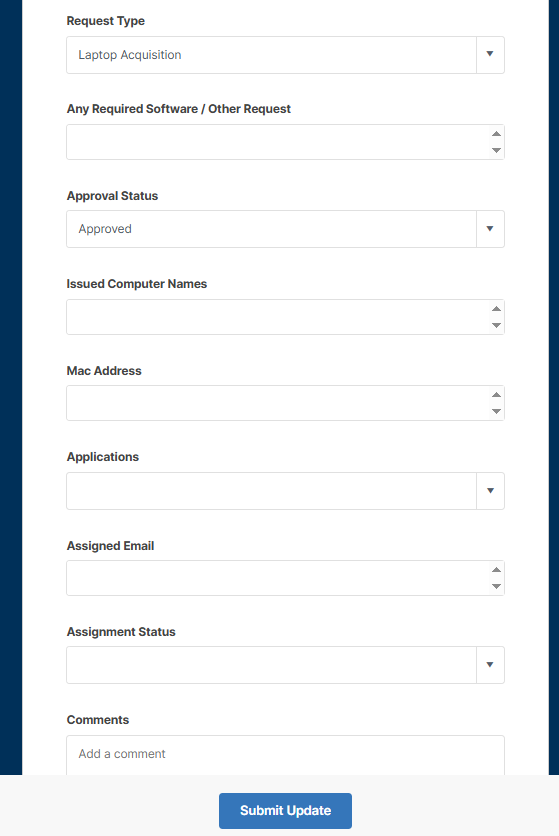
@Paul Newcome - thank you, I have setup as Update Request meets the requirement.
 Bashman
Re: Editable field within workflow before approve or decline
The only way to include more editable fields is to switch over to an Update Request.
Paul Newcome
Re: Auto Save / Invalid Operations Error.
Hi Sharon,
My issue was resolved, and everything is now working as expected.
To fix the problem, I replaced the TODAY() function in all relevant formulas with a reference to a new column titled [ Schedule daily sheet save ].
Steps Taken:
- Added Column:
Name: [ Schedule daily sheet save ] - Created Automation:
Name: Schedule-daily-sheet-save
Trigger: When a date is reached – every day starting on [set date/time]
Condition: Where Schedule daily sheet save is in the past
Action: Record a date in Schedule daily sheet save
Formula Update Example:
Old: =IF(AND([% Complete]@row < 1, [Due Date]@row < TODAY()), 1)
New: =IF(AND([% Complete]@row < 1, [Due Date]@row < [Schedule daily sheet save]@row ), 1)
Let me know if this works.
 Saj
Saj
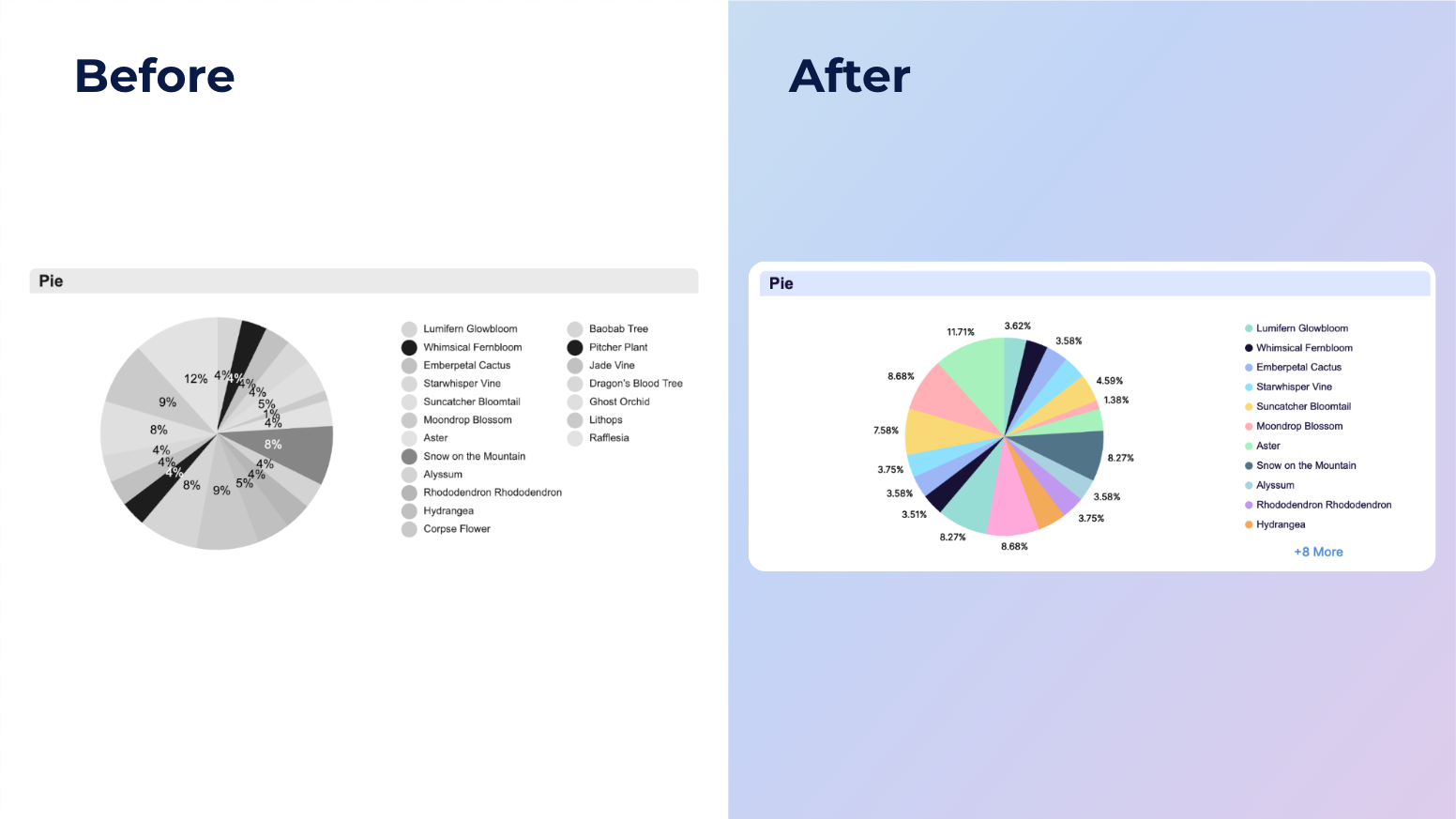
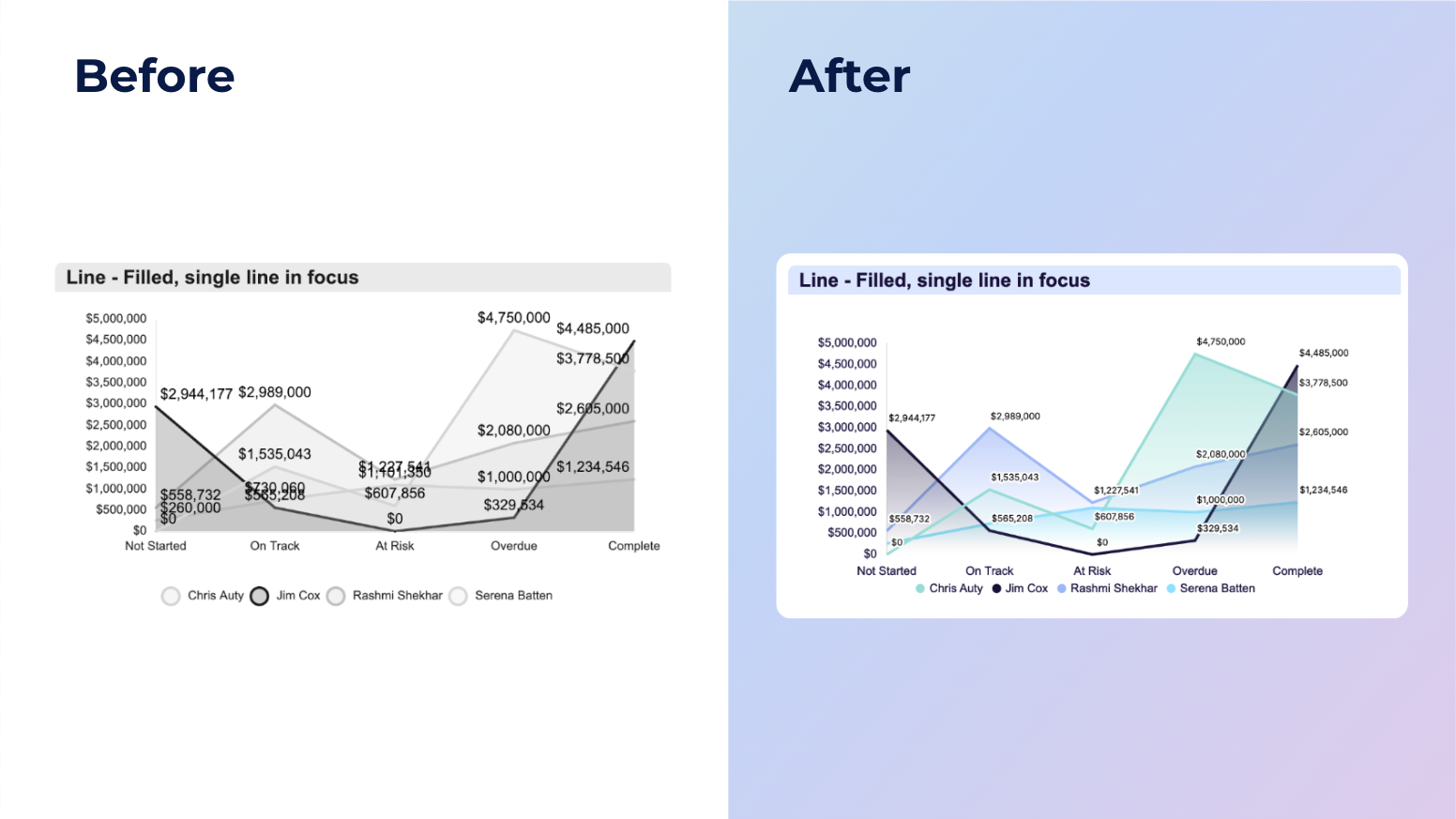
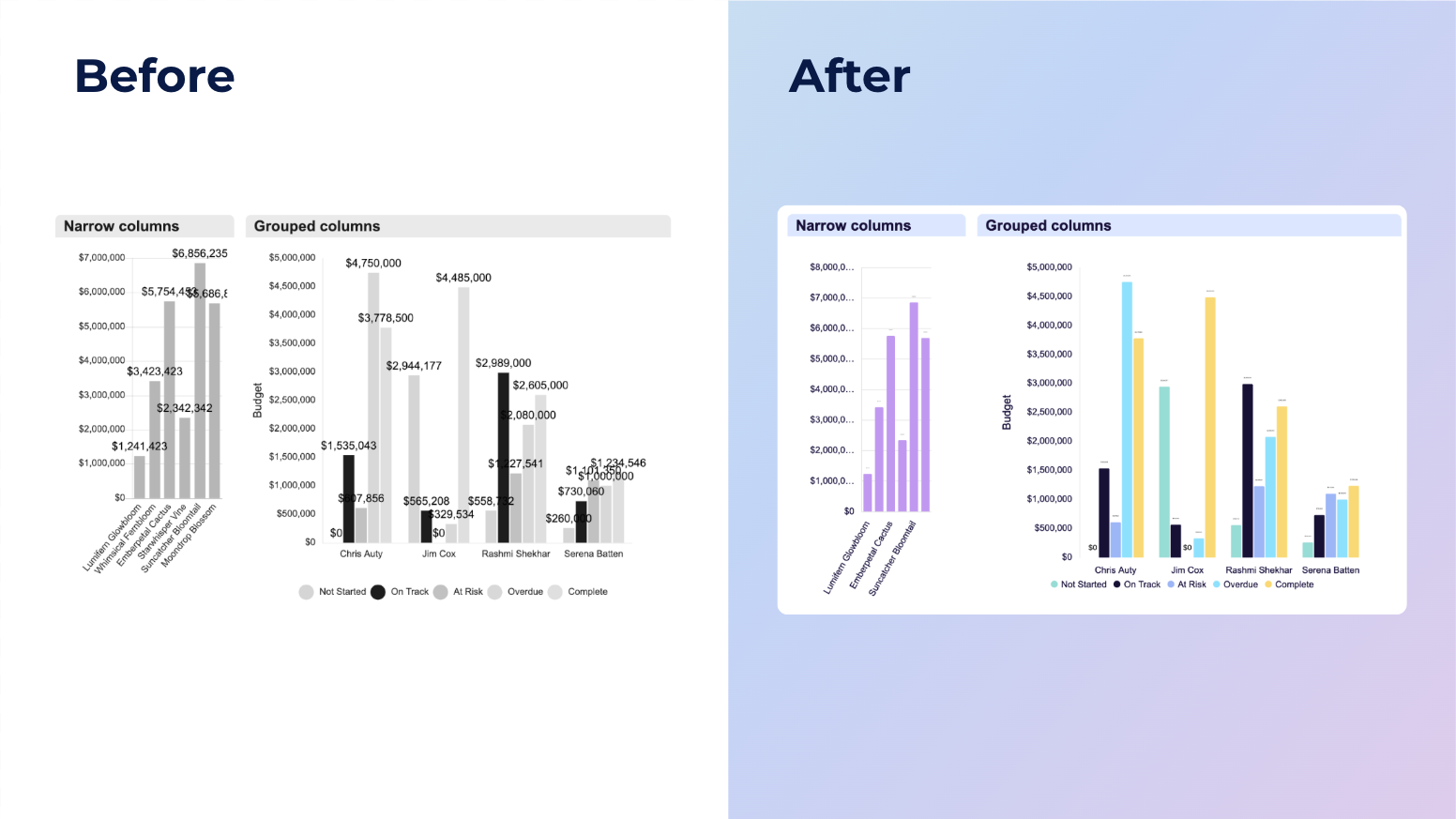
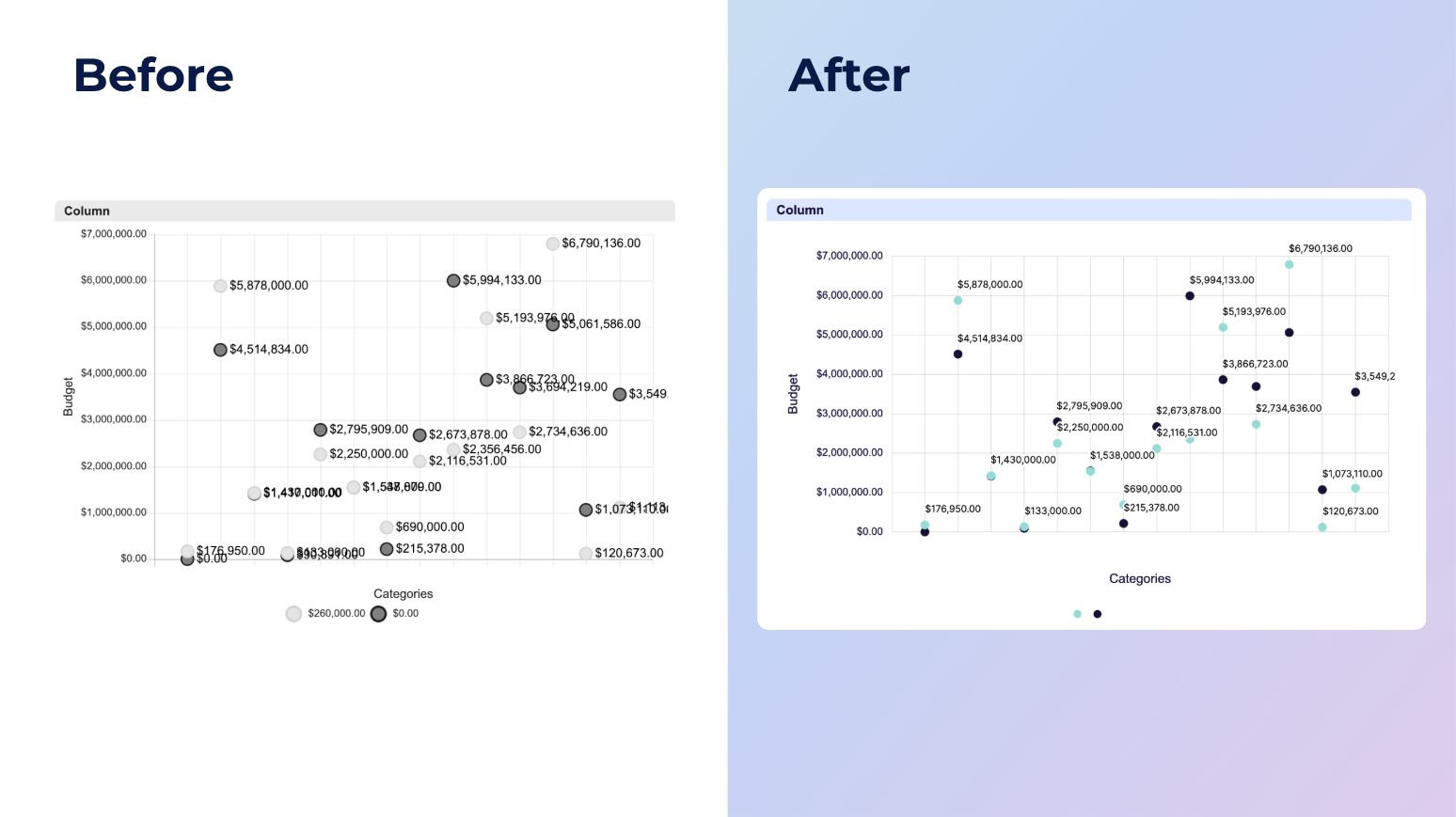
NEW! Modern chart styling and readability enhancements
Hi Community!
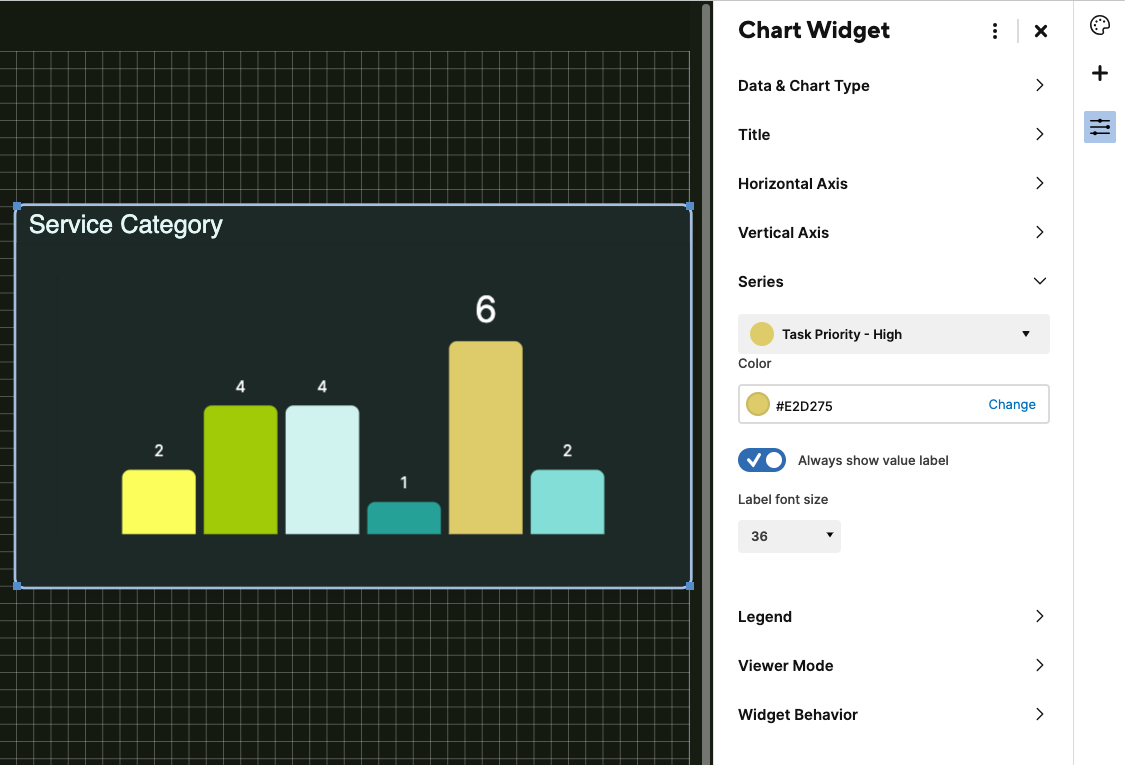
This update introduces a series of styling and readability improvements to the chart widget, offering a more modern and polished visual experience across your dashboard. Enhancements include better spacing, improved text overflow handling, refined display of negative values, custom series label size and more.
Dashboard editors may need to make adjustments, such as resizing charts or repositioning legends, to fully take advantage of these improvements.
Please note, this release will roll out in phases. A small percentage of you will get access first, with more added gradually over the coming days. We expect all users to have access by next week.
Environments availability: Commercial US, Commercial EU
Plan availability: Pro, Business, Enterprise
Subscription Model Availability: Legacy Collaborator Model and User Subscription Model
Stay informed by subscribing to receive product release updates for curated news of recently released product capabilities and enhancements for the platform of your choosing, delivered to your inbox. As new releases occur, you will receive a weekly email with news of what's released every Tuesday.
 Jason DelValle
Re: Automation spanning multiple sheets
Thanks for your ideas @KPH! That's a very interesting thought and I will see if I can get it to work for me.
All the best,
Lane
Lane F