Best Of
Re: Get Email from Contact Name
I've actually been using a workaround from this discussion post from a while back. It also mentions your solution but I don't like the idea of having to constantly download the contacts list etc. so I used the solution where you change the contact list column to text/number & use a formula to extract the email. Then I just copy & paste the values (to replace the formulas) & switch the column type back to contact list. I'll quote it below:
Step 1a: Create a save as copy of existing sheet that you wish to download
or
Step 1b: Convert the sheet contact list column to a text/numeric column; bingo!
(Note: Don't forget to convert it back to Contact List type]
Step 2: If Step 1a is followed then convert the "Contact List" column to a text/numeric column; bingo!
Step 3a: If Step 1a is followed then download the Smartsheet file and use excel based formulae to extract email address, within [abc <abc@abcxyzefg.com>]
Formulae: [=MID(A1, FIND("<", A1) + 1, FIND(">", A1) - FIND("<", A1) - 1) ]
or
Step 3b: If Step 1b is followed then use below Smartsheet formulae to extract email address on Smartsheet another column (type text/numeric):
[=MID(ContactList@row, FIND("<", ContactList@row) + 1, FIND(">", ContactList@row) - FIND("<", ContactList@row) - 1) ]
Step 4: Job done!
 ro.fei
Re: Health and Wellness Solution
Oooh, haven't done this but I love the idea. I would recommend scrolling your phone's app store to get inspiration from what health apps are tracking and how some of their analytics look!

Start a Dynamic View evaluation directly from table view now generally available!
January, 08, 2026
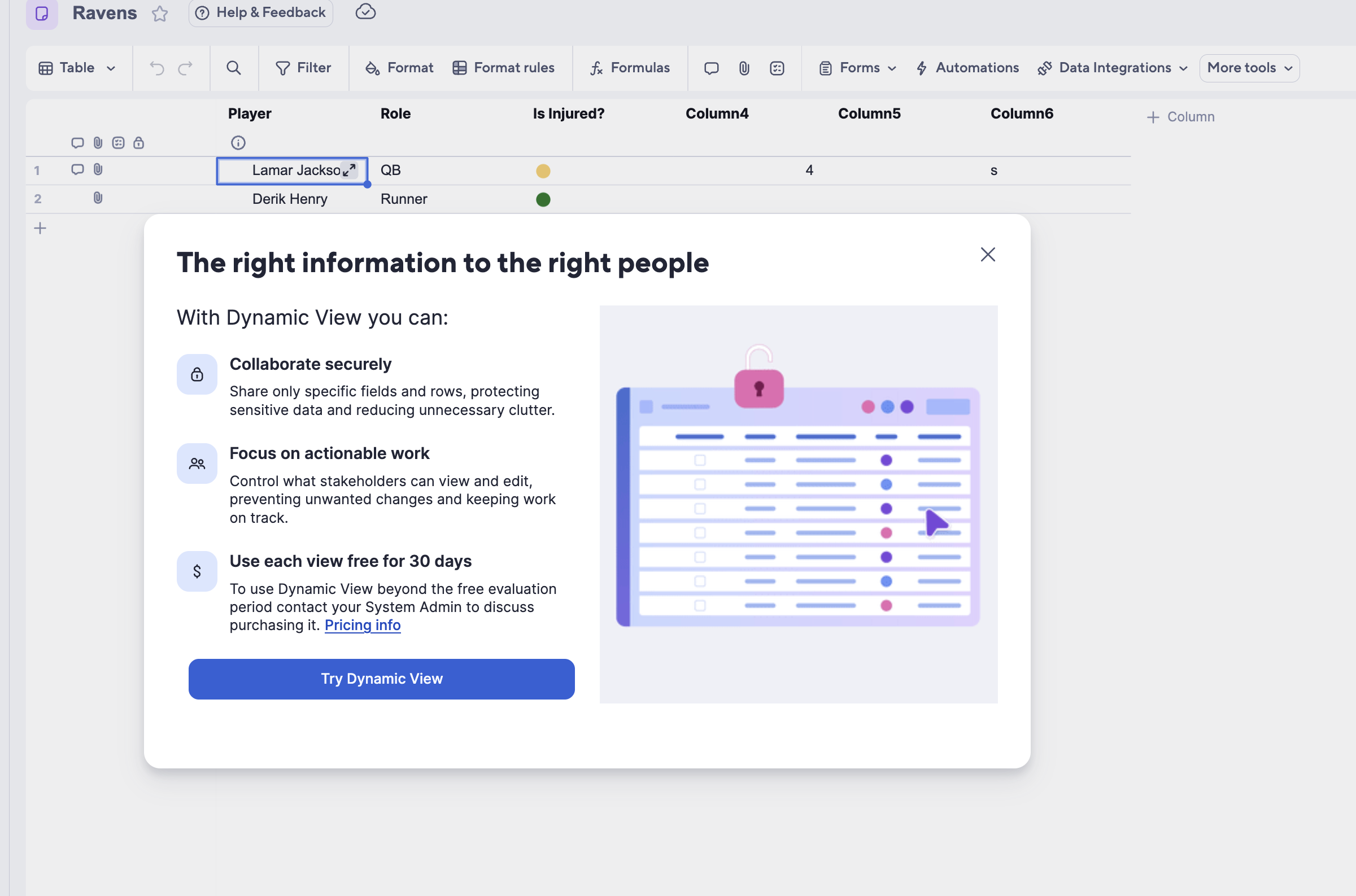
We have now integrated the Dynamic View evaluation modal into the new table view entry point, enabling eligible users to discover and try Dynamic View directly from their existing workflows. Open the Dynamic View modal from ‘More Tools’ to get a quick, guided overview before diving into an evaluation. Learn More
Environment Availability: Commercial US, Commercial EU, Commercial AU
Plan Availability: Dynamic View is available for Business and Enterprise plans and is included in Advanced Work Management.
Subscription Model Availability: Legacy Collaborator Model and User Subscription Model
Stay informed by Subscribing to receive product release updates for curated news of recently released product capabilities and enhancements for the platform of your choosing, delivered to your inbox. As new releases occur, you will receive a weekly email with news of what's released every Tuesday.
 emily.davenport
Re: How I’m Using AI to Supercharge Smartsheet Project Management
Automate Data Flow - Use Smartsheet Data Shuttle (push data to Excel/Sheets automatically) Or connect via Smartsheet API → Power Automate / Zapier → GPT integration for real-time feeds.
AI Inside Smartsheet - Smartsheet is rolling out AI summaries and insights directly in the platform. Leverage that to cut down on exports.
Secure AI Use - If handling sensitive project data, use GPT inside a controlled environment (e.g., Azure OpenAI, private GPTs) instead of public models.
Standardize Team Prompts - Build a Smartsheet + AI SOP, Export > Run prompt X > Generate summary > Paste into dashboard/email. This avoids inconsistent results from team members.
I’d suggest: Start small by exporting your project tracker → asking GPT to summarize risks/delays. Then gradually automate exports (Data Shuttle/API). Finally, build AI dashboards that refresh automatically.
 LijuGeorge
Re: Can Smartsheet deactivate a link to form after specific time ?
Not that I know of. You'd have to set up an automation to remind yourself, then go to the sheet and manually deactivate the form.
 Jason Tarpinian
Re: Renumbering when row is moved via automation
Usually in these cases, I will use an "intake sheet" that calculates the unique id and then use a copy row automation to push it to a "working sheet" as static data. The COPY row part is the key so that your intake sheet that outputs the unique identifier maintains all rows and doesn't end up shifting.
Assuming you are using a formula here which is why it changes when rows are moved off, I would also assume you are using a COUNTIFS in the formula that outputs the identifier. If that is the case, you can add another COUNTIFS that looks at the other sheet and gets the count from both. This should also keep the numbers from changing when rows are moved. I have also used this method a time or two with success.
There are also other formulas that can be used with helper columns, but generally speaking, I usually go with one of the above two options first.
 Paul Newcome
Re: No notifications - intake form
Ok. So you are using a form to populate new rows. How exactly is the Assigned To being populated? Is that a required field on the form, or is it being assigned after submission?
Paul Newcome
Re: New streamlined creation experience
Unbelievable!!
They say they take our feedback seriously but I haven't seen any improvement since this original post on April. This is such a HUGE! step down for Smartsheet.
 AAM26
AAM26
Re: Timeline Chart on Dashboard
Hello @Delilah and @Sarah Donnelly !
Timeline widgets should be able to open to the data source if that option is selected. Make sure to click this button in the corner:
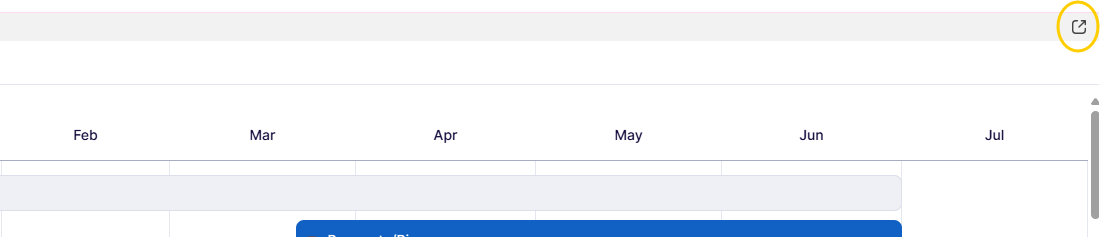
As it won't open if you click just anywhere on the widget as with other widget types.
If that is not the problem, then make sure the setting "Open to data source" is saved and that you have access to the data source.
 Janae G.
Generate formulas AI tool available in AU!
December 11, 2025
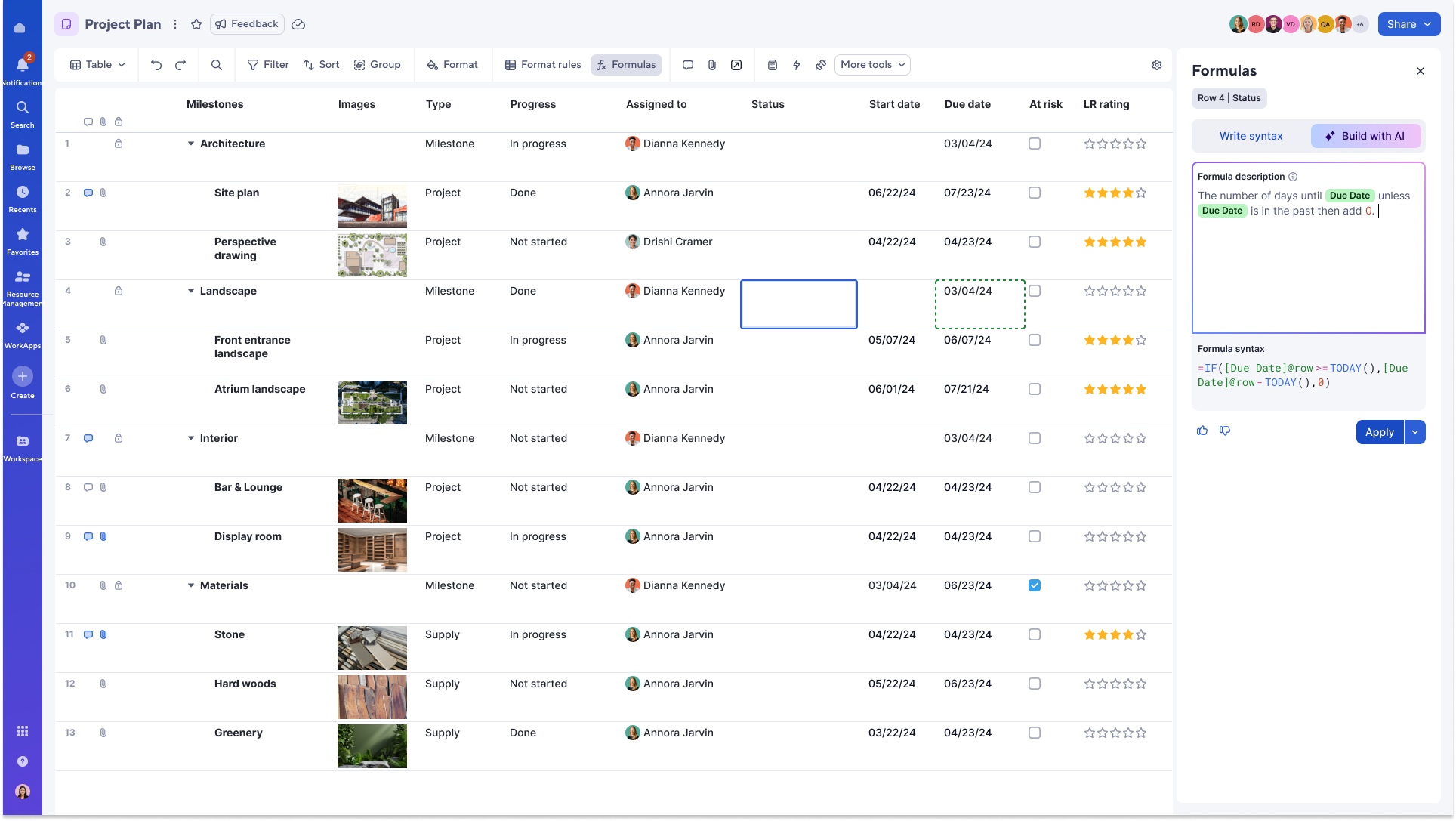
Generate formulas is now available for customers using the Smartsheet AU environment in Table view. This AI tool enables you to quickly create working formulas in the formula panel using AI, without needing to master complex functions or syntax. Simply describe what you want the formula to do in plain language, and AI will generate it for you—complete with column references—right in your sheet.
To access generate formulas in Table view, click the ‘Formulas’ button in the toolbar and select ‘Build with A,I’ or use the ‘=’ key within a cell to open the formula panel. Learn more.
Environments availability: Commercial US, Commercial EU, Commercial AU
Plan availability: Trial, Enterprise, Advanced Work Management
Subscription Model Availability: Legacy Collaborator Model, User Subscription Model
 Elizabeth Matson