Best Of
Re: Issues with copying in the Windows App - Table View
Hi @retrac_ted
Two things you can try:
1. Check to see if Enable Clipboard Features is switched on:
- Access windows settings through the Start menu and select settings or press Windows + I to open the settings directly.
- Select System and then Clipboard and ensure the clipboard history is switched on. This feature allows you to manage your clipboard items and may have implications on permissions across applications.
2. Check to see if your privacy settings for Clipboard is switched on:
- While still in Settings, go to privacy & Security. Select Screenshots and Apps
- Ensure the toggle switch under 'Let apps access take screenshots of various windows and displays' is switched on.
If you still have issues, you may have to speak to your IT team or check the Windows Security/Defender settings to ensure the applications are not preventing clipboard access.
Hope this helps.
Trish
 Trish Kernen
Re: ICYMI: Dashboard Charts Are Getting a Glow Up!
Our main dashboard used by senior staff has a series of broken report and web widgets with only a vague "engineers are working on this" and no further updates since this July 16th update. I have not been given any suggestions on how to make my dashboard useable again since this update.
 Karen Pogoda
Re: Reusing link on update requests
Hi @Andrée Starå,
I was having issues sending out alerts with attachments so I switched from "creating an alert" to using the Update Request function. It would work great however, I need to send 4 attachments and I noticed that once I view one of the attachments and then I try to revisit the link in the email, it prompts me with the "the link has already been used" error. I'm not sure if there have been any updates to allow the link to be used more than once. If not, I'm interested in using your workaround to "add a Workflow that would trigger from each change and send out another update request." Can you explain that solution a bit more?
BB2791
Re: How to show time when a box is checked?
I did try that first, but it only enters the date, and not the time. How do you format it to include the time?
Jhoaas
Re: How to show time when a box is checked?
That seems awfully complicated--does Smartsheet not have an ability to record time? They must if they are able to record the created on time, so im not sure why they cant have it for other columns. I really just want something as simple as "box was checked at 4:30 pm". Thats all i need. I dont need it to calculate anything or reference anything, i just need the approximate time i checked the box.
Jhoaas
Edit Recurring/Scheduled Emails
Hello,
We have a number of emails that go out on a recurring basis to specific individuals. I'm talking about the ones you can set up when you click "Send as Attachment" and where you can click "schedule" to set up what days/times the email goes out and to who.
We are able to click "Edit Recurrence" but that only allows us to edit the day/time the email is sent. It does not allow us to edit 1) who the email is being sent to or 2) the contents of the email.
Whenever someone needs to be added or removed from these emails, we're not currently able to do so, and then have to set up an entirely new recurring email. This is made further difficult to do because I'm not able to see the contents of the email that was scheduled to send, and some of these reports/emails have been going out for years so I don't remember exactly what had gone out.
I would love to see this feature updated so it is easier to use and update.
Additionally, I was just forwarded an instance where someone whose account we removed from our Smartsheet team has been still set up to receive recurring emails. If a way to view all scheduled emails and who they're scheduled to go to exists, I'm not able to find it, so I have no way of knowing whether this user, who we removed for a reason, is still receiving other recurring emails.
I would love to either see an easier way to view what recurring emails are set up across all sheets, or a way to additionally remove a user from all recurring emails when we remove them from the team in our Admin Panel.
JessN
Re: New USM Alternative
I have been with Smartsheet since 2013 and I have loved the product, but it is over. Sorry, but this license model is just a money grab. Likely, our organization will be phasing out. Our organization is over 125,000 employees.
Marc Hauge
Re: User subscription model (USM) - provisional status visible and obvious for end user
I 100% agree. We were limited to just to the IT department, but we are slowly expanding elsewhere in the organization. But now with caution due to the limitations of what I call the "All or nothing" access. There is not audit trails of admins which is why we have limited it to just 3 people with myself being the primary person only. 9/10 I am the one making changes as the lead admin but if I am out of the office and someone who doesn't do the admin duties daily sometimes can cause problems that I then need to chase down.
 AngB789
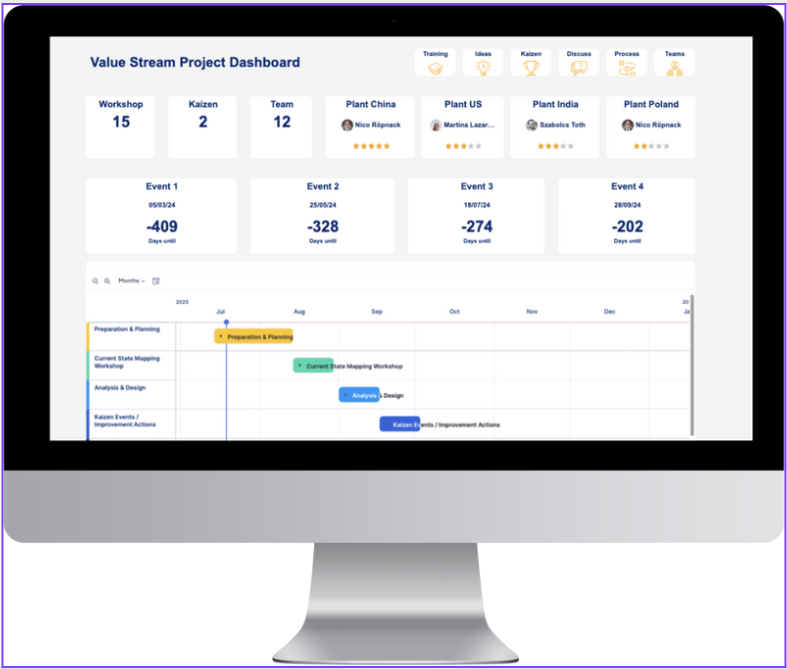
👇 Dashboard Templates Below – Vote for the One That Impresses You Most!
Which One Should I Finalize? Vote Below!
 NicoLHC