Best Of
Re: Tracking automations
Yes, this would be a dream addition to have the ability to confirm automated email notifications were sent successfully!
 PittsburghRob
Re: Tracking automations
YES! It would be great to see when the email was sent and to which address.
 MarjorieP
Re: Updates to the Left Navigation, now generally available!
I heartily agree! I'm in and out of many workspaces daily and now finding it takes more clicks to get to what I need. But I can see the value for some users.
 jmhoward
Re: Updates to the Left Navigation, now generally available!
10x agree with Paul. This was not very ideal when doing training today and had to do an extra click each time.
 AngB789
Re: Updates to the Left Navigation, now generally available!
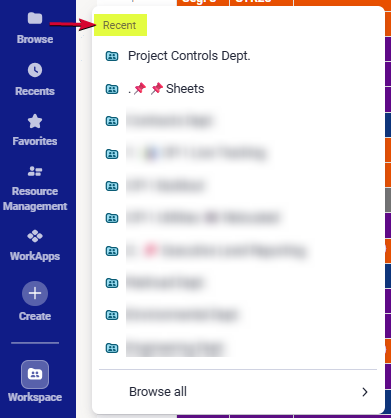
I too agree with Pauls request.. this change made it worse for the browse button. The only way i can use the original browse feature, is by customizing the URL Redirect Link in 1 of my 3rd party add-on extensions.
This is what i get when clicking on Browse. Please STOP changing the UI, we are not asking for that!!
 Julie Becker
Enable full search functionality in Board view
Currently in board view the search function is only returning matches when they're in the primary column - not in any other field. This isn't ideal and I've now been informed this has been designed this way. As board view is to replace card view, surely the basic, comprehensive search functions of card view should be replicated into Board view? Please develop this, as all other workarounds aren't ideal (and as one current one is to use card view, which won't be a possibility once that's gone), it's even less ideal!
Bek T
Automated hyperlink URL within anchor text
In Smartsheet we are looking to build the following automation:
1. Team A fills out a form with client info
2. After form is entered, an email is sent to Team B
3. Team B logs onto the Sheet, and adds a one-time login URL to the corresponding client row in Column A
4. Team B clicks a checkmark under the "Send Email" checkbox column, and an email with the login URL is sent to the client
The login URL is extremely long and looks unprofessional. While, yes, Team B could just click CTRL + K or find the Hyperlink button on the right click context menu, it does feel like a very easy opportunity to automate it for consistency's sake.
Is there really no way to mirror Excel's =HYPERLINK("https://www.example.com", "Link Text"), or incorporate markdown like syntax like [Text](https://www.example.com), or allow for HTML editing within the automation body like with href="https://www.example.com">Link Text</a>?
srasbornik2
Hyperlink to external site in automation message
Hi there -
I'm sorry if this has already been asked - I'm having a hard time finding the answer. My goal is to include a link to an external site in my automation messages. For example, folks will come to our business and fill out an online form (through smartsheet). I then have the automations set to go to the email they submit in the form. In the message, I'd like to add a hyperlink to a few resources on our website.
When I tested my automation, it says "[External link removed]" where my URL was supposed to be.
Thank you!
ccaldwellFFLC
Re: Hyperlink to external site in automation message
I had no idea that Smartsheet is removing the external links from notifications.
Maybe it's your Email server doing this? have you tried notifing another email address?
 kowal
kowal
Re: Hyperlink to external site in automation message
Hi All,
I'm experiencing the same issue. Automated emails, whether sent to address within or beyond my organization, are removing external links upon delivery.
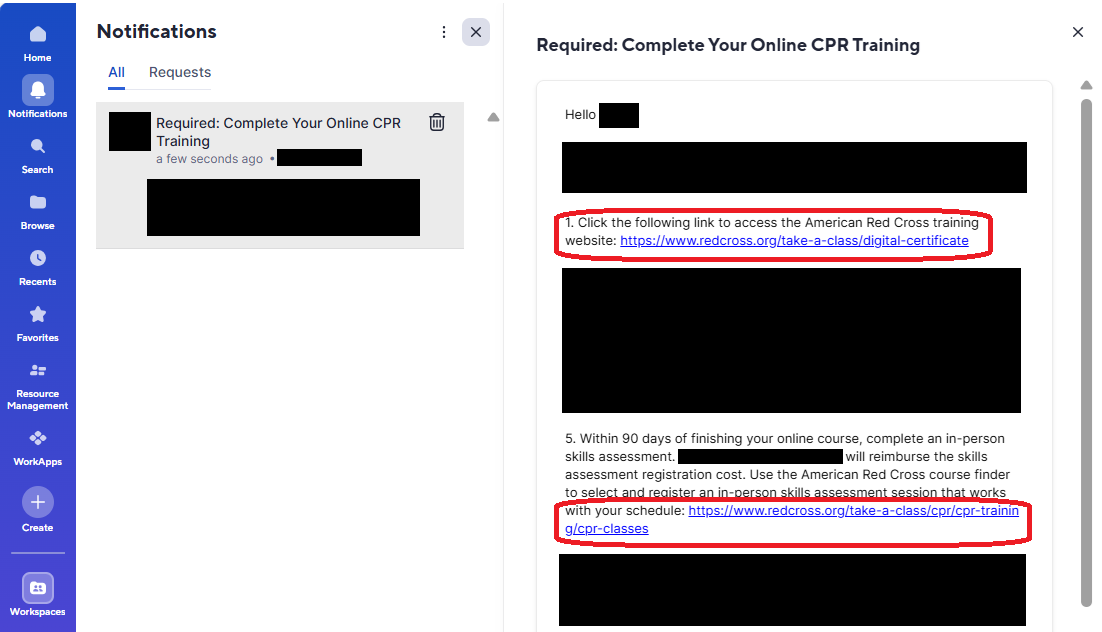
When I test the automation on myself using my organization's email address, I am able to see external links within Smartsheet's "Notifications" window (see below).
The associated sheet's automation permission is set to "Unrestricted."
Does anyone have insight on how to ensure external links appear in delivered automated emails?
Thank you,
Evan
 evantr0nic