Best Of
Add a condition path system that triggers all paths that meet conditions
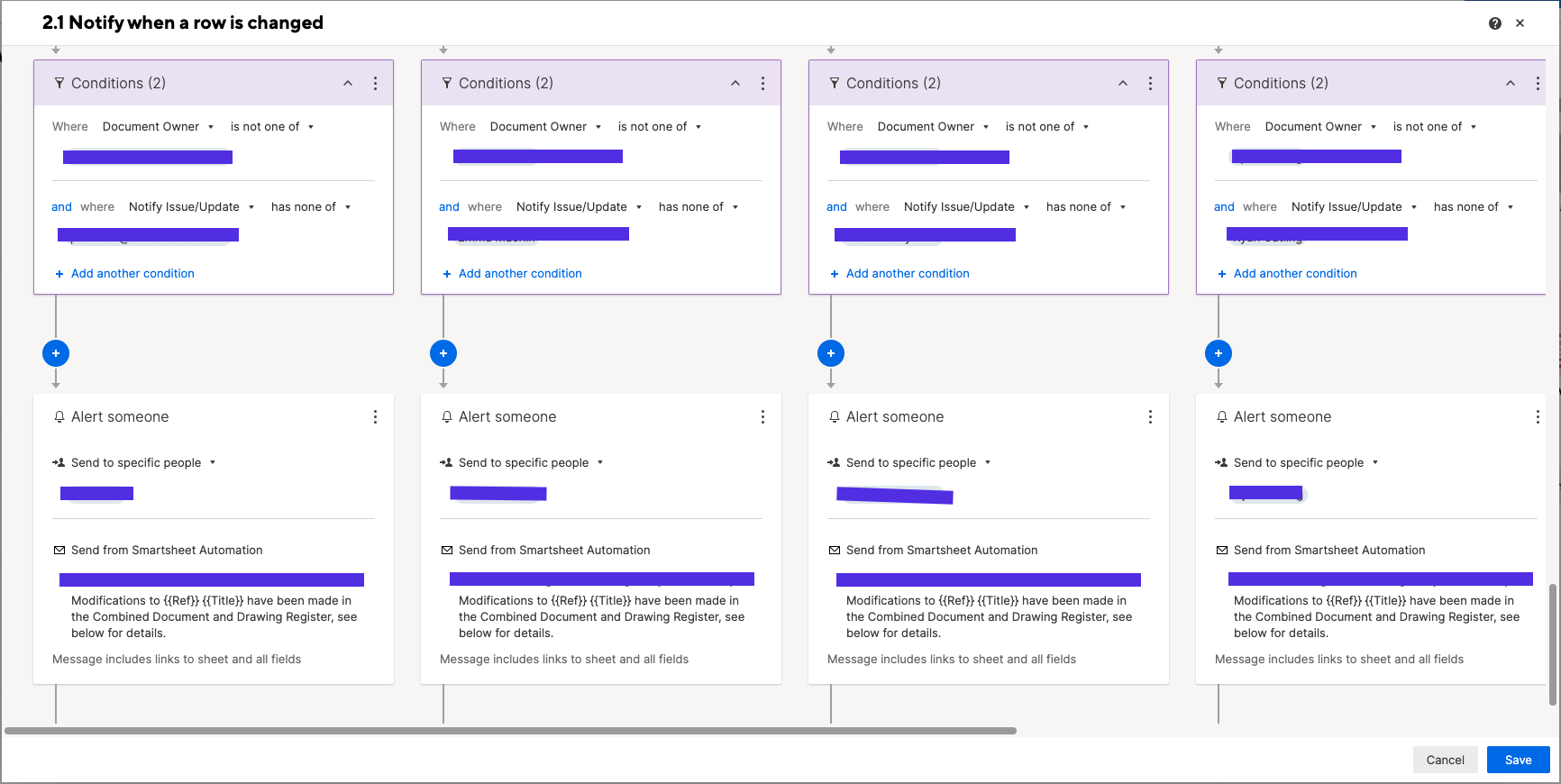
I need to send out automations to users that, due to limitations in the automation conditions, I can't set up in the same vertical line.
So reasonably I should be able to use the Condition Path trigger but unfortunately that method stops checking paths after it finds one where the conditions are met. This is very limiting and only helpful in limited circumstances. So as to not break existing automation systems, introduce an alternate type of conditional path that will run multiple parallel paths for all that meet condition criteria.
i.e.
 Ryan Catling
Re: Multi-step workflow vs. Conditional paths
I understand that this is how it works(now), but this is not intuitive. It is also not helpful that the 'circuit' that the user interface generates when you set up conditional paths looks like a parallel circuit. In electrical terms, and logical terms, the layout drawing generated implies that each conditional path runs at the same time, not in series. If you wanted to make the interface more intuitive, you should change the visual aids/lines in the layout to be more accurate.
Also, why wouldn't you be able to generate a parallel path option in your workflows. MANY of us have asked for that functionality rather than write duplicative workflows. I'm currently up to ~ 50 workflows in one of my sheets for what could be done in 7-8 if I didn't have to duplicate my work.
TY
Kevin1158
Unable to Print to PDF more than 1 page in Dashboard
HI,
I'm unable to print to PDF more than one page in dashboard. When I'm trying the print, its saving only the 1st page.
2058697481447300
https://app.smartsheet.com/dashboards/x7GcgRvCwqMJXWWrRGQXpJG45x654w2hww99Pg41
 Vikas
Vikas
Re: Sharing reports with data without even view access to the source sheet
Instead of Smartsheet making a money grab with Dynamic View starting at $125/month (yes, you read that right a month, which is more than the ANNUAL cost of a Business Plan with 3 licenses) why can't a report be shared to give a licensed user edit access without having to share other confidential info from the source sheet by also making them an editor of the sheet? That really defeats alot of the purpose of creating a report in the first place, which is to query data from a source sheet or multiple source sheets.
What's the rationale beyond Smartsheet forcing this? As greedy as they've become with this disaster of a new subscriber model, it's not a stretch to think they want you to spend wheelbarrows full of money to accomplish what should otherwise be a simple task. As it is, without being able to share a report with an editor w/o also sharing the sheet, the data has to be managed in a totally separate sheet and then added to another sheet where it lives when it could just otherwise be updated automatically in the original source sheet. Stupid!
 ljgrissom
Re: Conditional Cross Reference Help
Ok. In that case, I would suggest adding a helper (flag type) column to each of the 50 sheets to check if a copy already exists on the "Notification Sheet".
=IF(COUNTIFS({Notification Sheet ID Column}, @cell = [FDH ID]@row) > 0, 1)
Then you would set up an automation to run on a regular basis (daily for a single automation or multiple daily automations to run as frequently as every hour). You would have 2 conditions. One where the count column isn't blank and another where the flag column isn't checked.
 Paul Newcome
Re: Include option in dashboard widget settings for open in new tab
I would find this very useful also. All you would need is a check box ("Open in new tab") in the widget behavior edit screen screen to add that option.
Is that possible to do?
curt0724
Re: Include option in dashboard widget settings for open in new tab
Recommending adding the ability for links on Dashboards with the Shortcut Widget to select to open links in new windows.
shaneram221
Re: Get Email from Contact Name
Adding a +1 for this. I see 2 functions that would be useful:
CONTACT_EMAIL(contact) - this would result in the email of the contact
CONTACT_NAME(contact) - this would result in the first and last name of the contact
HermeC
Allow Users to push dates out without removing Dependencies
If Task B is dependent on Task A finishing, Smartsheet currently automatically calculates the start date for Task B to start right after Task A's finish date (unless the predecessor indicates a lag).
If Task B start date needs to change, it's too clunky for user to have to figure out what lag days are needed so that the start date lands on the day they want. Imagine doing this for many tasks across multiple projects on a daily or weekly basis.
It would be great if Smartsheet allows user to push the start date of a task without removing dependencies. I know other platforms have this functionality. It makes it a lot easier and efficient for the users.
Kay_W
Exclude blank cells from PDF print on rows
It would be very helpful to have columns w/ blank cells in a row to be excluded from the PDF printout. For example, if i have 15 columns and 4 of the cells are blank on a row, I want to exclude those 4 from the PDF printout and have it only include the other 11. This would give it a much cleaner, more compact view.
 DaVina Jeffries