I’m running into a publishing issue that I can’t resolve, and I’m hoping someone in the community has seen this before.
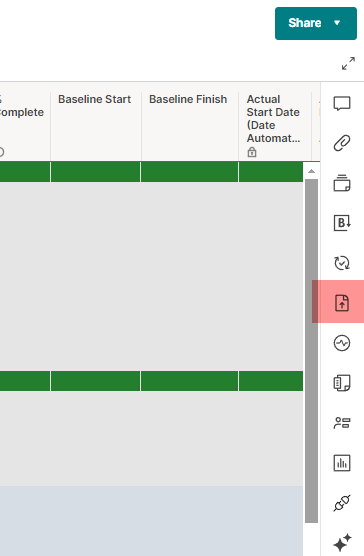
I am trying to publish a standard grid sheet, but the “Publish” option and the globe icon do not appear anywhere when I open the sheet. Here’s what I’ve confirmed so far:
• I am the System Admin
• I am the Contract Owner
• I am the Billing Contact
• I own the sheet and the workspace it lives in
• Sheet Publishing is enabled at the account level under Security Controls
• Publishing works correctly for dashboards and reports
• The sheet is a normal grid sheet (blue icon), not a report
• I am in Grid View, not Card/Calendar view
• The right-side toolbar is expanded
• File > Publish does not appear
• The sheet cannot be moved out of the workspace into my Sheets folder (Smartsheet blocks it)
• No restricted column types; no row-level security
• This sheet was built manually, not generated from a template or report
Despite all of this, the sheet still shows no option to publish. It behaves as if it’s a non-publishable item type, even though it appears to be a standard sheet that I own.
Has anyone seen this issue before?
Is there a known cause where a grid sheet becomes “non-publishable” even when publishing is fully enabled?
And is there a way to unlock publishing for this specific sheet without rebuilding it from scratch?
Any guidance would be appreciated.