Best Of
Re: Rename labels when using custom colours
You can use a separate sheet with formulas containing cross sheet references.
Put the desired labels in one column and in the next column a COUNTIFS to count how many are for that color.

 Paul Newcome
Re: April Question of the Month - Join the conversation and receive a badge
Since Everyone is sharing their fav. items at their desks, Here is my crazy setup - Left to Right (Construction Office)

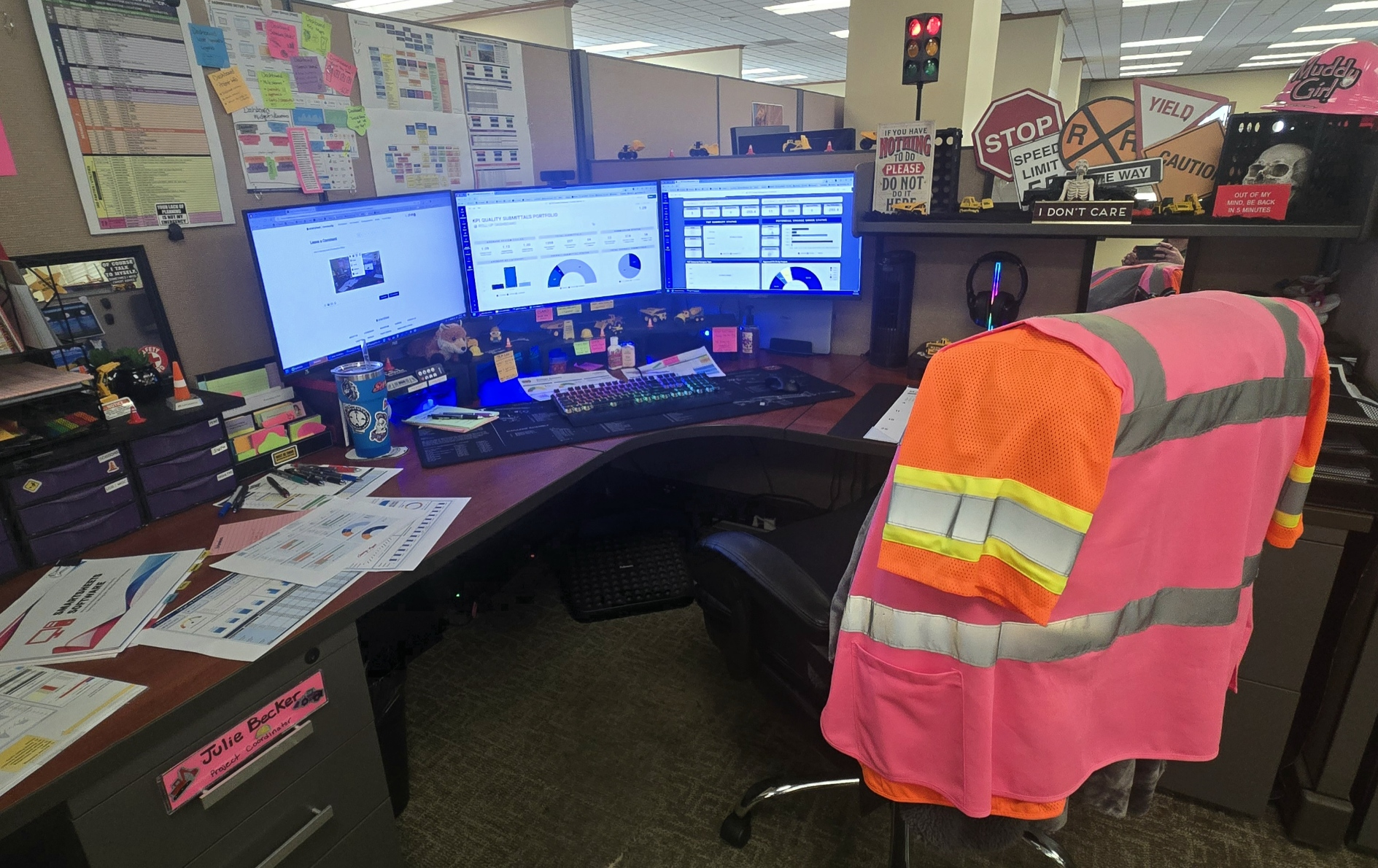
 Julie Becker
Re: Table view initial release is now generally available for all customers!
Hi @Trang Turtletraxx - If you opt-in a sheet for larger sheet capacity, and it exceeds 20,000 rows or 500,000 cells in table view, it cannot be switched back to grid view. Please read our help article, Large-scale sheets in table view, for more details.
Hi @MPath - Currently, you need to switch to grid view to add images to a cell. While this functionality isn't currently supported in table view, it is on our roadmap.
Hi @Heather White - Yes, please go to our Introduction to table view help article to see a video highlighting new table features and setup. I also recommend this other help article for more in-depth details on setup.
 Lekshmi Unnithan
Re: Table view initial release is now generally available for all customers!
Yes - we do all the time. And we run DataShuttle from Table view.
 Darla Brown
Re: Table view initial release is now generally available for all customers!
@Darla Brown - You won't lose any automations or other features by switching to Table view. It's just like switching to any other view (like Board or Timeline). In fact, you can even access and manage automations directly from Table view. The situation where automations are not supported is if you explicitly opt-in (via request) for larger scale sheets and add more than 20,000 rows to your sheet. Automations are not supported beyond that scale, but that support is coming in the future. Cheers!
 Olen Ronning
Re: Grid View - Default Values
You would need to use a Change Cell automation if new rows are being added directly in the sheet. If new rows are being added via form, you can set the default values there and then hide the fields within the form.
Paul Newcome
Re: What view are you? Share your story and claim your badge
As a Marketing Operations Specialist, I am mainly working in Table View. Since this does provide a real-time collaboration, it just makes sense for me. It's more efficient for me because there are a lot of moving parts and deadlines.
 Thumphrey
Upcoming Smartsheet User Group Sessions
📣 Want to connect with fellow Smartsheet champions? Smartsheet is hosting in-person User Groups around the world! These free events are a great opportunity to learn from local users, hear success stories, and share your own Smartsheet experience during the workshop and networking hours. Space is limited—save your spot today!
Here’s where we’re headed:
- Manchester, UK - May 1st
- Denver, CO - May 7th
- NYC Area (Hoboken, NJ) - May 14th
- Stockholm, SE - May 20th
- Boston area - June 5th
P.S. Don’t see any groups in your area? We also have a number of upcoming virtual sessions!
Check out our page to register for any of these events.
 Kelsey Hayden
Re: Automation Trigger Help
Think it out:
You've got some of it: your trigger is "When a date is reached." That date is every single week, on specific days. So you'll need to make the run cadence Custom (as opposed to "Run once" that is the default for new automations - you can find the dropdown for that in the area of the automation your screenshot highlights with the arrow).
The next window is where you set the cadence. You've already established the cadence as every 1 week. Elsewhere in that window, you can choose which days to Repeat On.
Apologies for the giant screenshot; I am trying to change how I include it.
Good luck on your learning! Always exciting to see others embarking on the path!

 Kerry St. Thomas