Best Of
Re: How to create Icons into a Dashboard
Amar is spot on — you can accomplish this by adding the image widget and then when the user clicks the image, enter the URL in the widget to point to the link you want to user to be redirected to if they were to click the image!
 StevenBlackburn
Re: Pull most recent date from another sheet based on two criteria
@Eric.Bailey you should use the formula:-
= MAX(COLLECT({Date Column}, {Facility}, @cell = "Facility",
{Category}, CONTAINS("This Word", @cell )))
 amarkumar
Re: Email Alerts
@AndreaN check this Smartsheet setting:
- Profile (top-right) → Personal settings
- Notifications (or “Notification preferences”)
- Enable the option like “Receive email notifications for changes I make” / “Include my changes”.
amarkumar
Re: In Timeline View, is it possible to show Baseline vs Actual?
@chelsea.koll Timeline view in Smartsheet currently supports one date-range bar per row (based on the Start/End columns you select), so it can’t display baseline as a second/overlay bar the way Gantt view does.
amarkumar
Re: Conversation and Attachment Indicator at the Sheet Level
The indicator also appears even when you don't "@mention" someone. The indicator appeared for me, and my comment was simply "Test comment".
 Paul Newcome
Upcoming changes to the Smartsheet login experience
Smartsheet is making updates to our login experience, and you’ll soon notice an updated login page. This is a planned change; sign-in has been refreshed to make it clearer and easier to use, with a simplified layout and a more streamlined flow.
What’s changing
- Updated visuals and a cleaner page layout
- A clearer step-by-step sign-in flow
- Your most relevant login option surfaced more prominently
When will things change?
We are launching regionally (based on where your data is hosted), on the following dates:
- AU region - Feb 3rd
- EU region - Feb 5th
- US region - Feb 9th
What’s not changing
- How you sign in
- Your login settings, permissions, or account access
- Your data, sheets, or work in Smartsheet
There’s no action required from you — we just wanted to give you a heads-up so you know the updated visuals are intentional and safe.
Thanks,
The Smartsheet Product Team
P.S. Looking for a bit more information? Check out our post for admins here.
___________________________________________________________________________________________________________________
Environments availability: Commercial US, EU, and AU
Plan availability: Pro, Business, Enterprise, Advanced Work Management
Subscription Model Availability: Legacy Collaborator Model and User Subscription Model
Stay informed by Subscribing to receive product release updates for curated news of recently released product capabilities and enhancements for the platform of your choosing, delivered to your inbox. As new releases occur, you will receive a weekly email with news of what's released every Tuesday.
 Daniel Medved
Metrics Widget Formatting Issue
Hello,
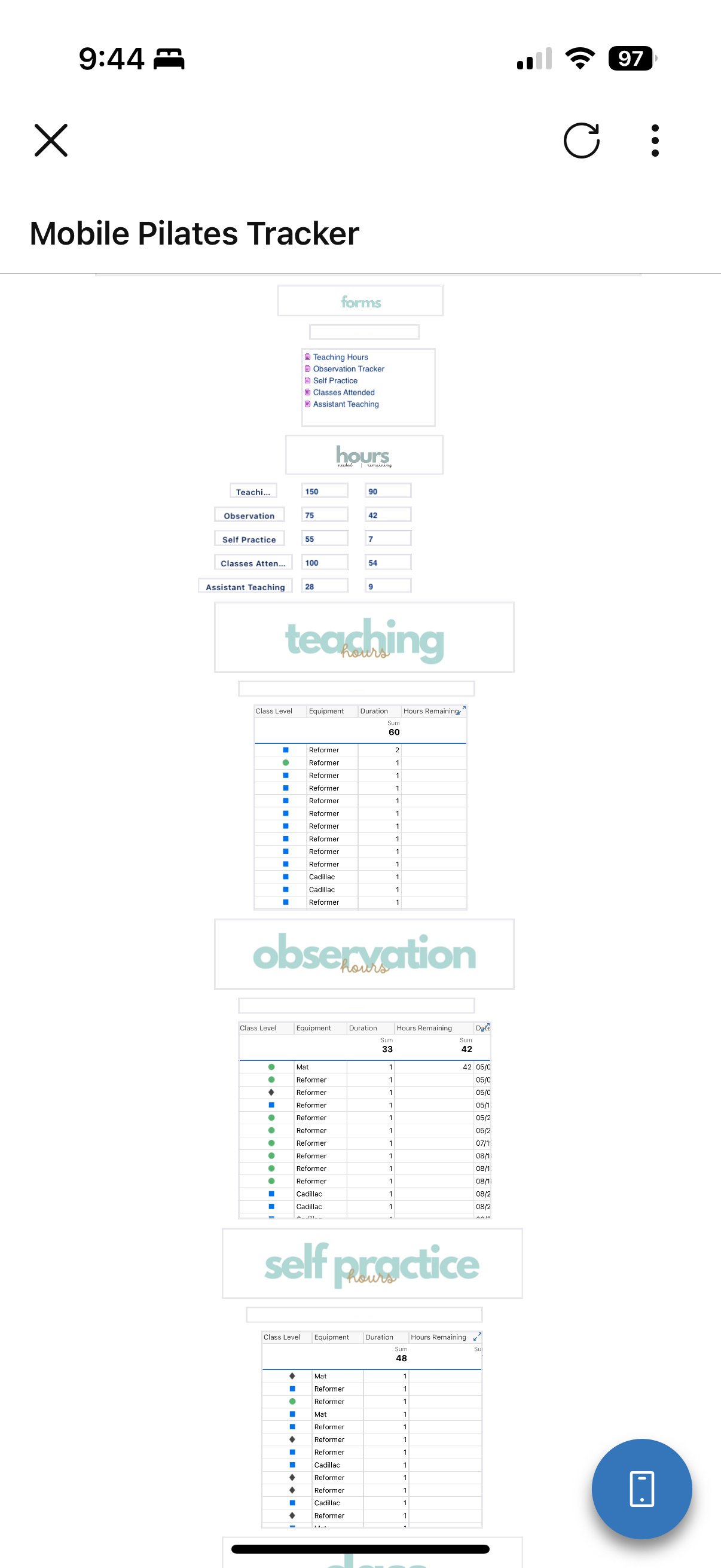
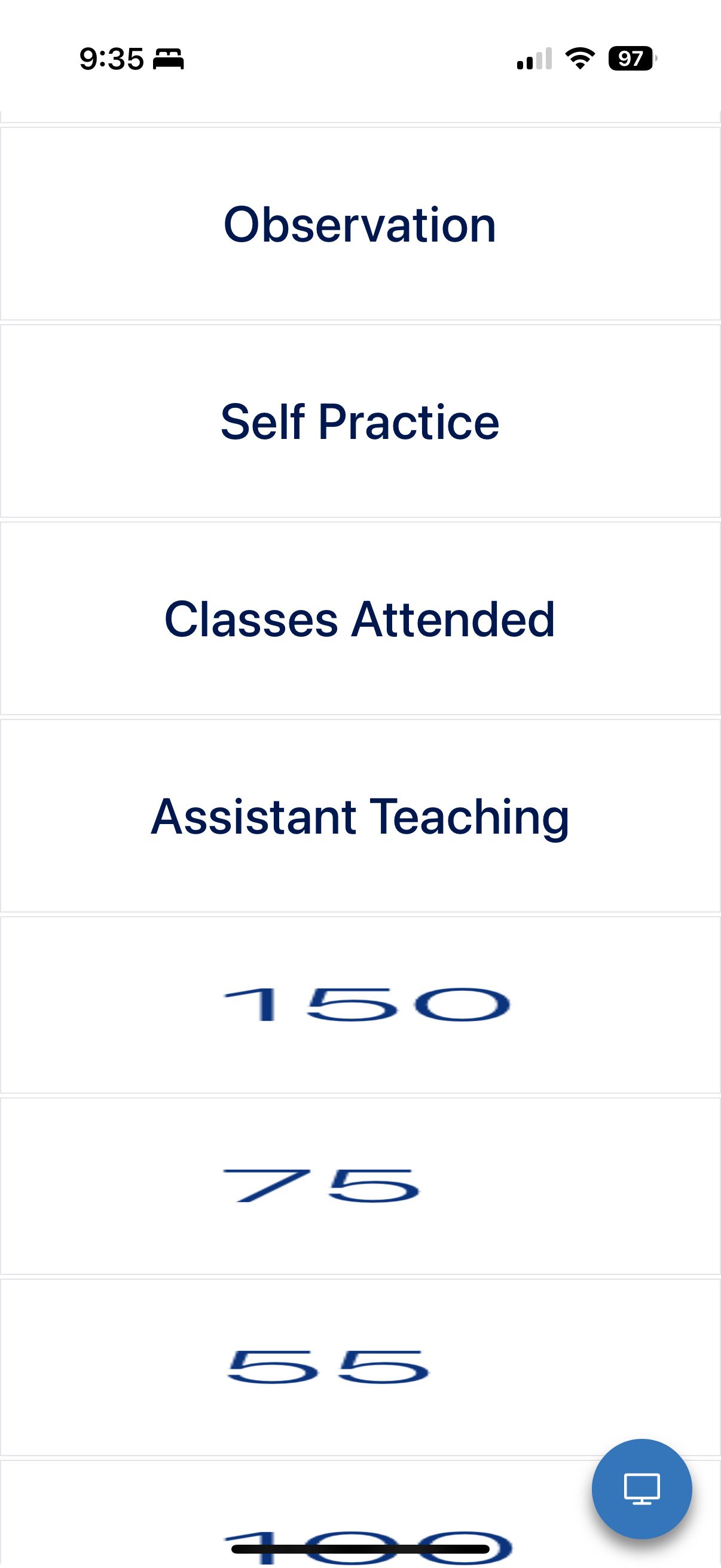
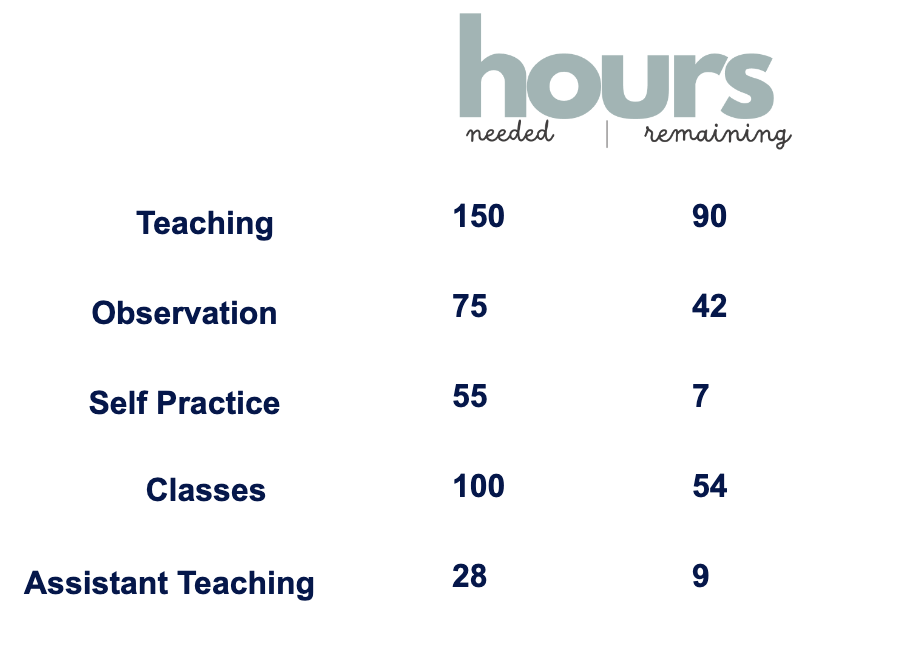
I have created several sheets and reports to be able to live track my progress in a teacher training program. I used a Metric widget to pull the remaining hours from my sheet into a dashboard which works beautifully in the desktop version, but when I look at the mobile version, the formatting is all messed up. I've been tinkering with this for several hours and I can't figure out how to fix it. I've included screenshots below. I know you can use a desktop version in the mobile app, but it also doesn't have the formatting I want.
Does anyone know how to resolve this issue?
Thank you so much!

Re: Metrics Widget Formatting Issue
- On mobile, Smartsheet uses a simplified layout and stacks widgets vertically.
- Metric widgets don’t auto-resize text or maintain alignment like they do on desktop.
- Use Smaller Widgets
- Reduce the size of Metric widgets on desktop so they stack better on mobile.
- Avoid Complex Formatting
- Keep text short and avoid multiple lines or large fonts.
- Group Metrics in a Report Widget
- Instead of multiple Metric widgets, create a summary report and embed it as a Report Widget. Reports scale better on mobile.
- Use Rich Text Widget for Labels
- Combine labels and values in a single Rich Text widget for better control.
 Naeem Ejaz
Re: Apresente-se e conheça os seus colegas!
Olá a todos! Prazer em conhecê-los!
O meu nome é Amar, vivo em Chandigarh e trabalho como developer. Utilizo o Smartsheet para gerir planos de projeto, automatizar o acompanhamento do estado e criar dashboards simples para as partes interessadas.
Algumas curiosidades sobre mim:
Gosto de ver séries da web.
Estou ansioso por aprender com a comunidade.
amarkumar
Re: Can a Control Center provisioned project be replaced by a copy of another project
Hello @Silvano Meffe You should not replace/delete the Smartsheet Control Center (SCC) provisioned assets with duplicated copies. That approach is not supported and often breaks SCC management (Global Updates, rollups/summary links, reports, automations, and long‑term blueprint consistency).
Recommended approach: provision the project via SCC as normal, then duplicate/repoint Dynamic Views to the new project’s sheets and update the Dashboard/WorkApp links to those new Dynamic Views.
amarkumar