Best Of
Re: Work with Flow - A Space Story
When I started my current job, my first priority was to re(learn) Smartsheet and take the project management process to a whole new level. They were using Smartsheet but in a very basic way. My manager knew improvements were needed but, when running a small business, it can be tough to find the time to put backend structure in place. That's where I came in. I looked at several solutions with my manager and the PMO template was the best option. Again, being a small business limited us in several areas. After several months of drafting, testing, and implementing we are now successfully using our PMO workspaces for our clients. We now have separate schedules for all components within a client's project (instead of the all-on-one schedule they were using before) which allows us to better track baseline and variance, informative internal & external dashboards, and multiple reports that are reviewed weekly. It's definitely improved our PM process and engagement and awareness within the team.
 melissalk
Re: Wrong Date Showing, Seems to be 4 hours off the difference between GMT and my Time Zone.
Hello Darryl,
On the Smartsheet server side, we store all dates and times in UTC. In the App though, we surface to the user based on their timezone. Since you're timezone is AST, we pass you what our server says is the time and then your Smartsheet instance interprets that time per your Personal Settings. So anything row created after a certain time (8:00pm your time) will show via a formula as the next day.
You might consider using a different formula to make this work. If you need this to be a Date (as opposed to being just a text value), you could use something like this:
=DATE(VALUE(MID(Created@row, 7, 2)), VALUE(LEFT(Created@row, 2)), VALUE(MID(Created@row, 4, 2)))
This will display the same value for the Date you see in the Created column.
Just a note, if you're using this as a timestamp type function, I'd recommend submitting a Product Enhancement Request using the link on the sidebar to the right. I know that Timestamps or a time function are something our Product Team is tracking customer feedback on and each vote counts!
Thanks,
Ian
Smartsheet Support
 IanN
IanN
Re: Document Builder: Can you convert multi-select items from commas to bullets?
Yes, if you have a suggestion for how to add a symbol to mimic a bullet, that would help. :) My formula looks like this, using Column 1 in this test.
=JOIN([Column 1]@row:[Column 1]@row, CHAR(10))
 Erica L.
Re: August Question of the Month - Join the conversation and receive a badge
Thank you for that mention @Georgie it was great fun making that, maybe there will be another picture from this years Engage and I can prepare a 2025 version!
One of the best things I've seen on the Smartsheet Community platform is the way people work collaboratively and show real tenacity, continuing to engage with a question until the person posting gets a robust, well-explained solution.
 Protonsponge
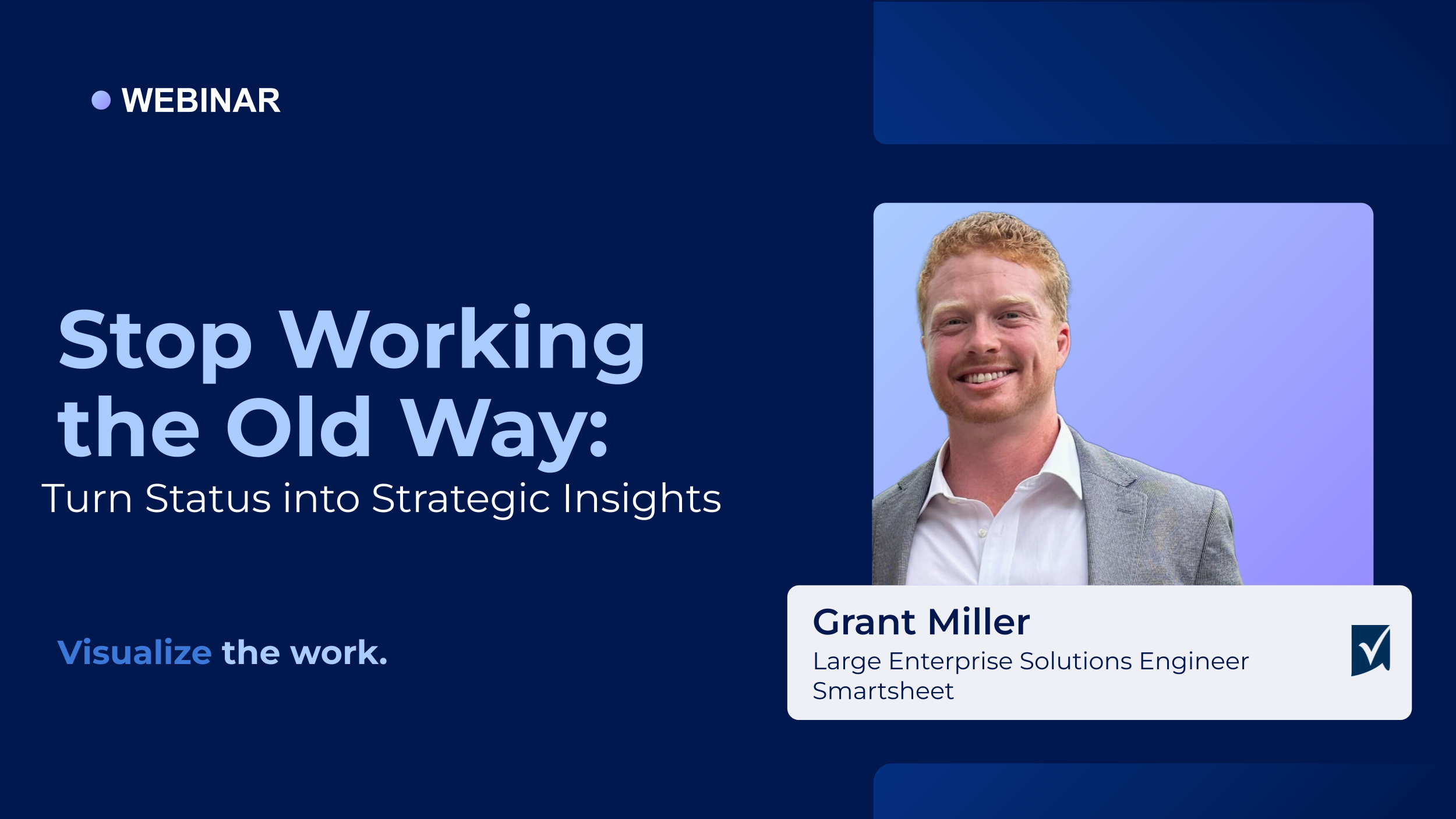
Register now! Webinar: Stop Working the Old Way – Visualize the Work
🗓️ Wednesday, August 20 | 11 AM ET | 30 Minutes
📊 What good is progress if no one can see it?
In the final session of our Stop Working the Old Way series, we’ll show you how to bring clarity to your work with powerful visual tools in Smartsheet.
✅ Build real-time dashboards for visibility
✅ Create cross-sheet reports that consolidate data
✅ Customize views for stakeholders and teams
Perfect for anyone looking to simplify communication, track KPIs, and showcase results—all in one place.
👉 Register now to wrap up the series strong!
📺 Missed a session? Catch up on the recordings
 ShelbyHunt
Re: Copying Workflows between Sheets
Hi,
I hope you're well and safe!
I agree, and in the meantime, here's a possible workaround.
I'd recommend the fantastic add-on, which makes this possible (copying workflows between sheets) (+ many other features).
SSFeatures from the brilliant Nathan. @SSFeatures Would that work/help?
Is that an option?
I hope that helps!
Be safe, and have a fantastic day!
Best,
Andrée Starå | Smartsheet Expert Consultant & Partner / CEO @ WORK BOLD
✅ Did I help answer your question/solve the problem? Please support with💡 ⬆️ ❤️, and/or ✅ Answer. This will make it easier for others to find a solution or help answer. I appreciate it, thank you! 🙏
 Andrée Starå
Re: Alphabetize Using Formula
I just had this issue. I successfully used this formula to get the alphabetized rank of each row.
=COUNTIF([Column name]:[Column name], "<=" + [Column name]@row)
I needed the alphabetized rank because:
- I need to update the order of the values on another sheet using DataMesh
- New values could be added at any time and they may not be in alphabetical order.
- I am using the Alphabetized rank as the key for the DataMesh
Identical values in [Column name] will receive the same alphabetical order rank.
Neil Egsgard
Business Solutions Architect
Southern Alberta Institute of Technology
 Neil Egsgard
Re: Check-In/Out Tracking with Time Alerting
Fell free to let me know if anything needs more details or you need help with any piece of it.
 Paul Newcome
Re: Timeline settings not saving
Thank you! I ended up creating a new grid and copying the data over, that fixed the issue.
detsh
Community Corner Newsletter [August 2025]
Hey everyone! It’s August - the best month in my opinion (yes, it’s my birthday month, but I love it for the sunshine and the holiday vibes!). Thanks to @Rebeca S. for last month's edition, and nice work on starting yoga!
Here are our updates for August, and keep reading to the end to see what I’ve been up to lately.
Community highlights
Help us welcome some of our newest Member introductions in Show & Tell or look through the Trending section for more ways to connect.
Say hello to these Community Members 👋🏻
You can find more new members and say hello here.
---
Ideas & feature requests (recently reviewed and updated by our Product Team)!
What’s it going to be? Head to the Smartsheet Product and Ideas Topic to share and vote on ideas.
- Ability to Favorite a Collection - Available Now
- Dynamic Filter on Dashboards - On Roadmap
---
Community updates
In Case You Missed It (ICYMI)

Do you have the Innovator Badge?
Share or vote on product ideas to earn it!

August Question of the Month
Share your answer by August 31
Explore our innovations, with Smartsheet Forward 2025 Edition 2
AI-powered, enterprise-grade work management that supercharges your team
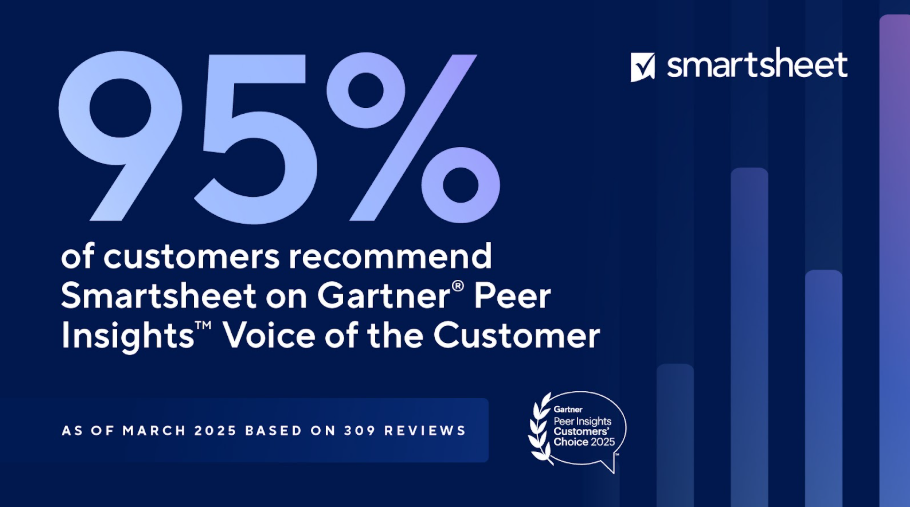
Smartsheet recognized as a Customers' Choice in the Gartner® Peer Insights™
Last few days to enter the giveaway & win Smartsheet swag!

Dashboard Charts Are Getting a Glow Up!
Add AI-generated charts directly to your dashboards

Webinar: Stop Working the Old Way – Visualize the Work
Register to attend the August 20 session

Work With Flow
Get inspired to use Smartsheet to work with flow!
Want even more updates? Follow us on LinkedIn, Instagram, Facebook and X for the latest from Smartsheet.
---
Pass the mic 🎤 Community Champions
Community Champions are members who demonstrate product expertise and generosity in sharing best practices and support with others on the platform.

“I really love the core platform. It’s extensive and robust by itself, and the more you know how to use it, the more remarkable it becomes. I appreciate how other tools like Control Center, Data Mesh, and Dynamic View solve the inevitable challenges with operating at scale, but they have to rely on a solid foundation.”
- @SoS | Dan Palenchar, founder and CEO of School of Sheets Solutions Consulting, a Smartsheet Aligned Solutions Partner and Community Champion
---
Member Appreciation
See Activity feed for more
This month's leaderboard
Member spotlight
Do you know someone in the Community who should be next month's Member Spotlight? Nominate them here.
---
Overachiever's Motivation Mix
The Smartsheet Overachievers are here to give you the songs that will keep you going and keep you achieving! Here’s what’s on the playlist right now.
Ben Rector - Golden Days
“This song resonates with me as a Smartsheet Overachiever Alum because it reminds me why I build all of my Smartsheet systems: To make room for what really matters. The lyrics capture how quickly meaningful moments pass and how important it is to be present, which is exactly what drives me to automate and simplify. It’s not just about efficiency; it’s about preserving energy for relationships, reflection, and legacy. This song reminds me that the work I do today shapes the golden days I’ll one day miss.”
- @Rebecca Wilhelm , Senior Project Manager at DePaul University + Overachievers Alum
---
More about Georgie:
Recently, I’ve been making the most of the British sunshine! I’ve been on a new zip wire over a lake which wasn’t half as scary as I expected (yes, I wanted to get back on for another go right afterwards!), and I’ve been to London several times to watch live tennis!
I’ve been lucky enough to get tickets for Wimbledon over the last few years, and always have such a great time there whatever court I’ve got seats for - this year was no exception! I took my partner and we had tickets for Court 2. It was the first time we’d been to Court 2 and it was so wonderfully small and intimate - we were literally 2 rows away from the action, so had an amazing view!
We of course spent plenty of time on “the hill” (aka Henman Hill / Murray Mount / Draper Dune? / Raducanu Ramp?) watching the big screens as well as taking time to watch Sonay Kartal on Court 3. Keeping everything crossed we’ll get to go again next year!
I have also been (and continue to be!) on the emotional rollercoaster of selling and buying houses - hopefully I’ll have a full update on that next time it’s my turn for the newsletter!

---
Give us your feedback
Have ideas for the next Community Corner? Leave your thoughts in the comments!
Note: Unfollow this Topic if you'd no longer like to receive alerts. We'll miss you!
 Georgie